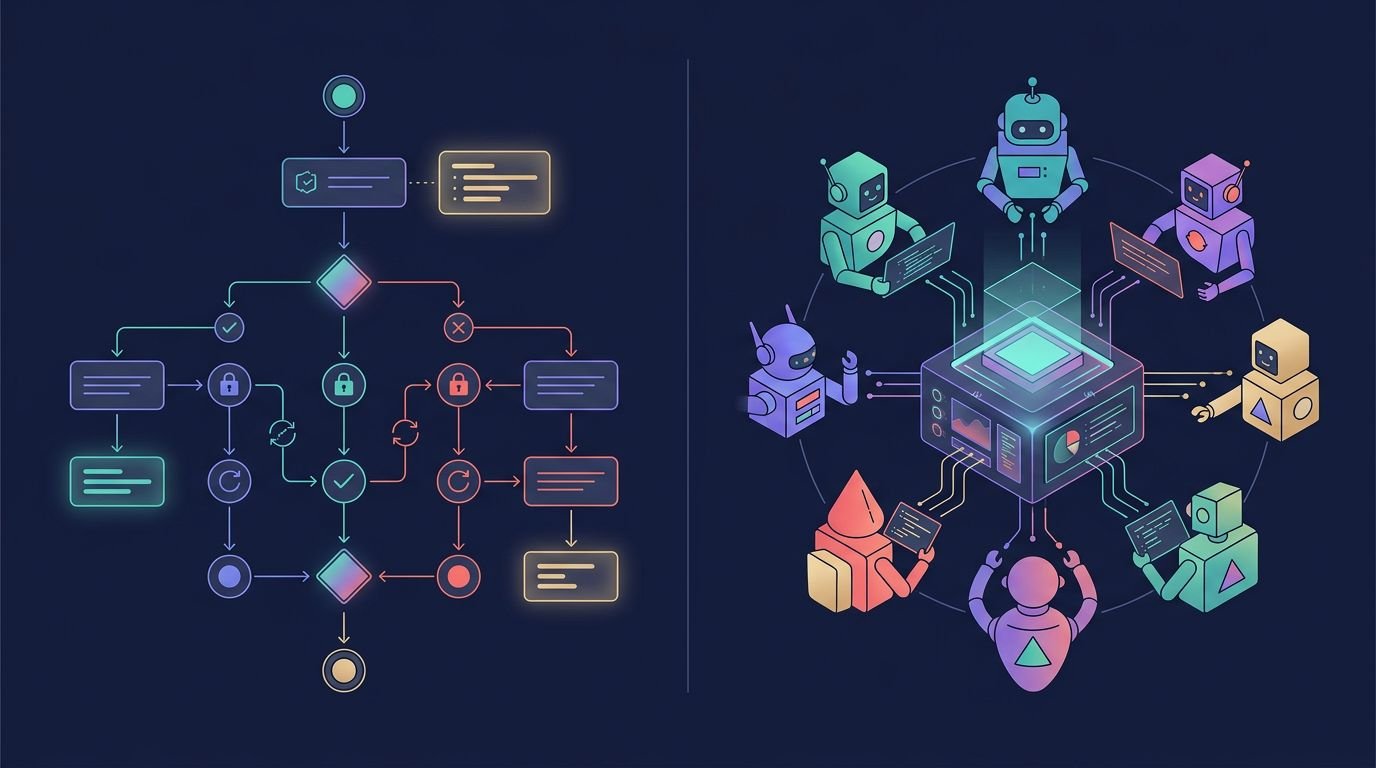
AI agents rarely fail because they cannot produce an answer. Production failures usually happen around tool timeouts, customer approvals, blocked permissions, and lost context.
LangGraph vs CrewAI is not a contest between two similar libraries. It is a choice between explicit workflow control and a faster role-based abstraction. I’d base that choice on the failure modes your small SaaS team can support after launch.
The right framework becomes clearer when rapid prototyping gives way to launch. Look past agent demos and examine the work that happens between requests.
Key Takeaways
- CrewAI is usually the faster choice for role-based prototypes and mostly linear workflows, while LangGraph is better suited to stateful processes with branching, approvals, retries, and recovery.
- Production agent systems need more than chat history: durable workflow state, controlled evidence, permission checks, structured handoffs, and reproducible traces are essential.
- LangGraph offers stronger visibility into state transitions and human-in-the-loop workflows; CrewAI provides a simpler abstraction that can become harder to inspect as exceptions and handoffs grow.
- Start with one agent and one tool path, benchmark realistic requests, and add complexity only when it improves a defined outcome. In hybrid designs, keep LangGraph as the source of truth and use CrewAI as a bounded specialist worker.
LangGraph vs CrewAI: the architecture decision
LangGraph uses graph-based workflows with explicit state management. You define nodes for work, edges for movement, conditional routing, and shared state. An agent can loop, retry, pause, branch into parallel work, recover from failure, or return to an earlier step.
CrewAI starts with a more intuitive model for many teams. Its role-based collaboration lets you define agents, assign roles and tools, then use task delegation in sequential or hierarchical processes. It maps cleanly to how people describe a small internal team: a researcher gathers facts, an analyst checks them, and a writer prepares the output.
That distinction affects engineering from day one, especially how LLM integration connects models, tools, prompts, and runtime behavior. CrewAI makes rapid prototyping feel concrete because its core objects match the product discussion. LangGraph requires you to think through state, transitions, and error paths before the first demo looks impressive.
Here is the practical difference I use when evaluating agent orchestration.
| Evaluation area | LangGraph | CrewAI |
|---|---|---|
| Primary mental model | A directed graph with explicit state and routing | A team of role-based agents and assigned tasks |
| Best early use case | Stateful workflows with branching and approvals | Role-oriented prototypes and defined task pipelines |
| Control over execution | High, including cyclical workflows, interrupts, and conditional routing | Strong for crews and flows, but less visible in the basic crew abstraction |
| Debugging focus | State changes, node transitions, and replayable paths | Agent behavior, task outputs, and crew-level traces |
| Main risk for a small team | More architecture work before shipping | Agent handoffs can become opaque as exceptions grow |
Neither model is inherently more “agentic.” The important question is whether your product needs a controlled process or a useful first version of a collaborative workflow for autonomous agents.
For a broader view of where these sit among AI agent builder tools, separate code-first frameworks from visual workflow builders. LangGraph and CrewAI are multi-agent frameworks that give developers control, but they also make the team responsible for runtime behavior.
An independent comparison of CrewAI and LangGraph reaches the same broad split: CrewAI makes agent collaboration easy to express, while LangGraph gives you more direct control over adaptive workflows.

State, memory, and recovery are where the gap widens
State is not chat history. In production SaaS workflows, customer identifiers, permissions, retrieval evidence, approval decisions, retry counts, and workflow position form a state management problem.
LangGraph treats that state as a first-class design element. You can define which fields agents may read or update, attach reducers for concurrent updates, and persist checkpoints. Checkpoints provide persistent memory for resumable workflows, not durable customer records or conversational history. A workflow can pause for approval, resume later, and use conditional routing after approval, tool failure, or a policy result.
A checkpoint can restore an agent’s workflow, but it cannot repair bad retrieval, missing permission checks, or an unsupported policy claim.
CrewAI Flows can carry state and coordinate crews. That works well for many applications. Still, I’d keep durable business data outside agent task messages. If critical context only exists in verbose agent outputs and logs, debugging becomes slower and handoffs become fragile.
For retrieval-augmented generation products, I separate workflow state from evidence to support security and compliance. Store the source title, version, effective date, section, permission rules, and allowed chunk IDs with each retrieval result. The model should cite only evidence it received for that request.
That approach makes it easier to measure retrieval recall, citation precision, citation coverage, and unresolved answers. A clean trace showing ten tool calls does not prove the answer relied on the right source.
If retrieval is the product itself, the distinction between agent orchestration and indexing matters. This LangChain vs LlamaIndex comparison explains why many SaaS teams use a retrieval layer for ingestion and indexing, then use LangGraph for stateful tool use, routing, and approval steps.

Human review and observability need product-level design
A customer-facing workflow using autonomous agents should not hide uncertainty behind confident prose. Its escalation path must be designed, not inferred from model confidence.
LangGraph has a strong fit for human-in-the-loop workflows because interruption is part of the graph model. A node can stop before an external action, wait for a reviewer, collect a structured decision, and continue from saved state. That is cleaner than rebuilding context after a reviewer responds in a separate system.
CrewAI can also request human input and apply guardrails around tasks. For straightforward review, such as approving a generated sales brief or publishing a content draft, that may be enough. The complexity rises when approval changes the route, requires a new retrieval pass, or must be audit-ready months later.
LangGraph integrates closely with LangSmith observability, providing traces across model calls, tool use, inputs, outputs, state values, and graph transitions. I find those traces most useful when a bug is intermittent. They show where the workflow routed, which state value changed, and why a retry occurred. For a small team, they are valuable debugging tools.
CrewAI offers tracing and OpenTelemetry-oriented observability paths, including hosted tooling. It can give a small team useful visibility without building every piece from scratch. Still, logging should not become a substitute for a reproducible state model.
At minimum, I want each production trace to record:
- The prompt or agent configuration version used for the run.
- Model, token, latency, and tool-call data for each meaningful step.
- A sanitized record of state transitions and retry reasons.
- The approved sources and permission filters used for factual responses.
Do not log secrets, raw customer records, or unrestricted internal reasoning simply because a tracing system can capture them. Security and compliance also depend on retention rules and access controls, not just visibility.
Parallel execution can save time or multiply costs
Both frameworks can run independent work in parallel. Neither makes parallel work automatically cheap, safe, or useful.
In LangGraph, conditional routing can branch from a routing node into research, retrieval, or validation work. Those visible branches make expensive paths easier to inspect. Each branch writes results back through controlled reducers, but that creates design work. Two branches updating the same field need a clear merge rule.
CrewAI uses task delegation to assign independent research work across agents. One agent can inspect product documentation while another checks support tickets. This abstraction is easy to describe, but it can hide the cost and handoff path.
The problem appears when teams parallelize every uncertainty. Five research branches create five model conversations, five tool paths, and five opportunities for noisy output. Add a judge agent, and the “quick” task now has six billable model steps.
I set cost controls before adding more agents:
- Branch only when each path can change the final decision or reduce a known risk.
- Place iteration limits around planners, reviewers, and retry loops.
- Cache stable retrieval and tool results with a clear invalidation policy.
- Keep shared state compact by saving summaries and references instead of full transcripts.
- Apply provider-level rate limits, budgets, and queues outside the agent framework.
LangGraph makes conditional routing visible, so it is easier to identify expensive branches. CrewAI can move quickly, but task handoffs may obscure the exact path behind a surprising token bill.
Rate limits are still your responsibility. OpenAI, Anthropic, a search API, and an internal database all have different quotas and failure behaviors. Put concurrency limits around each external dependency, not only around an individual agent.
Prototype speed, pricing, and production work
CrewAI is usually the faster option for rapid prototyping. A product manager can understand an agent’s role, goal, tools, and assigned task without reading a state schema. For a bounded workflow, that clarity matters.
LangGraph has a steeper start because teams must define workflow boundaries early. I consider that worthwhile when the system handles customer records, multi-step account changes, long-running jobs, or operational approvals.
Each option is an open-source framework, so the core software is free to use. The cost discussion changes when you add managed platforms, observability, deployment, storage, and model usage.
Pricing pages accessed in August 2026 listed LangGraph’s managed platform Plus plan at around $39 per seat per month, with additional charges for executed nodes, runs, and runtime capacity. CrewAI’s hosted Basic plan was listed as free, capped at 50 workflow executions per month, while managed enterprise production used custom pricing.
Those figures should be checked before procurement. Hosted AI pricing changes often, and framework costs are rarely the largest production expense. Model tokens, vector search, external tools, traces, storage, and engineering time can exceed the orchestration bill.

A production rollout also needs more than a deployment button. You need security and compliance controls, secret management, input validation, idempotent external actions, queues, alerts, rollback plans, and a test set based on real requests. My small-team AI agent deployment guide covers the controls that matter once a prototype becomes part of the product.
A hybrid architecture can work, with one owner
You can combine LangGraph and CrewAI, but only when the boundary is clear.
A reasonable pattern is to let LangGraph own the outer workflow. Its state management covers durable workflow state, approvals, retries, and recovery. The parent decides when to invoke the CrewAI crew, retry it, or send the run to review through conditional routing.
That setup works because LangGraph remains the source of truth for agent orchestration. CrewAI becomes a bounded specialist worker, not a second workflow engine competing for control.
I would use this migration path when a CrewAI prototype starts collecting exceptions:
- List the task outputs that affect customer data, money, permissions, or product actions. Assign stable identifiers to them.
- Define a typed state object with typed inputs and outputs. Store it outside crew conversation history.
- Move approval, retry, and recovery logic into a LangGraph parent workflow.
- Keep the existing crew behind a narrow input and output contract.
- Measure the hybrid workflow against the old path before moving more tasks.
Model Context Protocol can help both frameworks connect to standardized tools and context sources. It does not replace authorization, audit logging, or rate limits. Agent2Agent protocols may also help separate independently owned systems, but I would not select a framework based on an emerging interoperability standard alone.
Make the choice based on operational pressure
Choose CrewAI when your workflow is mostly linear and its role-based model helps the team ship faster. It suits internal research assistants, content preparation, structured lead research, and early product experiments when failed runs can restart without much lost context. Bounded tasks can also tolerate more autonomy from autonomous agents.
Choose LangGraph when workflow state has business value after the first request. That includes support actions, compliance review, customer onboarding, account operations, and any process that must pause, resume, retry, or explain its route.
For small SaaS teams, LangGraph vs CrewAI often comes down to one question: will the hard part be designing agent roles, or operating the workflow once real users touch it?
I would start with one agent and one tool path. Add another agent only after logs show a clear division of work and a defined task delegation boundary. Multi-agent systems are not automatically more capable. They are more expensive to inspect and maintain.
Choose the failure mode you can support
LangGraph vs CrewAI comes down to choosing the failure mode your team can support. CrewAI is the quicker path to a role-based prototype, while LangGraph is the stronger default when durability, recoverability, and explicit state are product requirements.
The best framework is the one your team can test, monitor, and repair without guessing what happened between model calls. Operational clarity beats a larger agent roster when agentic workflows must remain supportable.
Questions small teams ask
Is CrewAI easier to learn than LangGraph?
Usually, yes. CrewAI’s agent, task, and crew objects are easy to map to sequential or hierarchical processes, so a capable Python team can build a working prototype quickly. LangGraph asks for more upfront thought about nodes, edges, state, and recovery paths.
The LangGraph vs CrewAI comparison usually favors CrewAI for first prototypes. That gap narrows once the workflow needs durable memory, approvals, retries, or complex branching.
Which framework has better human review and debugging?
LangGraph is the stronger choice for human-in-the-loop review, controlled pauses, and resumable approval flows. Its connection to LangSmith also gives teams detailed traces for graph transitions, tool calls, and state changes.
CrewAI supports guardrails, human input, and tracing. It is often sufficient for lower-risk internal work where review does not change the workflow structure.
Can LangGraph and CrewAI run in the same application?
Yes. Put one framework in charge of durable state and external actions. In most hybrid designs, LangGraph is the outer orchestrator and CrewAI handles a focused specialist workflow.
Avoid passing raw conversation history between both frameworks. Exchange typed inputs, structured outputs, and stable identifiers instead.
How should a small team benchmark agent frameworks?
Run the same 30 to 50 realistic requests through each option. Track task success, unsupported claims, human escalation rate, P95 latency, model and tool cost, and recovery after simulated failures.
A polished demo is not a benchmark. The useful result is the framework that stays predictable when an API times out, a source changes, or an approval arrives late.
Suggested related internal articles