Most small Retrieval-Augmented Generation (RAG) apps don’t break because they picked the wrong vector database. They break because retrieval quality, permissions, and operating costs were treated as later problems.
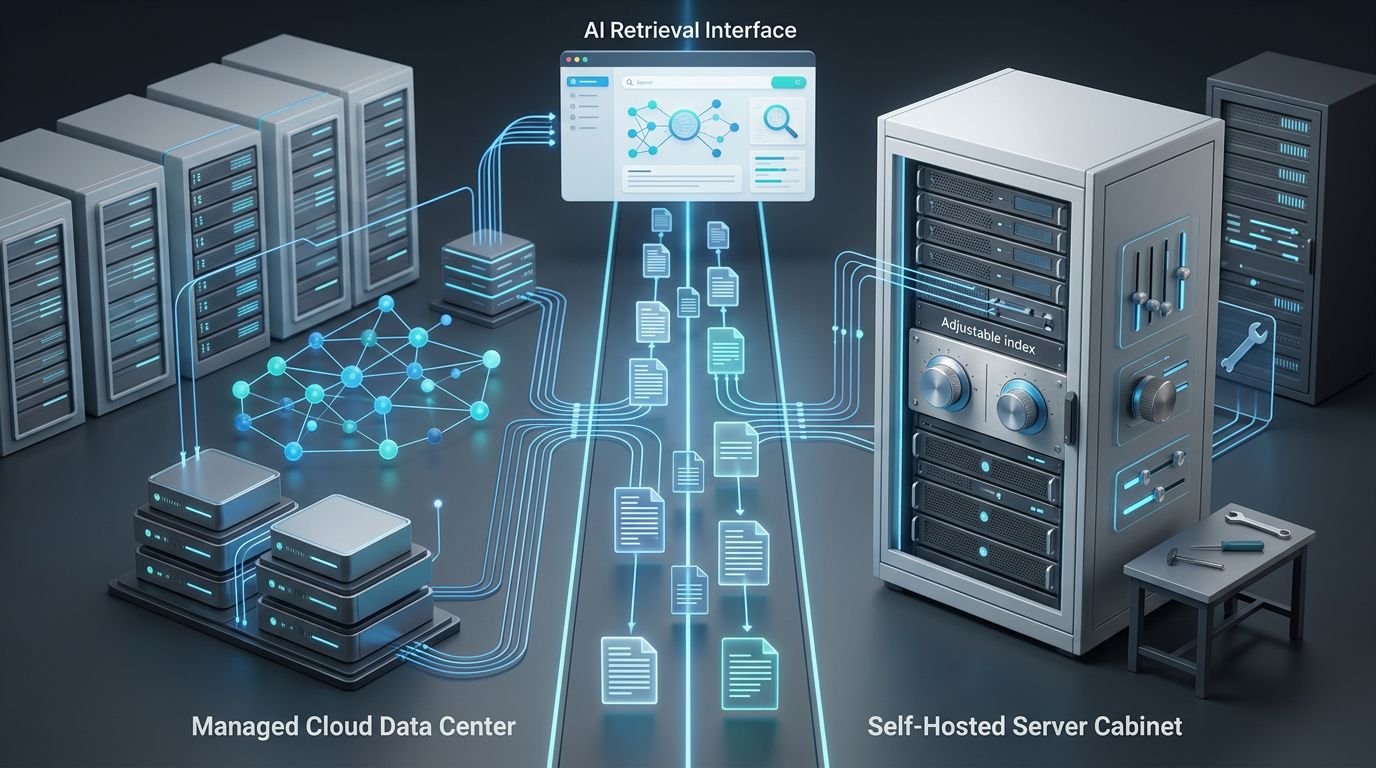
In the Pinecone vs Qdrant decision, Pinecone is usually the safer choice when you want managed infrastructure and minimal database work. Qdrant is the stronger fit when deployment control, self-hosting, and index-level tuning matter more than convenience.
The right choice starts with the shape of your data and team, not a benchmark chart.
A small RAG app has practical limits
“Small” isn’t only about vector count. A product can have 50,000 chunks and still create serious retrieval problems when it handles multiple tenants, changing documents, or sensitive files, producing many high-dimensional vectors.
I look at five questions before comparing vendors:
- Who owns uptime, backups, upgrades, and incident response?
- Does retrieval need strict tenant separation or document-level authorization?
- Will users search product codes, policy names, error messages, or legal clauses?
- Does the app need to run inside a private cloud or local network?
- Can the team measure whether retrieved context actually supports an answer?
A vector database stores vector embeddings, but embeddings are only one part of retrieval. Document parsing, chunk boundaries, metadata, filters, reranking, and prompt construction can all cause bad answers.
If the correct passage never enters the candidate set, the model has nothing reliable to cite or summarize.
Pinecone vs Qdrant: the small-app decision
Both tools can power semantic search, chatbot retrieval, document Q&A, and agent memory. The main difference is who controls the infrastructure.
| Decision area | Pinecone | Qdrant |
|---|---|---|
| Core model | Fully managed cloud vector database | An open source vector database with managed Cloud and self-hosted options |
| Operations | Pinecone runs the database layer | Qdrant Cloud is managed, while self-hosting remains your responsibility |
| Deployment flexibility | Cloud service only | Cloud, Docker, local development, private infrastructure, and self-hosted deployments |
| Search options | Dense, sparse, full-text, and hybrid search | Dense, sparse, filtering, hybrid fusion, and configurable indexing |
| Cost risk | Usage-based reads, writes, storage, and plan minimums | Cloud resource billing, or infrastructure and labor costs when self-hosted |
| Strongest small-team fit | Fast launch with no database operator | Teams that need control or a credible exit path |
Pinecone reduces infrastructure work. Qdrant gives you more control over where data lives and how the service runs.
Teams expecting to scale to billions should run a separate capacity, cost, and operational evaluation.
For a deeper product-level breakdown, see our Pinecone vector database review. The short version is simple: managed convenience is valuable, but it isn’t free.
Managed infrastructure versus deployable software

Pinecone removes the database operations layer
Pinecone is a fully managed service built around a serverless architecture and serverless indexes. You create an index, send vectors and metadata, then query through its API. Pinecone handles capacity management behind the scenes.
That is attractive for a small product team with no database specialist. You can spend more time on ingestion quality, evaluation, and the user experience.
Pinecone also offers Inference and Assistant products. Those can reduce integration work for some use cases, though I’d avoid coupling every RAG component to one vendor without a clear reason.
The limitation is clear. Pinecone doesn’t provide a Docker deployment for your own environment or an air-gapped network.
Qdrant gives you a deployment choice
Qdrant offers managed Qdrant Cloud, but its open source database can also run locally, in containers, or on infrastructure you control. Its official documentation covers both the Cloud product and self-hosted paths.
That deployment flexibility matters for internal knowledge bases, private data environments, and teams already operating cloud-native services through Kubernetes pod architecture or a private VPC.
Self-hosting isn’t automatically the cheaper move. It moves costs into cloud instances, storage, monitoring, backups, upgrades, and engineering time. Still, it gives you a practical option that Pinecone doesn’t.
Setup friction depends on the rest of the stack
Pinecone usually gets a basic RAG prototype online faster. A developer can create an index, connect an embedding model, upsert chunks, and start querying without learning cluster sizing or disk settings.
Qdrant Cloud is also approachable for beginners. The difference appears when the project grows. Qdrant lets you decide whether to remain managed or move closer to the infrastructure.
The vector database should not dictate your full application architecture. Your retrieval framework still controls loading, chunking, embedding, query construction, reranking, and answer generation.
If you’re deciding where that orchestration belongs, the LangChain vs LlamaIndex comparison is useful. LangChain often fits broader agent workflows. LlamaIndex is often more retrieval-focused.
My practical view: pick Pinecone if your team wants fewer moving parts. Pick Qdrant if operating a database is an acceptable trade for deployment control.
Metadata filtering and tenant boundaries
Pinecone namespaces work well for clear separation
Pinecone supports metadata filters with operators for equality, ranges, lists, and boolean conditions. Its metadata filtering guide shows the available query patterns.
For multitenant RAG, namespaces are often the cleaner first choice when each tenant should search only its own data. Pinecone documents that namespace queries can also cost less than filtering one large shared namespace.
That cost detail matters. A metadata filter doesn’t always reduce the data considered during a query. If one namespace contains a large corpus, broad filtering can raise read usage.
Qdrant payloads allow detailed structured filters
Qdrant stores JSON metadata as payloads alongside vectors. You can filter by keyword, text, number range, geographic data, and boolean conditions. Payload indexing can speed up fields that you filter often.
That makes Qdrant useful when retrieval depends on several structured conditions, such as product, country, document version, access level, and effective date.
An authorization filter missing from retrieval is not a minor relevance problem. It is an access-control failure.
A vector database doesn’t replace role-based access control. Store tenant IDs, document versions, source IDs, access scopes, and update dates. These boundaries still need to be enforced and tested, including queries that attempt to cross them.
Hybrid search helps when exact words matter

Dense vectors are not enough for every query
Similarity search is good at meaning. A user searching “how do I reset billing access?” may retrieve a passage called “account permissions” even if the wording differs.
That same method can miss an error code, SKU, invoice number, API field, or contractual phrase. Those queries need lexical matching as well.
Pinecone supports sparse and dense vectors in one query. Its hybrid search documentation explains how semantic and keyword signals work together.
For metric choice, cosine similarity is common for normalized embeddings. Euclidean distance measures geometric separation, so test Euclidean distance on real queries before assuming the default is best.
Qdrant offers flexible fusion methods
Qdrant also supports hybrid queries that combine dense and sparse retrieval. Its hybrid-query documentation covers fusion options including reciprocal rank fusion, or RRF, and distribution-based score fusion.
I’d start with RRF rather than guessing dense-versus-sparse weights. It is easier to reason about and avoids early score-normalization mistakes.
Then test real failures. If product codes rank poorly, improve sparse retrieval. If loosely related content ranks too high, inspect chunks and add a reranker before changing everything else.
Future multimodal search also needs separate validation of the embedding model and payload design.
Query latency matters less than retrieval evidence
Public benchmark claims rarely match your workload. Vector dimension, top-k, filter selectivity, cache state, document size, region, index settings, and concurrent users all change results.
Qdrant’s Rust implementation and quantization options can reduce memory pressure in the right workload. Pinecone’s managed serverless model avoids some capacity tuning. Neither fact proves which one will answer your users better.
Measure the failures users can see
Build a small evaluation set before committing. Fifty real questions are more useful than a synthetic throughput chart.
- Check whether the correct source enters the top retrieval results.
- Check whether the returned chunk includes the condition, exception, or warning needed for the answer.
- Check whether the model’s answer stays within the retrieved evidence.
- Track p50 and p95 retrieval latency, failed queries, and cost per active user.
I also track stale-result rate. A perfect match from an outdated policy page is still a production failure.
For a small RAG app, retrieval recall and citation support deserve more attention than raw throughput performance.
Pricing and total cost of ownership

The two pricing models expose different cost structures and risks. Free allowances, idle behavior, and re-indexing patterns can change the total bill.
Pinecone’s Starter tier currently includes 2 GB of storage, 2 million write units, 1 million read units per month, up to five indexes, and up to 100 namespaces per index. It is enough for early prototypes, but broad queries and frequent re-indexing can use the allowance faster than expected.
Qdrant Cloud’s free cluster includes 0.5 vCPU, 1 GB RAM, and 4 GB disk. Qdrant says it can hold roughly one million 768-dimension vectors. Free clusters suspend after inactivity and can be deleted if they remain inactive for four weeks. Its current pricing page explains the resource-based Cloud model, but verify current limits before budgeting.
| Cost question | Pinecone | Qdrant |
|---|---|---|
| Free starting point | Storage and read/write allowance | Single-node cloud cluster |
| Paid billing shape | Storage, reads, writes, and egress | vCPU, RAM, and storage by cluster size |
| Idle cost behavior | Serverless indexes avoid idle compute charges | Paid Cloud capacity remains provisioned |
| Self-hosted option | No | Yes, with infrastructure and labor costs |
Pinecone’s paid Builder plan starts at $20 per month. Standard has a $50 monthly minimum. That can be reasonable when it replaces operational work.
Qdrant self-hosting has no software license fee under its open-source model. It still needs monitoring, backups, security patches, capacity planning, and a person responsible when retrieval fails at 2 a.m.
Qdrant also supports scalar and binary quantization. The quantization documentation describes scalar compression of 32-bit floats to 8-bit values, plus binary approaches that use fewer bits. Lower memory use can reduce costs, but test recall before accepting the trade.
Security and data sovereignty change the answer
If data must remain in a particular network, country, or customer-controlled environment, Qdrant has the stronger architectural fit. Self-hosting lets you keep vector storage within infrastructure you manage.
That does not remove your security work. You still need encrypted storage, network rules, secrets management, backups, audit logs, and tested restore procedures.
Pinecone may still meet many cloud security requirements. Before production, validate regions, contractual terms, identity controls, and whether the provider’s current attestations support your SOC 2 compliance requirements. A free tier is not proof that a platform meets your compliance obligations.
I would not choose either platform based on a badge list alone. Trace the actual data path: source system, parsing service, embedding provider, vector database, language model, logs, and support tooling.
Plan the migration before the index grows
A database choice should not become a permanent architecture decision by accident. This choice is easier to revisit if you keep your data model portable.
Store original documents outside the vector database. Keep stable chunk IDs, content hashes, embedding model names, dimensions, metadata schemas, and source version details in your ingestion records.
For a migration, create the target collection or index, backfill from the canonical document source, run evaluation queries against both systems, then switch traffic gradually. Do not copy old vectors blindly if you are also changing embeddings or chunking rules.
Workflow tooling can help schedule ingestion, retries, and document-change alerts. For broader orchestration choices, compare n8n vs Make for AI workflows.
The cleanest exit plan is boring: reproducible ingestion, portable metadata, and evaluation results that show whether a change helped.
Which option fits common small RAG scenarios
Pick Pinecone when speed of launch matters most
Choose Pinecone when you have a small engineering team, public-facing app traffic, and no interest in running a database. It’s also a sensible choice when the RAG product is still proving demand.
The managed model reduces setup and operational work. Watch read usage, namespace design, and paid plan thresholds as usage grows.
Pick Qdrant when control is a real requirement
Choose Qdrant when private deployment, local development, detailed payload filtering, or infrastructure portability matters. It’s also a good match for teams that already maintain services and want to control capacity decisions.
Don’t choose a “self-hosted” Qdrant deployment only because the software is free. If no one can own updates and recovery, Qdrant Cloud is the more responsible choice.
Consider neither when a vector database is premature
A tiny internal tool with one small document set may not need a dedicated search system yet. If your team already runs PostgreSQL, pgvector may be enough for an early proof of concept.
Add complexity when the retrieval problem earns it. A separate database is useful when search quality, scale, filtering, or multi-tenant isolation demands more than the existing stack can handle.
Frequently Asked Questions
Is Pinecone or Qdrant better for a small RAG app?
Pinecone is usually the easier starting point when a small team wants managed infrastructure and minimal database operations. Qdrant is a better fit when self-hosting, deployment control, or detailed index-level tuning matters more than convenience.
Is Qdrant cheaper than Pinecone?
Qdrant can have lower software costs when self-hosted, but infrastructure, monitoring, backups, upgrades, and engineering time still count toward total cost. Pinecone has managed-service charges and plan minimums, so compare expected reads, writes, storage, re-indexing, and operational work for your workload.
Can Qdrant be self-hosted while Pinecone cannot?
Yes. Qdrant can run through Qdrant Cloud, Docker, local development, Kubernetes, or infrastructure you control, while Pinecone is a cloud-only managed service.
How should I evaluate Pinecone and Qdrant before choosing?
Build a small evaluation set of real user questions and measure retrieval recall, citation support, authorization behavior, p50 and p95 latency, and cost. Test the same documents, filters, embedding model, top-k values, and update patterns instead of relying only on public benchmark results.
Final recommendation
For most small teams choosing a vector database, Pinecone is the lower-friction starting point. It lets you build a credible RAG application without adding database operations to an already busy roadmap.
Qdrant is the stronger long-term choice when deployment control and self-hosting are real needs, not theoretical preferences. The better database is the one that returns authorized, current evidence at a cost and operational burden your team can sustain.