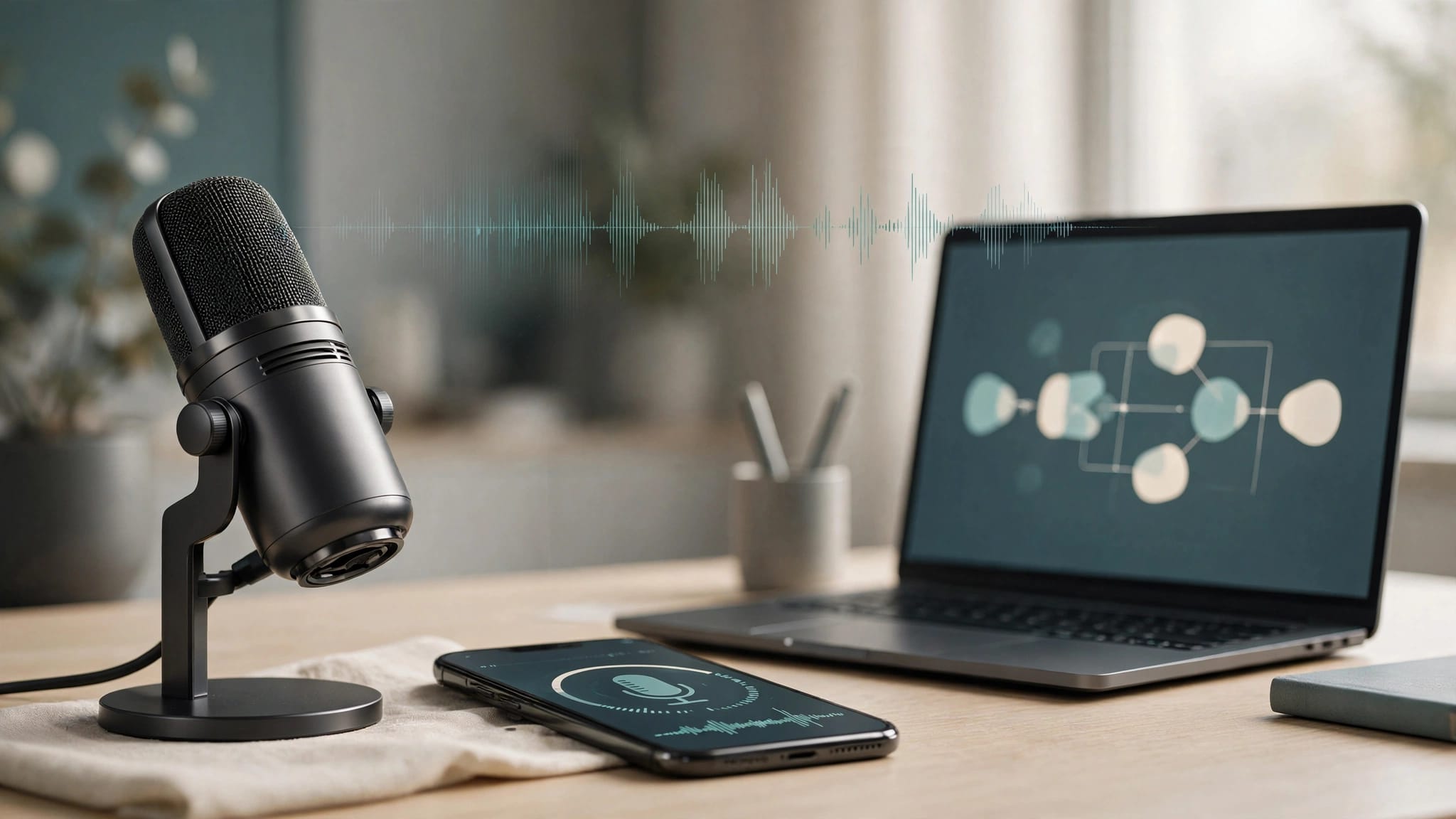
Conversational AI voice agents can answer correctly and still feel broken when they pause too long or talk over callers. AI voice agent latency depends on the entire conversation pipeline, including turn detection, speech recognition, generation, synthesis, and playback.
I recommend starting with caller-perceived delay, then tracing backward to the stage responsible. A faster model won’t fix an oversized audio buffer or an endpoint detector that waits through every hesitation.
The first step is defining what you’re measuring.
Key Takeaways
- Measure AI voice agent latency by how long callers wait, not just model response time.
- Track silence-to-first-audio, the interval between the caller finishing speech and hearing a response.
- Diagnose slow turns with stage-level traces, then validate changes under realistic noise, network conditions, concurrency, and task completion.
Measure AI Voice Agent Latency at Playback

Define the Start and Finish
Silence-to-first-audio measures the interval between the caller’s last speech and the first audible agent response. Silence-to-first-word is stricter: a filler sound or prerecorded acknowledgment doesn’t necessarily count as a useful answer.
A server receiving synthesized audio isn’t the same as the caller hearing it. For true end-to-end latency, account for outbound buffering, network delivery, decoding, and playback delays.
Record speech end, endpoint confirmation, speech-to-text transcript readiness, model request, first usable text, TTS request, first audio byte, and playback start. Use these events to calculate silence-to-first-audio and locate delays. Include tool execution when it blocks the response.
With streaming recognition, transcript readiness may arrive before the caller finishes speaking. Browser clients can expose playback events. PSTN deployments need documented media acknowledgments and sampled end-to-end recordings; don’t label server-send time as caller playback time.
Separate Setup From Turn Delay
DNS resolution, TCP establishment, TLS negotiation, and WebSocket upgrade belong to connection setup. Repeating them during every turn wastes time.
Keep streaming connections open where the provider supports it. Measure cold starts separately so they don’t disappear inside an apparently healthy average.
Use monotonic clocks for intervals within one process. Across hosts, use synchronized clocks or trace relationships with known measurement uncertainty.
I’d also inspect speech-end labeling. If your detector calls a hesitation the end of a turn, the latency measurement begins before the caller has finished.
Build a Latency Budget Without Double-Counting
A latency budget assigns each blocking interval a share of the response objective. It should reflect the critical path, since streaming stages often overlap.
To diagnose AI voice agent latency, use these boundaries before assigning numerical targets.
| Interval | Start and Finish | What to Investigate |
|---|---|---|
| Turn detection | Last speech to endpoint decision | Silence thresholds, noise, semantic completion |
| Transcript readiness | Endpoint decision to usable transcript | Recognition lag, finalization requirements |
| Response preparation | Usable input to speakable text | Model startup, retrieval, tools, orchestration |
| Speech startup | Speakable text to first audio byte | TTS buffering, connection reuse |
| Audible delivery | First audio byte to playback | Media queues, transport, decoding |
The takeaway is simple: measure intervals that actually block playback. Don’t add the full duration of overlapping work, since speech-to-text and response generation can run at the same time.
Deepgram’s streaming latency documentation distinguishes transcript latency from end-of-turn latency. Its guide lists typical transcription latency of 150 to 300 ms and Flux end-of-turn detection of 100 to 500 ms.
Those are provider-documented ranges, not independent benchmarks or guarantees. They also aren’t complete voice-agent response times.
I wouldn’t add stage-level p95 values to predict end-to-end p95. Percentiles aren’t additive, and slow stages may occur on different turns. Calculate the total directly from matched turn events.
An open source LLM is one possible deployment option, but it won’t automatically reduce delay. Prompt engineering helps only when model processing occupies enough of the critical path to matter.
Use Hybrid Endpointing to Avoid Premature Cutoffs

Combine Acoustic and Linguistic Evidence
Voice activity detection identifies likely speech. It doesn’t establish whether someone has finished explaining a problem.
Hybrid endpointing combines acoustic silence with streaming speech-to-text context and, where available, a semantic turn-completion signal. Deepgram’s end-of-speech detection documentation explains the distinction between endpointing and transcript finalization.
A final transcript segment shouldn’t automatically authorize an agent response. The caller may continue after a short pause.
I recommend an explicit state machine: LISTENING, POSSIBLE_END, and RESPONDING. Speech cessation enters POSSIBLE_END; renewed speech returns to LISTENING. Response generation proceeds only when your completion policy accepts the turn.
Make Silence Thresholds Context-Aware
Start a configurable silence timer when speech stops. If the transcript appears incomplete, extend the listening window. If completion confidence is high, permit an earlier endpoint.
Keep a bounded fallback when semantic signals are missing. When noise prevents a confident decision, use a clarification or recovery path rather than waiting indefinitely.
Thresholds need evaluation against actual calls. Names, account numbers, spelling, language changes, and accessibility needs can require longer pauses than routine answers.
Background television can keep voice activity detection active. Aggressive filtering can erase quiet speech. Both problems need audio inspection, not just dashboard tuning.
Track false endpoints alongside delay. A lower median response time isn’t an improvement if false endpoints make callers finish sentences over the agent or disrupt task completion.
Stream Responses Without Damaging Speech Quality
Buffer Speakable Text, Not Individual Tokens
Streaming an LLM response helps only if the speech layer can use it progressively. Sending every token directly to TTS can create awkward pronunciation and unstable prosody.
I recommend token buffering until a safe phrase boundary, with a bounded wait when punctuation arrives slowly. Preserve incomplete numbers, abbreviations, URLs, and names until there’s enough context to pronounce them correctly.
Maintain a per-turn text buffer and a configurable maximum waiting interval. Flush at suitable punctuation or linguistic boundaries, then serialize audio chunks in their original order.
These are implementation recommendations, not universal settings. The right buffer depends on the model’s output behavior and the synthesizer’s streaming interface.
Measure Audio Startup and Continuity
Deepgram’s text-to-speech latency guide defines time to first byte as the interval between initiating a request and receiving initial audio data.
That measurement says nothing about whether playback stalls halfway through a sentence. Track first audio, subsequent chunk arrival, buffered audio duration, and underruns.
For speech input, Deepgram recommends streaming buffers of 20 to 100 ms. Larger buffers add accumulation delay; smaller ones increase messaging overhead.
Don’t apply that range automatically to outbound speech. Input recognition and output playback have different requirements.
Evaluate pronunciation, expression, and clarity alongside speed. Faster startup can reduce AI voice agent latency, but shouldn’t come at the expense of voice quality or a natural conversational tone. Aggressive chunking can make otherwise capable speech sound unnatural or unclear for customer support.
Make Barge-In Stop Playback, Not Just Generation
Barge-in means the caller can interrupt the agent. Stopping the LLM is only one part of it.
Audio may already be waiting inside the application, a telephony buffer, or a browser playback queue. Unless those buffers are canceled, the agent keeps speaking after the caller interrupts.
I recommend attaching a generation identifier to every response and audio chunk. When an interruption is accepted, invalidate that identifier, cancel generation and synthesis where possible, and clear queued playback.
Discard late chunks carrying the old identifier. Otherwise, canceled speech can reappear after the system has started handling the next turn.
Twilio’s Media Streams message reference documents clear messages for emptying buffered outbound audio and mark messages for tracking playback progress.
A playback acknowledgment received after clearing audio may refer to discarded audio. It isn’t proof that the caller heard the response.
Interruption detection also needs protection against echo. The agent’s own output shouldn’t trigger a fresh user turn. Browser capture processing and telephony conditions require separate validation.
Track caller speech onset to confirmed playback cessation as its own metric. Include false interruptions caused by background speech and missed interruptions from quiet callers.
During a human transfer, preserve conversation state based on what was played, not merely what the model generated. An unheard instruction shouldn’t become an assumed fact in the next turn.
Choose Transport Based on Your Caller and Network
Twilio versus WebRTC isn’t a clean protocol comparison. Twilio is a provider; WebRTC is a real-time communication technology.
Twilio’s Media Streams overview describes raw call audio delivered over WebSockets. Bidirectional streams also let an application send audio back into the call.
The W3C WebRTC specification defines browser APIs for exchanging real-time media and data. WebRTC assistants can suit browser or app deployments, but they don’t remove network variability.
Choose the access path before comparing performance.
| Deployment Need | PSTN With a Media Integration | Browser or App WebRTC |
|---|---|---|
| Ordinary phone-number access | Uses existing phone numbers and telephony infrastructure | Requires an app or browser session |
| Client playback instrumentation | Usually less direct | More client-side visibility |
| Network dependencies | Carrier path plus application media route | IP connectivity, ICE, possible relay path |
| Audio controls | Depend on carrier and integration | Depend on device, browser, and configuration |
Neither path guarantees lower end-to-end latency. Test equivalent tasks, voices, models, and geographic conditions.
The practical Twilio voice-agent setup highlights an important customer service architecture distinction: telephony connectivity and AI processing are separate responsibilities.
Inspect the media plane and voice provider layer, not just the application’s region setting. Speech services, orchestration, tools, and synthesis may sit in different regions.
WebRTC assistants can also add delay through relay paths and jitter buffers, so test them too. A browser demo on office Wi-Fi isn’t a fair comparison with a mobile caller traversing carrier infrastructure.
Keep Tool Calls Off the Critical Path Where Safe
Separate Readiness From Action Completion
Account lookup, calendar availability, and CRM updates can dominate a turn because tool call latency often outweighs model speed.
Run independent read-only requests concurrently when permission checks allow it. Avoid speculative writes based on interim transcripts: recognition can change before the turn finishes.
A short acknowledgment can explain an unavoidable wait. It must remain separate from time-to-answer reporting.
Likewise, saying a booking is complete doesn’t prove the calendar action succeeded. Require confirmed tool results before reporting completion, or offer a human transfer if the action fails or times out.
Bound Work, Retries, and Spending
Background work needs deadlines, concurrency limits, and cancellation policies. A queue helps organize work, but an unbounded queue won’t make a real-time workflow faster.
Use idempotency controls for actions that may be retried. Cancel stale read requests when they no longer serve the turn; treat already-committed writes differently.
I’d set dependency-specific limits rather than letting one slow CRM exhaust every worker.
The same discipline matters financially. The Vapi pricing breakdown explains why orchestration fees alone don’t describe total voice-agent cost.
Repeated model calls, canceled synthesis, and retries can increase spending without completing more customer tasks. Track cost per successful outcome and task completion alongside latency.
Make p95 and p99 Explainable Under Load
Trace Every Turn Across Dependencies
Use a shared session identifier, turn identifier, and trace context across recognition, orchestration, model calls, tools, synthesis, and the media plane.
Record configuration versions, region, connection state, retry reason, queue wait, and whether the turn required a tool. Keep these dimensions bounded so metrics remain manageable, even under load, a core part of LLMOps challenges.
OpenTelemetry’s metrics data model supports histograms for duration distributions. Use histogram buckets around your actual service objectives.
Don’t average p95 values across workers or tenants. Aggregate compatible distributions, then calculate the percentile.
Keep personal data out of broad-access traces. Sanitize tool arguments, restrict recordings, and define retention limits.
Segment Slow Turns Before Changing Providers
Report p50, p95 latency, and p99 for simple replies, tool-dependent replies, interrupted turns, and cold starts separately.
At high concurrency, inspect event-loop stalls, worker saturation, provider quotas, connection limits, and outbound audio backlog. Queue wait belongs in the trace, especially when analyzing AI voice agent latency.
Bound buffers and define overload behavior. Letting stale audio accumulate preserves throughput statistics while making conversations unusable.
There isn’t a verified universal inbound-support p95 target in the documentation cited here. Establish an objective using task requirements and pilot results, then track it alongside task completion and human transfer success.
I would reject a latency improvement that raises false endpoints, transfer failures, or incorrect tool actions. The operational outcome still matters.
Validate Changes With Repeatable Call Tests
A useful regression suite must exercise conversation behavior, not just API response time.
I recommend this sequence:
- Capture baseline turn traces and sample recordings across quiet speech, background noise, hesitation, spelling, and interruptions.
- Identify the slow blocking interval across speech-to-text, models, endpointing, buffering, or transport before changing settings.
- Change one variable, such as prompt engineering, then replay the same consented audio and task conditions without repeating production side effects.
- Increase concurrency and introduce tool timeouts, disconnects, rate limits, and delayed audio chunks.
- Compare latency distributions, including silence-to-first-audio, alongside pronunciation quality, false endpoints, interruption recovery, task completion, and human transfer.
Synthetic audio replay is useful, but it can’t reproduce every live acoustic condition. Include real devices, calling paths, and the media plane before rollout.
For managed-platform selection, the Retell and Bland inbound-call comparison provides workflow context. It shouldn’t replace measurements from your own deployment.
Use the same acceptance criteria across vendors. Ask where their latency measurement starts and stops, whether tool calls are included, and how interruptions are evaluated.
Keep the previous configuration available for rollback. AI voice agent latency can regress after changes to prompts, models, regions, or speech services.
Frequently Asked Questions
What Delay Makes a Voice Conversation Unnatural?
There’s no universal maximum. AI voice agent latency depends on caller expectations, task complexity, interruptions, and response content. Evaluate silence-to-first-audio and time to a useful answer separately. A short acknowledgment doesn’t erase a long wait for the requested result.
What p95 Target Should an Inbound Support Bot Use?
Set an application-specific target after a representative pilot. Separate routine answers from tool-dependent turns. The cited provider documentation doesn’t establish a universal contact-center p95 threshold, and a median-only target can hide frequent slow calls.
Why Doesn’t Prompt Optimization Fix Every Pause?
Prompt changes affect only part of the pipeline. They won’t remove speech-to-text recognition delay, endpointing delay, network transit, tool waits, synthesis startup, or queued playback. Optimize prompts when traces show model processing is a meaningful contributor to slow turns.
Does WebRTC Always Beat PSTN for Latency?
No. The result depends on carrier routing, geographic placement, relay requirements, buffering, devices, and the AI pipeline. Compare matched workloads and caller endpoints. Transport choice should also reflect how people need to access the service.
How Can Hybrid Endpointing Reduce Interruptions?
Hybrid endpointing combines silence detection with evidence that an utterance is complete. That can preserve pauses within unfinished speech while accepting clear endings sooner. Validate false endpoints and added waiting together; aggressive thresholds can trade faster responses for worse turn-taking.
Conclusion: Fix the Measured Bottleneck
AI voice agent latency becomes manageable when every pause has a traceable cause. Measure audible delivery, distinguish endpointing from recognition, and ensure interruption handling clears queued audio.
I would prioritize three follow-up investigations: hybrid endpointing, interruptible TTS buffering, and turn-level observability. Each addresses a different failure point already visible in the pipeline.
The goal is reliable conversation: prompt replies that preserve speech quality, respect interruptions, and complete the requested action.