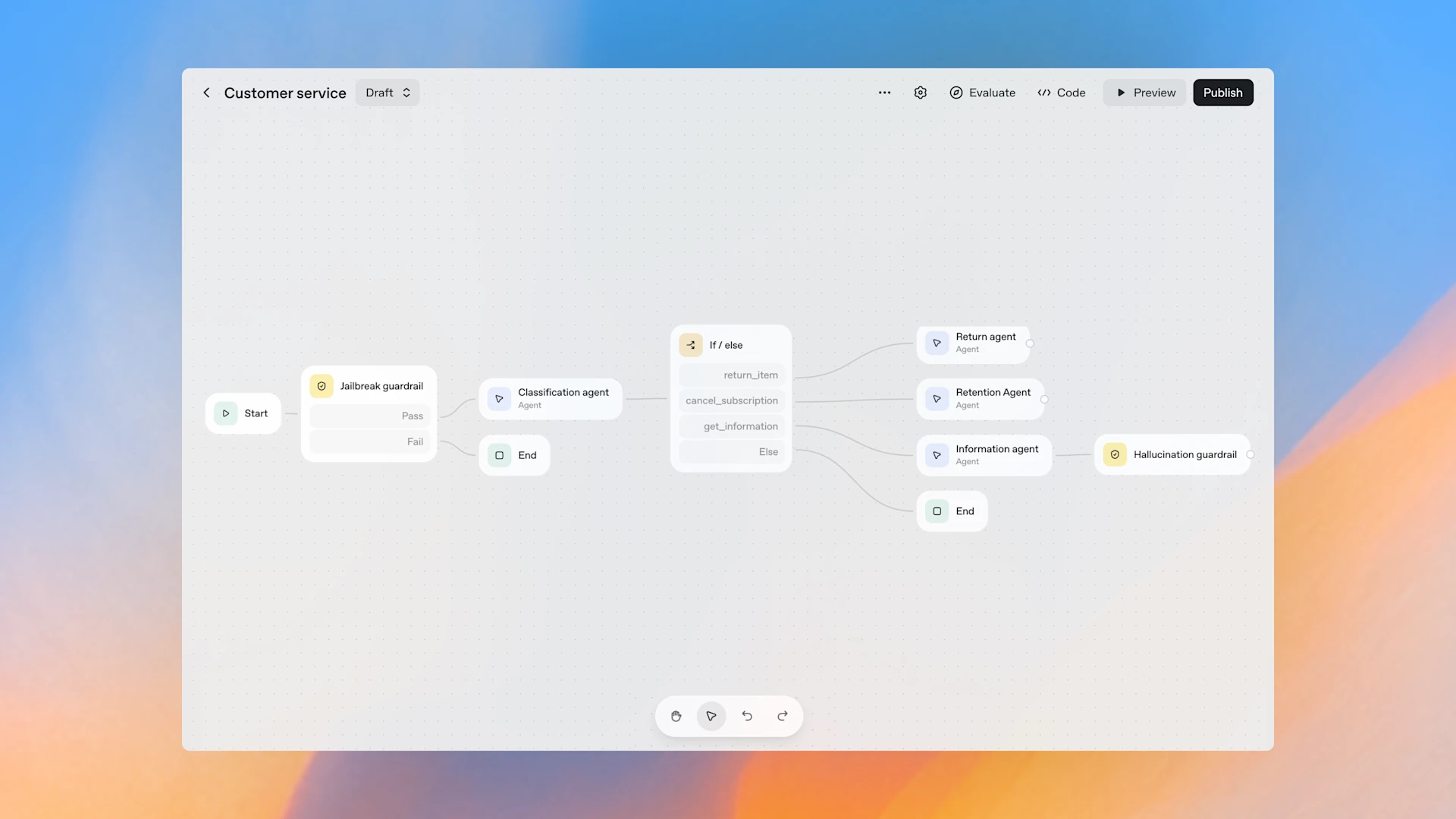
OpenAI just put serious weight behind agents. With OpenAI AgentKit, you can design, deploy, and improve AI agents using a visual canvas, an embeddable chat UI, and built-in evaluation. If you are deciding between AgentKit and tools like Zapier, n8n, Make, or MindStudio, this guide breaks down how they differ, where each wins, and how to ship your first useful agent.
Along the way, you will see why developers are excited about AgentKit’s stack: a visual Agent Builder for orchestration, ChatKit for a ready UI, and Evals for measurable quality. We will also cover practical access notes, pricing basics, and a simple mental model for choosing the right platform for the job.
What is OpenAI AgentKit?
OpenAI AgentKit is a platform feature set that helps you build, deploy, and optimize AI agents without stitching everything by hand. It pairs with the open-source Agents SDK for Python or JavaScript, which handles programmatic orchestration. Think of AgentKit as the product layer on top: visual design, UI embedding, evaluation, and secure connectors.
Core pillars:
- Agent Builder, a visual canvas to define agent instructions, tools, and control flow.
- ChatKit, an embeddable chat surface that streams responses, handles uploads, and renders widgets.
- Evals, a framework that tests behavior with datasets, automated grading, and trace-level insights.
- Connectors and MCP servers, a path to grant agents access to approved external capabilities.
If you want the official overview, OpenAI’s announcement is a good starting point. See the platform intro in Introducing AgentKit and the product hub at Build every step of agents on one platform.
AgentKit in plain terms
You design an agent on a canvas, attach tools like file search or approved connectors, add guardrails, and publish a versioned workflow. Then you embed it into your app with ChatKit, or call it from your backend. When quality slips, you use Evals to spot regressions and improve prompts or tools. That loop, design to deploy to evaluate, is where AgentKit shines.
A few practical notes from early access materials:
- Building visually is free. You pay for model usage and storage when agents run.
- ChatKit has a free upload tier, then usage-based storage after that.
- You need an OpenAI API account. A consumer ChatGPT Plus plan is not a shortcut.
- Agent Builder is rolling out to API, Enterprise, and Education accounts.

AgentKit vs n8n, Zapier, Make, and MindStudio
Here is the key difference. Automation platforms focus on deterministic flows that connect many SaaS tools. AgentKit focuses on intelligent agents that plan, call tools, and assess results. Both use nodes and edges, but they serve different goals.
- n8n and Zapier are excellent at triggers and actions across many apps. You get breadth of integrations, self-hosting options (n8n), and strong control over when and how steps run.
- Make and MindStudio offer visual builders with a mix of automation and AI features, often supporting multiple model providers.
- AgentKit centers on cognition and quality. You get deep model integration, versioned agent workflows, built-in guardrails, and first-class evaluation.
If you are building AI-native flows where the model is the core, AgentKit gives you a sharper knife. For broad SaaS orchestration, n8n and Zapier still win.
For more background from OpenAI, see the product page at Build every step of agents on one platform. For a practitioner walkthrough, this guide pairs well with OpenAI AgentKit is Here: A step-by-step guide.
Quick comparison
| Use case | AgentKit | n8n | Zapier | Make | MindStudio |
|---|---|---|---|---|---|
| Core strength | Agent reasoning, tools, and evals | Event-driven automations | Simple cross-app workflows | Visual multi-app flows | Visual AI workflows |
| Integrations | OpenAI-first, growing via MCP | Broad API coverage | Very broad app catalog | Broad app catalog | Varies by template |
| UI embedding | ChatKit for production chat | Build custom UI | Build custom UI | Build custom UI | Built-in surfaces |
| Quality loops | Evals, trace grading, versioning | Manual checks mostly | Manual checks mostly | Manual checks mostly | Some eval patterns |
| Hosting | OpenAI platform | Cloud or self-host (n8n) | Cloud | Cloud | Cloud |
Bottom line: AgentKit measures and improves intelligence, while traditional automation runs instructions. Many teams will use both.
Why AgentKit matters for teams
AgentKit’s platform pieces reduce the glue code many teams end up writing:
- Visual orchestration, so product and engineering can design together.
- Embeddable chat with uploads and widgets, so you skip weeks of UI work.
- Guardrails and moderation, applied upstream, so every branch benefits.
- Evaluation with datasets and trace grading, so you track behavior over time.
- Versioning, so you ship changes without breaking production.
If you are moving from toy prompts to steady agents, that stack saves time and headaches. OpenAI’s overview in Introducing AgentKit explains how these parts fit across development, deployment, and optimization.

How AgentKit compares on integrations and control
AgentKit uses a Connector Registry and MCP servers to govern what agents can access. The focus is security, versioning, and controlled tool access across OpenAI’s ecosystem. That means the integration story starts narrower, then deepens with high-trust connections.
Automation platforms take the opposite approach. They try to cover as many apps as possible. If you need Google Sheets, Slack, Stripe, Notion, and dozens of others in one flow, n8n or Zapier will get you moving faster.
A practical approach many teams adopt:
- Put AI reasoning, retrieval, and agent UX in AgentKit.
- Trigger broad system tasks in n8n or Zapier where needed.
- Exchange minimal data across the boundary, log everything, and version both sides.
For a broader snapshot of tools that boost workflows, see our roundup of Best AI Automation Tools for 2025.
Getting started with AgentKit
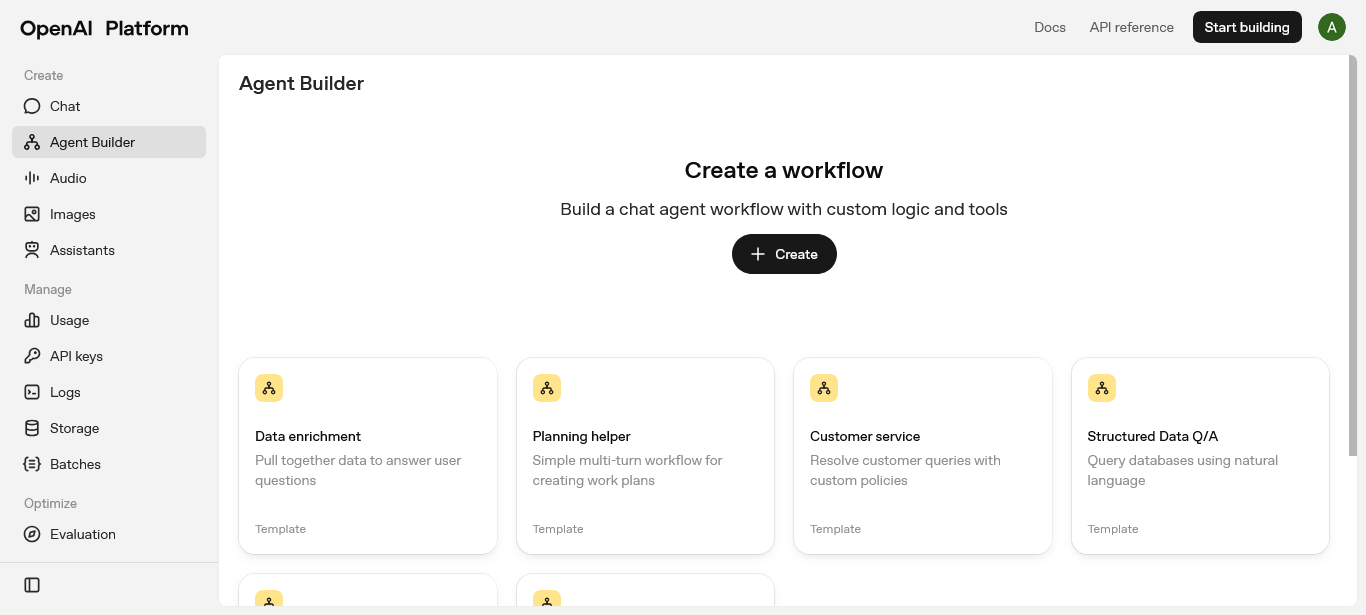
You can try the visual builder from your OpenAI platform account. The Agent Builder lets you create a new workflow, add an Agent node, attach tools, and preview runs with traces. When you publish, you get a versioned workflow ID that your app or ChatKit will call.
Common building blocks:
- Agent node with clear instructions and a model choice.
- File Search for grounded answers from your docs.
- Guardrails for PII masking, jailbreak detection, and hallucination checks.
- If/Else branches to route simple questions vs longer tasks.
- Connectors or MCP servers for approved external actions.
ChatKit is the fastest way to get a polished user experience. It streams responses, handles uploads, and supports embeddable widgets like cards and lists. Evals then helps you test a small dataset of real questions and grade performance step by step.
Want a refresher on the basics behind automation flows and agents? Start with this explainer on How AI Automation Works.
When to pick AgentKit vs an automation tool
Choose AgentKit when:
- The agent needs to reason, choose tools, and explain results.
- You plan to embed a chat surface into your product.
- You want versioning, guardrails, and evals in one place.
- You are building with OpenAI models and care about deep platform integration.
Choose n8n, Zapier, or Make when:
- You need hundreds of SaaS integrations today.
- The workflow is mostly triggers and actions with predictable logic.
- Self-hosting or on-prem needs push you toward n8n.
- You want full model provider flexibility across the stack.
Most teams will blend both. Use AgentKit for AI-native tasks and hand off broad operational steps to an automation tool.
Access and pricing basics
Here is the short version based on current platform guidance:
- Access: You need an OpenAI API account and key. Agent Builder is rolling out in beta to API, Enterprise, and Education customers. ChatKit and Evals are generally available to developers.
- Pricing: Visual building is free. You pay usage-based costs when agents run, and uploads beyond the free tier incur storage charges. Expect standard API token rates for models.
For official details as they update, check the platform page at Build every step of agents on one platform.
A pragmatic build plan for your first agent
Start small. Build something that proves end-to-end value in a day or two, then expand.
Define the job
Pick one clear outcome, for example, a docs assistant that answers questions and cites sources.Build the canvas
Add an Agent node with concise instructions. Attach File Search for your PDFs or knowledge base. Turn on citations.Add guardrails
Enable PII masking and jailbreak detection. Keep them upstream so every branch is covered.Branch for control
Route short questions to the main agent. Send long uploads or summaries to a sub-agent. Keep it simple.Preview and fix
Use the trace viewer to spot bad tool calls or missing context. Tighten instructions and schemas.Publish and embed
Ship a version, embed with ChatKit, and limit access to a small test group.Evaluate weekly
Create a small dataset. Run Evals to grade correctness and citations. Track token cost and latency. Fix the worst offender first.
If you prefer a guided walkthrough, pair this plan with OpenAI’s overview in Introducing AgentKit and a practitioner tutorial like OpenAI AgentKit is Here: A step-by-step guide.

Common questions teams ask
- Can I use any model provider?
AgentKit centers on OpenAI models. If you need wide model flexibility, consider pairing with an automation tool that supports multiple providers. - Is this a replacement for my automation stack?
Not likely. Keep n8n or Zapier for broad integrations. Use AgentKit where AI reasoning and evaluation matter. - How does this differ from earlier plugin attempts?
AgentKit runs inside OpenAI’s platform with native tools, secure connectors, and a full evaluation loop. It reduces the friction that held older approaches back. - Do I need ChatGPT Plus?
No. You need an OpenAI API account and key. Agent Builder access is rolling out to API, Enterprise, and Education customers.
The bottom line for builders
AgentKit is powerful because it closes the loop. You design with a visual builder, ship a real UI with ChatKit, and measure behavior with Evals. Competitors still win on breadth of integrations and model choice, but AgentKit raises the bar on agent quality, observability, and release management.
If you have been waiting to put agents into production, this is your moment to try. Start with the smallest useful workflow you can imagine, publish a version, embed it, and gather feedback. For a deeper look at the platform scope and latest updates, keep an eye on Build every step of agents on one platform.
Looking for more ways to benchmark tools while you build? Our hands-on roundup of Best AI Automation Tools for 2025 can help you map the right stack for your team.