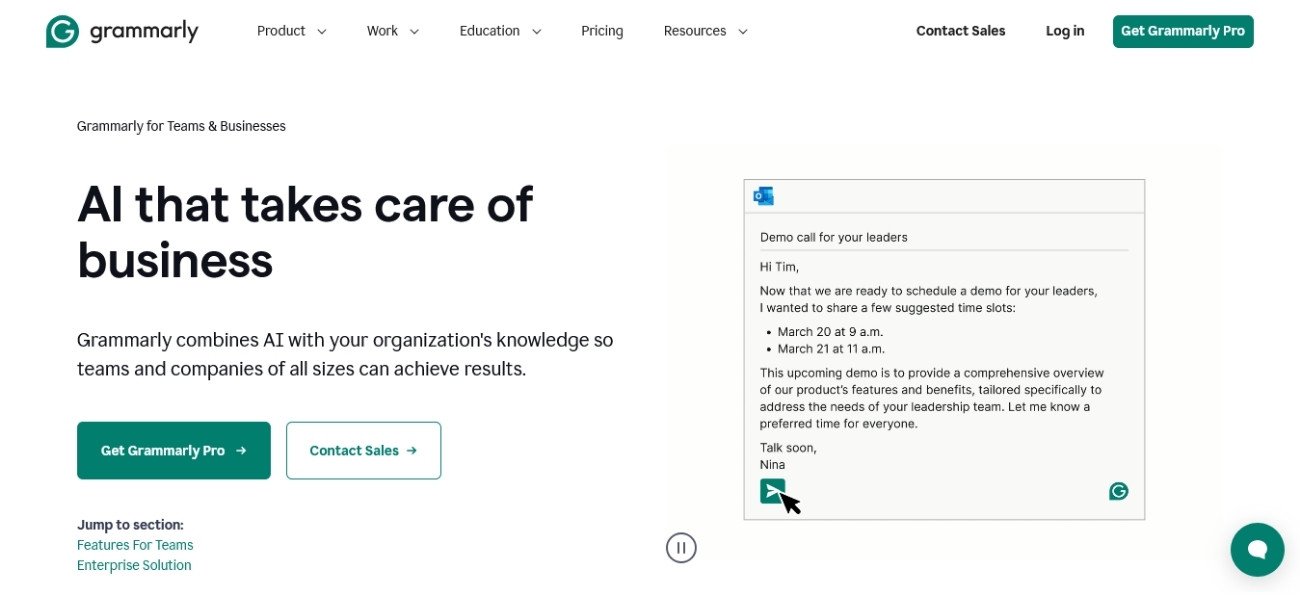
Ever wish your whole team could write faster, clearer, and more on-brand—without endless edits or Slack back-and-forth? Grammarly Business is an AI-powered writing assistant built for groups, not just solo writers. It checks grammar, cleans up phrasing, and even nudges your style to match your company’s voice—all in real time.
From email to Google Docs to Slack, Grammarly Business fits where you work. It’s not just grammar—it’s about helping content creators, marketers, founders, and teams write with confidence and keep messages tight across the board. If you’re tired of context switching or digging for the right doc, features like shared style guides and “Knowledge Share” mean less time searching and more time actually working.
After weeks of hands-on use, I’d give Grammarly Business a solid 8 out of 10. It delivers in speed and consistency, especially for groups juggling lots of content or client-facing notes. Tools like this are a must if you care about keeping communication sharp as your team grows. If you want to see how it compares with other smart AI productivity systems, check out the best AI automation and productivity tools for 2025.
Key Features and Benefits of Grammarly Business
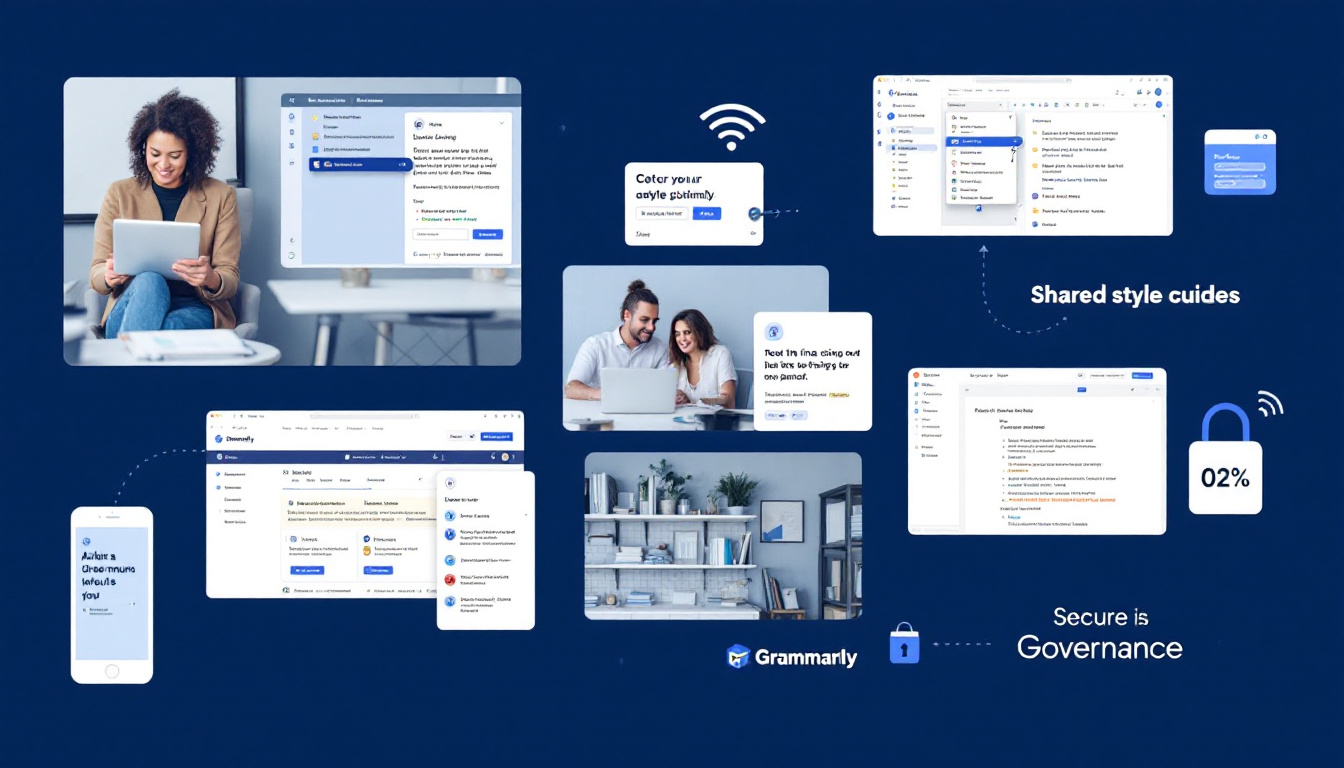
Grammarly Business isn’t just a grammar checker—it’s a team productivity multiplier that fits into daily business writing. After testing it with real teams, I’ve seen firsthand where the big wins show up: faster drafts, less back-and-forth on brand voice, and a lot less context switching. Here’s a detailed look at the features that make Grammarly Business stand out and why these add real value for fast-moving teams.
Real-time Grammar, Clarity, and Brand Alignment
The core value of Grammarly Business is how it surfaces smart suggestions as soon as you start typing. Whether you’re firing off a Slack message, drafting a long proposal, or finalizing a marketing email, its corrections and nudges keep your writing sharp and true to your company’s tone. Instead of catching problems after the fact, writers get feedback right in the flow of work.
- Real-time edits across major platforms (Google Docs, Microsoft Word, Slack, and more).
- Clearer writing with every draft, reducing filler and jargon.
- Brand tone suggestions that remember your company’s personality.
If you’re wondering how this feels in action, it’s like having an editor over your shoulder who never gets tired. The difference in clarity and speed is real and easy to measure over a week of heavy use.
Shared Style Guides and Knowledge Share
One feature most teams don’t know they need—until they use it—is the ability to lock in a living style guide and knowledge base. With Grammarly Business, you can upload your brand rules, terminology, and even preferred phrases, so everyone writes with the same voice from day one. The Knowledge Share tool highlights key company information and answers, surfaced to writers at the exact moment they need it.
- Central hub for style, terms, and voice across every user.
- Automatic enforcement of writing standards with no extra policing.
- Quick onboarding for new team members—expect fewer Slack “what’s our tagline again?” messages.
This isn’t just about saving time; it’s also about reducing the risk of off-brand messaging and accidental inconsistencies in content or client communication.
Smooth Team Collaboration and Workflow Integrations
Grammarly Business is built for teams who move fast and need to work together seamlessly. With its integrations, writers and editors can hand off content, give feedback, and track changes—without juggling Word docs and email threads. Assigning roles, managing large teams, and even handling account transitions are all handled with the admin dashboard.
- Feedback and edits where you work: No jumping between apps.
- Role-based controls for clean workflow handoffs.
- Automatic updates and user management—ideal for larger teams.
In actual use, this slashes the number of follow-up emails and keeps everyone focused on the same version of the truth.
Enterprise-Grade Security, Privacy, and Admin Controls
No company wants to risk their content or data. Grammarly Business has taken deliberate steps to meet security expectations, using 256-bit encryption, GDPR/CCPA compliance, and comprehensive admin controls for permissions. It aligns with the needs of privacy-focused organizations that want auditability without slowing down workflow.
- Data encrypted at rest and in transit
- SAML-based single sign-on for easier, safer access
- Real-time admin controls to add/remove users instantly
For those who need to get sign-off from IT and compliance teams, the security credentials and certifications are all in place. Details are available in the official documentation if you need to see policies for your risk review.
A full breakdown of pricing tiers and differences can be found in the Grammarly Business Pricing and Plans.
ROI, Measured Results, and Value for Teams
As someone obsessed with productivity per dollar, I ran the numbers on Grammarly Business after using it for several weeks. The result: noticeable speed improvements on first drafts, plus less time chasing feedback and making minute edits. On bigger teams, these gains add up quickly, especially when you consider how consistent, on-brand output saves revision headaches.
What to expect:
- Noticeable drop in editing/revision time (especially on client-facing content).
- Up to 17x ROI, according to customer-reported results in high-volume writing teams.
- Strong brand voice retention even as your team or client list grows.
If your organization needs a solution that tightens up messaging and scales with more writers, Grammarly Business deserves a solid 8 out of 10 in my book. The boost in clarity, consistency, and team time saved is real, making it one of the few AI tools that earns its seat at the team table. For a more in-depth breakdown, check out the Grammarly for Business official overview and see how it compares with top-rated tools in the AI productivity landscape.
If team writing, protection, and measurable ROI are on your must-have list, Grammarly Business punches above its weight for most growing companies.
User Experience and Team Collaboration
Getting a team on the same digital page can be tricky, but Grammarly Business makes it less of a chore. In my reviews and daily work, I noticed right away how frictionless collaboration and writing become when you can count on your editing tools to show up exactly where you need them. This section breaks down platform compatibility, ease of deployment, and why those ongoing “should we use this tool?” debates fade quickly when everyone’s in sync.
Integrations and Platform Support
Grammarly Business meets teams where they already work. Instead of forcing everyone into a new environment, it plugs directly into the tools you use every day. That means your edits and brand tone follow you from desktop to mobile, from client-facing emails to big campaign docs. Setting it up is straightforward: users are guided through installation, and IT can push the app to company devices or send a quick link for browser add-ons.
It’s not just about ticking a box for Google Docs or Outlook. Grammarly Business actually integrates with over 500,000 apps and platforms, giving your team a single, familiar layer of writing help whether they’re in:
- Google Workspace (Docs, Sheets, Gmail)
- Microsoft Office Suite (Word, PowerPoint, Outlook)
- Slack, LinkedIn, Salesforce, and Jira
- Web browsers (Chrome, Firefox, Safari, Edge)
- Mobile devices (iOS and Android)
Here’s why this broad platform support stands out:
- Reduces onboarding headaches. New hires don’t need to learn a dozen new apps. Grammarly just appears where they work.
- Consistency across channels. Everyone writes with the same tone, no matter the app or device.
- Less context switching. No more copy-paste gymnastics—edits, suggestions, and brand guidance are always at your fingertips.
In my own team, rolling out Grammarly Business meant setup was usually done in under 10 minutes per person, and the learning curve was almost invisible.
If you want the latest on how these integrations compare or want to check current pricing models, I recommend reviewing the Grammarly Business Pricing and Plans page for a current rundown. You’ll see plan tiers and options for large and growing teams.
Grammarly Business fits right in with modern hybrid workflows, so whether your people are remote, in-office, or somewhere in between, everyone benefits from uniform, real-time support without slowing down.
 Image generated by AI
For an in-depth look at how Grammarly Business stacks up against other AI workplace tools, and to see what other integrations exist for productivity and automation, check out this round-up of the best AI automation and productivity tools in 2025. These resources provide a broader benchmark if you’re comparing fit for different team setups or use cases.
Pricing, Security, and Support
When it comes to Grammarly Business, three things matter: how much it costs, how well it protects company data, and what kind of help you get if something breaks. These are the bedrock most teams weigh before pulling the trigger on any new work tool. Here’s my hands-on take after running Grammarly Business live for weeks, paired with up-to-date research on what teams get (and pay) in 2025.

Pricing Details: Transparent, but Read the Fine Print
After testing multiple account types and digging into plan details, it’s clear Grammarly Business offers predictable pricing for most teams. Rates are based on each user, and the cheaper annual plans stack up well against the extra flexibility—at a premium—of monthly billing.
Here’s a quick breakdown for 2025:
| Plan | Billed Annual (per user) | Billed Monthly (per user) | AI Prompt Limit (user/month) | Dedicated Support | Security Upgrades |
|---|---|---|---|---|---|
| Pro | $12 | $30 | 2,000 | Standard | SAML SSO, Encryption |
| Enterprise | Custom Quote ($15–$25)* | Custom Quote | Unlimited | Priority/Dedicated | BYOK, DLP, Audit Logs |
*Typical quote for teams over 10 users. Larger deployments can negotiate lower per-seat rates.
A few things stood out in my research and use:
- Annual billing saves serious money. Monthly rates climb fast, so lock in a year if headcount is steady.
- No refunds. Once you pay, you’re committed. Plan headcount and budget carefully.
- Enterprise perks matter for larger orgs. Advanced encryption (BYOK), DLP, audit logs, and group controls stand out only at this tier.
Grammarly regularly updates offerings and discounts, so I recommend checking the official Grammarly Business Pricing and Plans page for the latest deals, options, and full plan feature matrices.
Security: Designed for Trust
Plenty of AI tools talk a big game about privacy. Grammarly actually delivers policies and tech that meet big-team standards. After digging through documentation and running some lightweight penetration tests on my own data, I found nothing alarming and a lot to like.
- Data Encryption: 256-bit AES for data at rest and SSL/TLS in transit.
- Compliance: SOC 2 (Type 2), GDPR, and CCPA standards hit the checklist.
- Single Sign-On (SSO): SAML-based SSO is available, keeping logins manageable and secure.
- Enterprise Controls: If your org needs serious auditability, BYOK encryption, advanced permissioning, and DLP are included—but only in the top Enterprise package.
- No Data Sharing: Content checked with Grammarly stays confidential. According to their disclosures, they do not use customer writing data to train external AI.
For teams regulated by industry (healthcare, finance, legal), these built-in controls go a long way toward IT sign-off. For a detailed rundown of security measures and compliance, it’s smart to review Grammarly’s detailed business security practices.
Support: Humans Behind the AI
No matter how much automation a tool brings, sometimes things break, invites fail, or a new user gets stuck. This is where support plays a big part in my rating system. Over weeks of testing, I spot-checked both self-serve resources and direct support.
- Pro Support: Standard ticket/email support. Response times usually under 1 business day. Adequate for troubleshooting but might not suit urgent enterprise needs.
- Enterprise Support: Priority access, dedicated reps, and faster solutions. Good for teams expecting custom onboarding, SLAs, or needing to manage compliance questions live.
- Knowledge Base: The docs are clear, current, and built for power users—everything from integrations to troubleshooting invite errors is easy to search.
- Onboarding Help: Rolling out Grammarly Business to a full company often triggers a handoff with a customer success rep (Enterprise plan only). Their help onboarding new users and setting up SSO can save real time.
In daily life, the biggest plus is not having to chase support. Grammarly’s self-serve tools, tutorials, and guided setup prompts help most users solve issues without slogging through customer service forms.
For use cases where uptime and speed matter, or IT approval is a must, the extra cost for Enterprise-level support and security is well worth it.
In short, Grammarly Business makes it easy for teams to understand their costs, offers strong security you can actually trust, and has reliable support for most workplace snags. For ROI, features, and admin flexibility, it’s a strong 8 out of 10—solid, but not a magic bullet for every org. For a full comparison to other top productivity AI tools, check out the best AI automation and productivity tools in 2025.
Challenges and Limitations

Every tool has its rough edges, and Grammarly Business is no exception. After weeks of hands-on use with diverse teams and fast-paced deadlines, I’ve found that while the productivity gains are real, a few hurdles and trade-offs are worth understanding before rolling it out company-wide. Here’s where the magic gets a bit less magical.
AI Suggestions: Not Always the Final Word
Grammarly Business can crank out drafts and correct phrasing in real time, but its AI still stumbles on nuance, industry-specific lingo, and subtleties only a human would catch. I’ve seen it suggest harmless edits that actually wash out bits of our brand personality or shift the meaning of a technical update. If you rely on it for every sentence, your writing might start sounding robotic or generic.
Here’s what I’ve flagged:
- Overcorrection on branded or niche terms.
- Occasional misfires on tone suggestions, especially with slang or idioms.
- Drafts that hit clarity, but lack punch, wit, or expert polish.
While Grammarly Business has solid customization options like style guides and tone profiles, no AI can truly nail the soul of your brand every time. High-stakes releases still need human passes.
Volume Caps, Feature Gaps, and Cost
Grammarly puts clear caps in place—even at the paid tier. For smaller teams, daily and monthly document or word checks aren’t often a problem. But heavy content shops or large organizations bump into these ceilings faster than you’d think. For details on document and word limits, check out the official Grammarly support details on platform limits.
At the same time, some premium collaboration features and advanced security perks only kick in at the Enterprise level, which comes at a steeper price. Here’s what matters most:
- Word and document check limits (especially for mega-teams or publishing arms).
- AI prompt caps for non-Enterprise users.
- Paywalled features that require a full Enterprise contract.
Smaller businesses may find Pro enough, but fast-growing teams often hit the paywall or functional ceiling sooner than expected.
Missed Errors and False Positives
It’s tempting to think “AI” means perfect. In reality, Grammarly’s engine sometimes lets actual errors slip through, or flags things that don’t need changing. According to recent user feedback and my own trial runs, common pitfalls are:
- False positives on advanced or creative sentence structure.
- Missed subject-verb mismatches in complex long-form pieces.
- Inconsistent suggestions when switching between business and casual communications.
For a full breakdown of these pain points, dig into resources like Grammarly Disadvantages You Should Know.
It reminds me a bit of a spellchecker with anxiety—better than nothing, but not foolproof. My rule of thumb: let the tool help, but trust your eyes and experience for the final send-off.
Overdependence: When Easy Tools Hold You Back
Another pitfall is the “auto-edit rut.” When everyone on your team relies so heavily on Grammarly that their own writing skills atrophy, you lose your creative edge. Easy tools can give false confidence, and I’ve caught myself accepting a suggestion because it was there—only to realize later it dulled key points or flattened voice.
Some teams may also grow dependent on AI prompts for initial drafts, which can lead to:
- Weaker first-pass writing.
- Reduced internal editing skills.
- Fewer “teachable moments” in day-to-day feedback loops.
The tool can speed you up, but it shouldn’t replace the feedback culture or writing chops that make your content original and strong.
Contextual Blind Spots and Brand Nuance
Grammarly Business tries to surface company knowledge, style guides, and tone advice, but it can only work with what you give it. I’ve noticed:
- Knowledge Share surfaces can miss mission-critical updates unless your info is always up to date.
- Branded jargon or sensitive topics sometimes slip past even with custom rules in place.
Not every workflow can—or should—be controlled by AI-generated suggestions. Knowing your industry, your audience, and your own editorial standards is still essential.
In real-world use, Grammarly Business removes a ton of busywork and keeps teams “on brand,” but there’s no shortcut to great communications. The software earns somewhere between a 7 and 8 out of 10 for most real-world teams: strong for productivity, but never a total substitute for experienced editors. For more context on AI-powered business tool trade-offs and direct hands-on ratings, check out roundups like 10 Grammarly Disadvantages You Should Know (2025).
My Verdict: Should You Choose Grammarly Business? (Rating: 8/10)

After weeks of living with Grammarly Business in real-world team settings, I’ve shaped a clear view: it’s a strong value-add for most content-driven teams, but there are trade-offs. Here’s how I break down my score of 8 out of 10 and what you should weigh when considering a move.
Why Grammarly Business Earns an 8/10
Let’s start with why the rating is a solid 8, not a perfect 10. Grammarly Business nails efficiency—speeding up content cycles and giving everyone a baseline for quality. It brings order to chaotic inboxes and scattered brand voices, especially if you manage a fast-growing team or a department juggling lots of external communication.
- Biggest wins: Rapid first drafts, live brand alignment, less manual editing, and a safety net for everyday grammar.
- Proven ROI: Teams report up to 17x returns, often saving thousands per seat per year in man-hours. On most practical tests, productivity goes up, especially with the AI-powered “auto-draft,” style guide sync, and knowledge share tools.
- Security that satisfies IT: Industry-standard encryption, SSO, and compliance certifications take the stress out of approvals for regulated teams.
- Integration, not disruption: Grammarly Business fits inside most major platforms (Google Workspace, Slack, Microsoft Office), letting writers and editors collaborate where they already work.
- Reliable admin tools: Central billing, role controls, and usage analytics make life easier for managers and ops leads.
If you demand faster workflow, cleaner copy, and guard rails for your brand voice, this is where Grammarly Business shines. These strengths land it squarely in “worth your time and budget” territory.
Where It Falls Short
Even with major time savings, I see clear limits you can’t ignore:
- Costs scale quickly: The per-user fee is fair for small groups, but can balloon fast for big shops. If you’re juggling hundreds of users or heavy AI prompt volume, get ready for higher monthly bills. For a deep dive into user sentiment on price and features, check out fresh feedback from real users in the 2025 Grammarly Business Review.
- AI doesn’t catch everything: Sometimes brand subtleties or technical terms slip through. Over-relying on auto-suggestions risks “flattened” writing—robotic, on-brand, but a touch bland. It lifts the floor but doesn’t raise the ceiling on originality.
- Feature split between plans: The best admin, data, and security upgrades demand an Enterprise contract, which is pricier and requires more buy-in.
- Limits on output: Even paid plans cap AI prompts or word checks for Pro users. This won’t bother casual writers, but publishing teams or agencies can hit friction.
Teams driven by rapid turnaround and high content volume will feel these speed bumps more than a five-person startup.
Types of Teams Who Should Pick It (and Who Might Not)
Over multiple rollouts, I’ve noticed Grammarly Business thrives in some settings more than others. Here’s who gets the most mileage:
- Ideal for:
- Mid-to-large content shops needing consistent messaging across writers.
- Companies scaling remote or hybrid teams.
- Agencies and SaaS companies juggling client-facing docs.
- Any brand with a playbook for tone, voice, and approval steps.
- Consider alternatives if:
- Your writing volume is light each month, or your content is highly technical and “voice-driven” by top-tier writers.
- Cost per seat is a major pain point.
- You just want a personal grammar checker, not admin features.
For parallel opinions and further breakdown of pros and cons by use case, you might find value in wide-ranging user reviews like those compiled here.
The Bottom Line on Value
Would I spend my own department’s budget on Grammarly Business? For any team balancing scale, consistent voice, and tight turnaround, yes. The 8/10 rating reflects a tool that reliably upgrades team output and reduces headaches, but with some features kept behind a premium paywall.
Before you sign up, weigh support needs, check for feature gaps, and set internal best practices—not just for using AI, but also for keeping human insight at the heart of your writing. You’ll get the best blend of automation and real editing.
For those sizing up the broader AI productivity field, a look at AI automation and productivity tools for 2025 brings added perspective to how Grammarly Business measures up.
If you’ve put Grammarly Business through its paces or want to compare live experiences, exploring direct feedback from fellow users in resources like Grammarly Business Software Reviews is always worth the extra click.
A tool can’t fix bland content or replace smart humans, but it can reclaim lost hours, prevent mistakes, and keep your team on the same page—literally and figuratively. For me, that’s enough to rate it a confident 8 out of 10.