
A PDF can look clean to a human reader and still become poor data the moment it enters a retrieval-augmented generation pipeline. A heading may detach from its rule, a table may turn into scrambled text, or a footnote can land between two unrelated paragraphs.
I do not choose a RAG chunk size by simply copying a token number from a tutorial. I start with the document structure, the specific questions users ask, and the evidence each answer requires. The right setting is the one that retrieves complete, relevant proof without loading the model with unnecessary noise.
Key Takeaways
- Start most PDF RAG projects at 400 to 600 tokens per chunk, then test your configuration against real user questions to ensure high accuracy.
- Use 10 to 20% overlap when headings, exceptions, and multi-step instructions cross chunk boundaries to maintain continuity.
- Extract and clean PDF text before chunking, as a poor reading order will defeat an otherwise sound retrieval setup.
- Split on meaningful document structure, such as headings, clauses, tables, and list blocks, before applying final token limits.
- Measure retrieval performance separately from answer quality. A good model cannot repair missing or poorly ranked evidence, so validating your retrieval strategy is essential for project success.
Chunk Size Is a Retrieval Decision, Not a PDF Setting
Chunk size defines the unit of text your embedding models index and your retriever ranks. While that sounds straightforward, the trade-off is significant. Small chunks allow you to match a specific question with high precision, but large chunks carry more surrounding context, which can occasionally bury the specific sentence that matters when using large language models.
For PDF documents, I prioritize information density over page count. A five-page employee handbook containing short policy rules requires different treatment than a five-page engineering design document filled with complex references and dependencies.

In the context of retrieval-augmented generation, a chunk should answer a useful retrieval question without requiring the system to guess what came before or after it. If a user asks, “How long do I have to dispute an invoice?” the retrieved text must include the deadline, the starting condition, and any relevant exception. It should never return a solitary sentence like “within 30 days” that lacks necessary qualifiers.
I typically begin with a 512-token target because it serves as a practical middle ground for mixed business documents. However, this is not a universal rule. Many practitioners rely on fixed-size chunking as a starting point, but it is just one of many methods. Milvus also frames optimal RAG chunk size as a use-case dependent choice, with common ranges falling between 128 and 512 tokens. Ultimately, optimizing retrieval performance is a decision-driven outcome rather than a static PDF setting.
The wrong approach creates recognizable failures:
- Chunks are too small when a single answer requires four or five retrieval results to make sense.
- Chunks are too large when the correct passage ranks poorly because it is obscured by broad or loosely related sections.
- Overlap is too low when a condition appears in one chunk and its critical exception appears in the next.
- Overlap is too high when retrieval returns near-duplicate passages, which wastes context space and confuses the model.
I want the retrieved chunk to contain the answer’s evidence, not merely a phrase that resembles the question.
This distinction matters more than selecting an arbitrary token target. A system using 1,000-token chunks may function well for long technical documentation, yet that same setting can fail during retrieval on pricing sheets, compliance policies, or contracts.
Fix PDF Extraction Before You Tune Chunking
I do not tune chunk sizes on raw PDF output. First, I check whether the extraction layer preserved the document structure and reading order. If it fails to maintain the document structure, chunking will simply turn bad text into neatly indexed bad text.
Born-digital PDFs usually expose text cleanly. Scanned PDFs need OCR. Mixed PDFs are harder because they can contain selectable body text, image-based tables, scanned signatures, headers, and repeated footers in one file.
Before I create embeddings, I inspect at least 10 to 20 representative pages and check for these issues:
- Headers and footers repeating inside every extracted block
- Two-column layouts read left-to-right across both columns
- Table rows flattened into an unusable word sequence
- Footnotes inserted mid-paragraph
- Missing headings, page references, or numbered lists
- Broken hyphenation from line wrapping
A document parser should preserve hierarchy where possible. I want section headings, page numbers, lists, tables, captions, and source locations available as metadata. PyMuPDF, Apache Tika, Unstructured, and cloud OCR products can all be part of that workflow, but I do not assume any parser is correct without inspection. By ensuring this, embedding models can process the semantic information more effectively.
Table extraction deserves separate attention. A PDF table that lists plan limits or product prices should not become one large paragraph. I convert it into a readable row-level or table-level representation, which is critical for accurate information retrieval, then keep the table title and column names with each chunk. Otherwise, retrieval may return “25 users” without the plan or feature it describes.
For scanned contracts and policies, OCR errors can be costly. If “may not” becomes “may,” the meaning changes entirely. A confidence score helps, but I still sample high-risk pages manually. Legal, billing, security, and account-access documents deserve closer review than a low-stakes product brochure.
Clean extraction also helps retrieval filters. If each chunk retains its source file, page, heading path, document version, and updated date, the application can return evidence a user can verify.
Start With a Useful RAG Chunk Size Baseline
I use a baseline to get the first evaluation run moving, not to declare the work finished. When working with frameworks like LlamaIndex, 512 tokens with 50 to 100 tokens of overlap is a reasonable opening configuration for token-based splitting. For typical internal PDFs, help-center exports, and policy documents, this balance provides enough semantic density for most retrieval tasks.
The table below is how I set initial ranges by PDF type.
| PDF type | Starting chunk size | Starting overlap | Preferred boundary |
|---|---|---|---|
| FAQ, price sheet, short policy | 200 to 350 tokens | 30 to 60 tokens | Question, answer, rule, row |
| Product documentation | 400 to 600 tokens | 50 to 100 tokens | Heading, subsection, list block |
| Technical manual | 500 to 800 tokens | 75 to 120 tokens | Section, procedure, warning block |
| Contract or legal policy | 300 to 500 tokens | 50 to 100 tokens | Clause, subsection, definition |
| Research report | 600 to 900 tokens | 75 to 150 tokens | Heading, paragraph group, figure context |
The point is not to force every document into these bands. It is to avoid extreme settings before you have evidence. Chunks below 100 tokens often lose too much context. Chunks above 1,000 tokens frequently contain several unrelated ideas and can weaken semantic ranking.
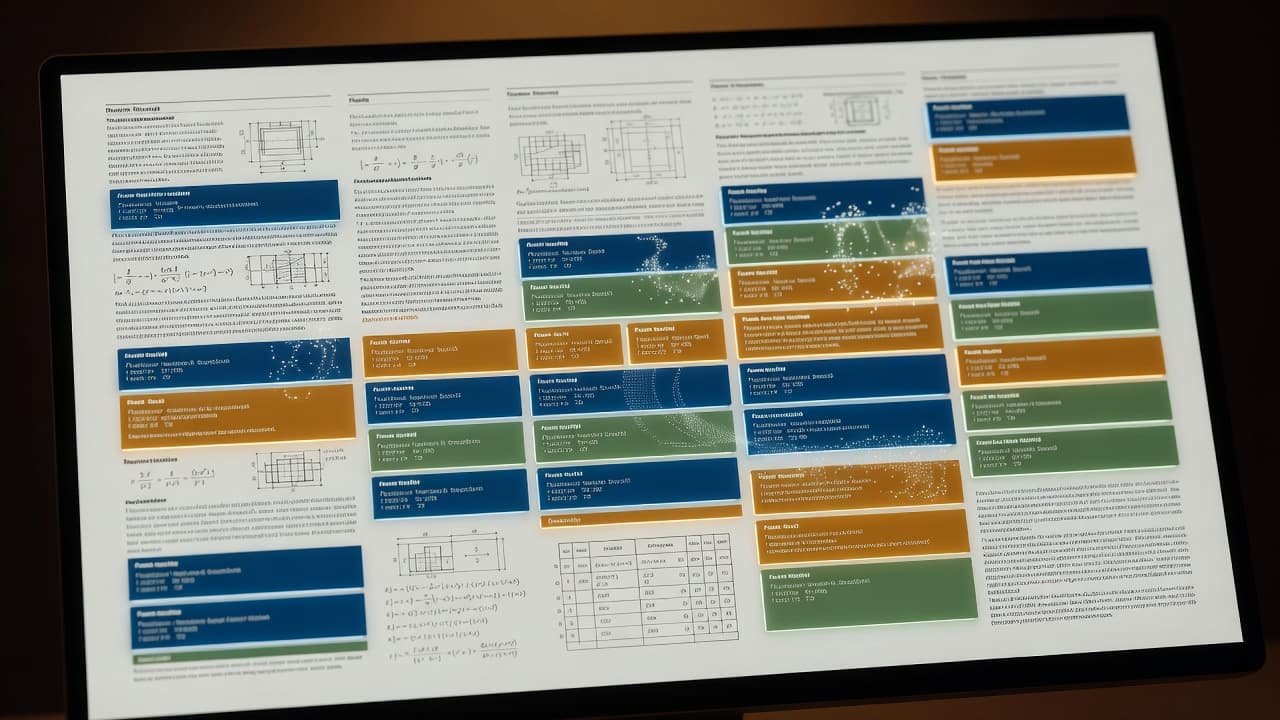
Token counts also depend on the embedding model’s tokenizer. A 500-token setting in one stack may not match another exactly. I use the tokenizer associated with the embedding model when possible, rather than estimating by characters or words.
A simple fixed-size splitter is acceptable for a quick proof of concept, but it is rarely where I stop. PDFs have structure, and a good ingestion pipeline should respect it. To improve retrieval quality, I often move toward adaptive chunking. If the source has clear headings, I split by heading first. I then use recursive chunking to divide oversized sections into logical paragraph groups or sentence-aware units. This approach keeps a chunk about “Password Reset Requirements” from merging with the next section about “Account Deactivation.”
For systems backed by a vector database, storage cost also matters. Smaller chunks produce more vectors, more metadata records, and more possible duplicates within your vector store. My Pinecone production RAG notes cover the operational side of keeping vector counts, namespaces, and update work under control.
Preserve Meaning at Headings, Clauses, and Tables
Fixed token sizes treat every PDF as a long string. Real documents are not just long strings; they have sections, rules, examples, exceptions, and relationships that readers rely on.
I use semantic chunking whenever the source provides enough signal. This approach respects the document structure, ensuring that semantic boundaries align with natural breaks rather than arbitrary character counts. A policy document should split at policy headings and numbered rules. A contract should split by clause and subclause. A technical manual should keep a procedure with its prerequisite, warning, and expected result.
Keep conditions with their exceptions
The most damaging chunk boundary is often a short transition phrase, such as “except when,” “unless,” “subject to,” or “however.” Those phrases can reverse the meaning of the prior paragraph.
Consider an access policy that says administrators can export data, followed by an exception for suspended accounts. Splitting between those statements creates a retrieval risk. The first chunk may look like a complete answer while the second chunk never reaches the model.
I use overlap to protect these boundaries, but overlap is not a full solution. If a clause is only 180 tokens, I index it as one semantic unit rather than slicing it into two 120-token blocks because a splitter said to do so. Recursive chunking is particularly effective here, as it allows you to break documents down by headings and subheadings while keeping related content together.
Treat tables as self-contained evidence
Tables often carry the exact answer users need. They are common in product documentation, service-level agreements, invoices, and HR policies. They also break easily.
A table chunk should include:
- The table heading or nearby section heading
- Column headers and row labels
- Units, dates, and footnotes
- The source page and document version
For larger tables, I create row-level chunks with repeated headers. A question about an Enterprise-plan API limit should retrieve the relevant row with its plan name and unit. It should not return a detached number from a flattened page.
Use parent-child retrieval for long sections
Parent-child indexing is one of the cleaner answers when precision and context pull in different directions. I index smaller child chunks, often 200 to 400 tokens, for search. When one wins retrieval, I send its larger parent section to the model. Using frameworks like LlamaIndex can help automate these parent-child indexing patterns, making the pipeline much easier to manage.
That pattern works well for technical PDFs. A user may search for an exact error code in a small child chunk, but the model still receives the full troubleshooting procedure, including warnings and follow-up steps. If you need even more surrounding context, sentence window retrieval is a useful technique to expand the scope around a specific retrieved chunk.
I do not use these advanced methods as an excuse to skip evaluation. They add indexing logic and metadata requirements to your pipeline. Still, these strategies are essential when an answer requires a full section but the search query targets one exact phrase.
Overlap Should Protect Context, Not Multiply Noise
Chunk overlap duplicates text at the edges of adjacent segments. This technique helps when an important sentence crosses a boundary, ensuring that the retrieval engine captures the full meaning. However, excessive chunk overlap can also increase index size and create repetitive search results, which can confuse the retrieval process.
For a 512-token RAG chunk size, I start with 50 to 100 tokens of overlap. That is usually enough to retain a natural paragraph transition in business documents without creating too many near-identical vectors. When users perform a search, the system calculates cosine similarity to find the most relevant information; if your chunks are too similar due to high overlap, your results may become cluttered and redundant.
I increase chunk overlap when I see evidence that boundaries are causing misses. Dense regulations, technical procedures, and multi-part FAQ answers sometimes need 20 to 25% overlap. I keep it lower for tables, code samples, and repetitive lists because duplication becomes obvious very quickly.
A common mistake is using overlap to repair bad segmentation. If a heading and its body are separated by a page footer or OCR artifact, more overlap only spreads the broken text across more chunks. You should repair the parser output first.
Metadata is the other half of the equation, acting as a form of context enrichment that works alongside text chunks. Each chunk should carry enough information for filtering and citation. At minimum, I store:
- Source file and stable document ID
- Page number or page range
- Heading path
- Document type and version
- Last-updated date
- Product, tenant, or access scope where applicable
Tools like LlamaIndex provide advanced metadata handling capabilities, allowing you to associate these attributes directly with your data for more precise retrieval. Permissions need the same care as your configuration settings. A perfectly ranked chunk is still a failure if it comes from another customer’s documents. I treat authorization filters as part of retrieval quality, not a separate security detail.
For a closer look at the relationship between chunk boundaries, semantic search, and incorrect answers, see my guide to fixing AI chatbot retrieval errors.
Test Chunk Sizes Against Real Questions
I do not judge chunking by how clean the index looks. I judge it by whether users can get supported answers to the questions they already ask.
Start with a small golden dataset drawn from support tickets, search logs, onboarding calls, and failed chatbot sessions. Remove personal data. Then record the approved source section, required facts, and expected refusal behavior for each question.
A useful initial set includes 100 to 500 real queries. That is enough to expose recurring retrieval problems without creating a large annotation project before the product has traffic. You can automate these evaluation workflows using LlamaIndex modules, which allow you to iterate on your retrieval strategy faster.

I test each chunk configuration in two stages. First, I inspect retrieval without generation. Did the right evidence appear in the top results based on cosine similarity? Second, I provide the retrieved evidence to the model and evaluate whether the final answer is grounded and useful.
These metrics give me a practical view of the pipeline:
| Metric | What it shows | What a weak result usually means |
|---|---|---|
| Hit Rate @5 | Whether an approved source appears in the first five results | Chunk boundaries, embeddings, or filters need work |
| Recall @K | Whether all needed source material was retrieved | Chunks are incomplete or too narrowly scoped |
| Context Recall | How much of the ground truth is present in the context | The retrieval system is missing vital segments |
| Context Precision | The ratio of relevant chunks in the retrieved set | Chunks are too broad or retrieval is noisy |
| Faithfulness Metric | Whether the answer is derived solely from the context | Prompting or generation behavior needs work |
| Relevancy Metric | How well the final answer addresses the user query | The model is hallucinating or missing the intent |
| Response Time | The latency of the entire RAG pipeline | Retrieval overhead or model generation is too slow |
A practical early target for common support questions is a Hit Rate @5 near 90%. High-risk questions may need a higher bar. Billing, privacy, account security, and legal terms should not rely on a vague aggregate score.
When retrieval misses, I diagnose the failure in order. Was the correct document indexed? Did the permission filter allow access? Did the relevant chunk rank in the top results? Only after those checks do I inspect the generated answer.
This prevents a familiar waste of time, which is rewriting prompts when the actual issue is an old index, bad metadata, or a chunk that split one rule away from its exception.
Run the same question set against three or four configurations. For example, compare 300, 512, and 750 tokens with controlled overlap. Change one parameter at a time. If you change chunk size, overlap, embedding model, top-k, and reranking together, you will not know what improved the result.
Common PDF Chunking Failures I Still See
The failures are usually predictable. Teams often start with a generic splitter, ingest thousands of pages, and only inspect their retrieval strategy after users complain.
One issue is page-based chunking. A PDF page is a visual unit, not a semantic unit. A section can begin near the bottom of one page and continue onto the next, and a table can span multiple pages. Treating pages as chunks creates arbitrary breaks, which is a common hurdle for LlamaIndex users who rely on default parsing settings.
Another issue is repeated boilerplate. Confidentiality notices, copyright lines, and navigation labels can dominate embeddings when they appear on every page. You should remove or isolate this repetitive material before indexing your documents.
I also see teams index every appendix, index, and bibliography by default. While this can be useful for research workflows, it often increases noise for a support bot. You should only index content that can answer a user question, and consider giving lower priority material a separate namespace or specific retrieval rule.
Finally, do not use the large context window of modern large language models as a substitute for good chunking. Sending 20 weakly related chunks to a model does not create a reliable answer and will ultimately degrade your retrieval performance. Effective systems should locate the best evidence first, allowing the long context window to help the model compare and explain that high quality data.
Put Evidence Before Token Counts
The right RAG chunk size for a PDF is the smallest unit that preserves the answer a user needs. For many business documents, 400 to 600 tokens with modest overlap is a sound place to begin, but it is not the finish line. Because retrieval-augmented generation relies on the quality of retrieved data, your priority should always be the accuracy of the evidence rather than hitting a specific token count.
Ultimately, your retrieval performance depends on clean extraction, structure-aware boundaries, and useful metadata. Rather than guessing a magic number, you must test your chosen RAG chunk size against your specific documents to see what provides the best context for the model. If retrieval can locate current, complete evidence, the model has a fair chance to answer well. If it cannot, even the most sophisticated prompt will not fix the underlying source problem.
FAQ
What is the best chunk size for PDF RAG?
I start at 400 to 600 tokens for most PDF RAG systems. Use smaller chunks, around 200 to 350 tokens, for FAQs, short rules, and table rows. Use larger chunks for long technical sections that need surrounding context. To determine the ideal configuration, you should evaluate your retrieval performance by measuring the recall at k. Tools like LlamaIndex are excellent for running these experiments, allowing you to easily test different chunk sizes and document boundaries to see what yields the highest retrieval accuracy.
How much overlap should RAG chunks use?
A 10 to 20 percent chunk overlap is a practical starting point. For 512-token chunks, that usually means 50 to 100 tokens. You should only increase the chunk overlap when testing reveals that important context is being lost across chunk boundaries. Fine-tuning this setting is a standard part of optimizing your pipeline for better document retrieval.
Should I chunk PDFs by page?
Usually, no. Pages are layout boundaries, not meaning boundaries. Split by headings, paragraphs, clauses, and table structure, then use page numbers as metadata for citations. If you are using frameworks like LlamaIndex, you can define custom nodes to ensure your splitting logic respects these semantic boundaries rather than arbitrary page breaks.
Can I use one chunk size for every PDF?
You can use one starting setting, but production systems need testing by document type. Contracts, tables, technical manuals, and FAQs have different context requirements and failure modes. By monitoring your recall at k across these different categories, you can determine if a universal setting is sufficient or if you need to implement specialized chunking strategies for specific document types.