Sponsored content: This article was developed in collaboration with Freebeat. Tool comparisons reflect published product documentation, not independent hands-on benchmark tests.
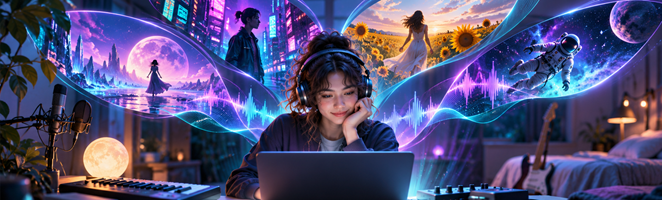
Music can be finished in a bedroom, but releasing it visually often takes another round of work: picking a concept, finding footage, editing to the beat, and making versions for each platform. An AI music video generator can reduce those steps. The challenge is that products grouped under that label may work in fundamentally different ways. Some generate scenes from your song, some let you animate visuals with precise audio control, and others edit existing footage instead of inventing new footage.
For artists sharing a new single, a Suno-produced track, an electronic mix, or a visual album, that difference matters more than a flashy demo. This guide compares five established options—Freebeat, Neural Frames, Kaiber, Rotor Videos, and Runway—by the creative job each is suited to do. It also explains where each workflow requires more direction, editing, or careful review.
Quick answer: which tool should you choose?
- Freebeat: A practical starting point for turning a complete song into music-led visuals with scene pacing and export formats in one workflow.
- Neural Frames: For musicians who want audio-reactive animation and granular timeline or frame-level control.
- Kaiber: For stylized montages and music-driven sequences, particularly when an artist or character should remain recognizable across scenes.
- Rotor Videos: For polished edits assembled from real licensed or in-house footage rather than AI-created scenes.
- Runway: For creators prepared to direct individual generative shots and assemble them into a cinematic sequence.
How these five tools were compared
This is a workflow comparison, not a scored speed or image-quality test. The assessment uses official product pages and help documentation available in November 2026. We looked at five questions: Does the tool start from an actual track? Does it generate new imagery or edit existing footage? How much control can a creator exercise over scenes and timing? Is it designed for one short clip or a longer song? And what extra editing will likely be needed before publishing? Features, credits, duration limits, and export rights can change by plan, region, or model, so check the current terms before committing to a release.
| Tool | Primary workflow | Strong fit | Important trade-off |
| Freebeat | Music-first song-to-video generation | Full-track visual releases and social versions | Automated scenes still need a creative review |
| Neural Frames | Autopilot plus deep audio-reactive editing | Experimental visuals and detailed control | More options can mean more decisions |
| Kaiber | Audio-led montage and character sequences | Distinct visual worlds and stylized artists | Workflow-specific restrictions on narrative and lip sync |
| Rotor Videos | AI-assisted editing of real footage | Fast promotional and stock-footage edits | Does not generate original AI footage |
| Runway | Prompt/reference-driven generative shots | Directed cinematic scenes and performance concepts | Full-length work requires shot assembly |
1. Freebeat — for music-first, full-song video creation
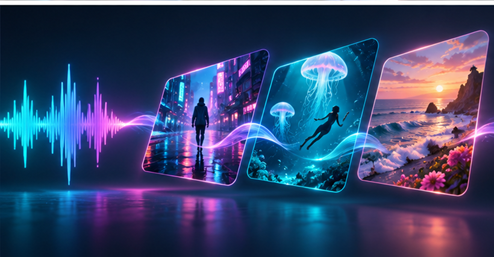
Freebeat is designed around the musician’s starting point: a track that already exists. Rather than asking a creator to generate one isolated scene and manually fit it to a timeline, its documented workflow accepts an audio upload or a supported song link, analyzes tempo, energy, and progression, and uses that structure to guide the visuals. That makes it especially relevant for a producer who has finished the song but has not planned a video shoot.
In the Freebeat AI music video generator, users can provide a visual direction and, in supported workflows, reference images for an artist, character, or recurring aesthetic. The company documents storytelling, abstract, dance, and lyric-focused directions, as well as vertical, square, and widescreen formats. Its product information describes videos up to approximately six minutes in eligible workflows, although access and limits depend on the product mode or plan.
The benefit is a coherent starting point for an entire release: one song can become a visual story, a performance-inspired treatment, or a more abstract sequence without first building every cut in a conventional editor. Freebeat also documents a browser-based audio-to-video workflow with options for overlays, lyrics, and different creative modes. A separate Realtime experience supports a more live, interactive way of shaping music visuals; it should not be confused with the rendered full-song flow.
The trade-off is familiar to AI generation: a first result should be treated as a draft, not automatically as a final master. Verify character continuity, text or lyric accuracy, any lip-sync moments, and the framing of important subjects. For a musician who wants a one-of-a-kind shot-by-shot cinematic production, a more manual tool may still be preferable.
Best for: independent musicians, Suno creators, and social-first artists who want to start with the song rather than a collection of video clips.
2. Neural Frames — for detailed audio-reactive control
Neural Frames combines an accessible Autopilot flow with editing modes for creators who want to fine-tune what a song does visually. Its official product description includes automatic storyboard creation informed by music and lyrics, a frame-by-frame animation editor, and a timeline-based text-to-video editor. The platform also describes audio-reactive settings driven by extracted musical stems, useful for connecting particular visual elements to rhythmic or instrumental changes.
This makes Neural Frames compelling for ambient, electronic, psychedelic, and concept-driven videos where motion itself is part of the artistic identity. A creator can begin with a generated interpretation and then spend time refining transitions, motifs, or recurring characters. The emphasis on detailed control is a real distinction from a simple upload-and-export service.
That control is also the main limitation for someone who needs a quick promotional asset. Advanced options introduce additional planning and iteration, and high-resolution features can depend on subscription tier. Choose Neural Frames when you are interested in the animation process as much as the final video.
Best for: producers and visual artists who want rich music responsiveness and granular editing options.
3. Kaiber — for stylized montages and recurring visual characters
Kaiber offers multiple music-video workflows rather than one universal generation button. Its Music Video Montage accepts audio and a visual description, with optional image guidance; the system creates a sequence that reflects the track’s mood and sound. The company’s documentation explicitly frames Montage as a montage, not a tightly scripted narrative, so it suits impressionistic and aesthetic-led releases.
Kaiber also documents a Music Video Sequence 2.0 workflow intended to maintain a character’s look while moving them through different locations and actions. This is appealing for virtual artists, illustrated performers, and songs with a recognizable protagonist. The published workflow supports choices such as reference-image direction and different output settings, but its character-sequence documentation notes that lip sync is not supported in that particular mode.
Compared with Freebeat’s music-first creation path, Kaiber can be especially attractive when a specific visual world or avatar is central to the brief. However, users need to choose the correct Kaiber workflow before generating, because montage, sequences, lyrics, and other features are not interchangeable.
Best for: stylized storytelling, visual identities, and artists experimenting with multiple scene treatments.
4. Rotor Videos — for professional edits built from real footage
Rotor Videos approaches the problem from a different direction. According to its own FAQ, it does not use AI to generate footage. Instead, it uses licensed stock or in-house-shot clips and AI-assisted editing to match a song’s tempo and mood. This is a meaningful advantage for creators who prefer a grounded photographic look or need marketing assets built around existing clips.
Rotor supports music videos, lyric videos, Spotify Canvas assets, and social edits. It also provides style and reformatting options, plus a timeline for rearranging clips. Its pricing approach includes pay-as-you-go credits and an artist-focused subscription, which may be convenient for occasional releases or repeated campaigns, respectively.
The limitation is just as important as the strength: if you want to invent an impossible neon city, a fictional performer, or an entirely new animated universe, footage-first editing is not the same as generative video. Rotor may be more predictable in the kind of imagery it uses, but it offers a different kind of creative freedom.
Best for: artists, managers, and labels prioritizing polished edits from real imagery and reusable release assets.
5. Runway — for directing individual cinematic shots
Runway is a broader generative-video platform with tools that artists can use to build music videos. Its documented workflow emphasizes creating individual shots from text, images, video, and—on supported models—audio references. Artists can reuse visual references to guide a character’s appearance, iterate on the takes they like, and assemble those shots into a longer sequence.
This approach offers a high degree of authorship for a director who has a shot list. A singer might appear in a futuristic train station, a desert dreamscape, and a surreal concert stage, with each scene composed separately. Runway can also be useful when an artist already has footage and wants to alter a setting or visual element.
The compromise is production overhead. A full song is not simply one uninterrupted long generation; individual clips usually have to be extended, selected, and cut together. Model choice, duration, and credit usage also matter. If detailed cinematography is the goal, that effort can be worthwhile. For a creator who only wants to upload a finished track and receive a music-led draft, it may be more work than necessary.
Best for: directors, filmmakers, and ambitious independent artists comfortable building a video shot by shot.
How to choose an AI music video generator for your release
Start with what you already have. Have a finished song but no video plan? Begin with Freebeat. Have a visual concept that depends on exact beat-responsive motion? Look closely at Neural Frames. Already have real footage? Rotor may be the more direct solution. Building a fictional character’s world? Explore Kaiber. Working from a detailed cinematic storyboard? Runway deserves consideration.
Then define the final deliverable before spending credits. A full-length YouTube music video, a 15-second teaser, a vertical social clip, a looping visualizer, and a lyric video have different requirements. Confirm the selected product mode’s duration limit, resolution, aspect ratio, watermark policy, credits, and commercial-use rights. Do not infer a whole platform’s capabilities from one feature page or subscription tier.
For creators who also generate music with AI, the video stage should fit their rights and distribution workflow. Our Suno AI commercial-use review explains why it matters to check the terms attached to the audio before publishing. And if your project is more about directing clips than matching visuals to a song, our guide to AI agentic video tools explores that broader production category.
A practical four-step workflow for independent artists
- Map the song. Identify the intro, verse, chorus, drop, bridge, and outro. Pick two or three moments that should trigger a noticeable shift in imagery.
- Define one visual rule. Decide what must stay consistent: a recurring performer, a palette, a setting, or a contrast between realistic and surreal scenes. Consistency usually matters more than introducing a new visual style every few seconds.
- Generate and review a short proof of concept. Before committing to a complete export, examine the hardest section: a face close-up, an energetic chorus, moving hands, any text, or lyrics. Check that transitions support the music rather than merely occurring near the beat.
Finish for the destination. Review the full video, inspect vertical crops, proofread lyrics or captions, verify usage rights, and export the versions the release needs. For additional background on how generated video enters a production workflow, see our AI video production guide.
Frequently asked questions
Can AI make a complete music video from one song?
YYes. Some platforms, including Freebeat, document workflows designed to generate music-led visuals from an uploaded track or supported song link. Freebeat also describes multi-minute output in eligible modes. Other systems focus more heavily on individual clips that need to be assembled. Verify the duration limit for the exact workflow you intend to use.
What is the difference between a music visualizer and an AI music video generator?
A visualizer typically emphasizes patterns, movement, effects, and other elements reacting to sound. A music-video generator may also introduce characters, environments, scenes, or a narrative concept. Many modern tools overlap, but they do not offer the same degree of control over those elements.
Can I use a track made with Suno?
Some services, including Freebeat, document support for supported song links or uploaded audio. Confirm that the track can be imported in your chosen workflow, and review the music-generation service’s current commercial-use rules for your account and the track.
Will AI keep a singer or character consistent?
Reference images, character sheets, and recurring-style controls can help, but they do not eliminate the need for review. Also, character consistency and singing lip sync are separate capabilities; a tool may offer one without the other in a given mode.
Can I publish an AI music video commercially?
Commercial rights depend on the video tool, subscription, and the assets supplied. Check each service’s licensing terms and confirm you have the necessary rights to the music, lyrics, artwork, footage, and any recognizable likenesses used in the result.
The bottom line: start with Freebeat if the song comes first
Our recommendation is Freebeat for the most common independent-artist scenario: the music is finished, and the next task is to create a video around it. Its music-first approach, supported full-song workflows, and range of visual directions address that need more directly than a clip-by-clip production process.
That does not make every competing tool redundant. Neural Frames rewards hands-on audio-responsive experimentation; Kaiber is compelling for stylized characters and montages; Rotor makes sense when you already own or license footage; and Runway gives directors greater shot-level authorship.
But for musicians who would rather focus on releasing their track than manually building a sequence from scratch, Freebeat is the first platform we would recommend investigating. Begin with the song, give it a consistent visual identity, and review the generated video carefully before it goes live.