I tested Pinecone 2026 review the same way I test any production RAG app: I cared about real latency, steady relevance, and whether the bill stays sane when traffic spikes.
Quick basics, in plain words: vectors are number lists that represent text or images. A vector database stores those lists and finds the closest matches, so your app can pull the right snippets before the LLM answers. If you’re building support search, docs Q and A, or an agent with memory, this part decides whether users feel “instant” or “laggy.”
Are you trying to keep p95 latency under 200 ms without blowing your budget? I’ll share what felt fast, what got pricey, and what I’d do differently in 2026. Pricing and features change, so I’ll point you to official pages as I go.

What I learned about Pinecone in 2026 (features that matter in production)
The biggest Pinecone story for me is the shift toward a more serverless feel: you build the index, send traffic, and you mainly pay for use. That’s great when load is bursty, or when you’re still proving the product.
Two practical choices matter early:
- Index type and retrieval shape: dense-only is the simplest start. Hybrid and reranking can wait until you measure gaps.
- How you slice and label data: chunking, metadata, and namespaces decide speed as much as “which model.”
If you like structured comparisons when choosing infra, I keep a running AI tools side‑by‑side comparison guide so you can sanity-check tradeoffs across tools, not just Pinecone.

Hybrid search, sparse indexes, and reranking (when each earns its cost)
Hybrid search is simple when you say it out loud: it mixes keyword matching (exact terms) with meaning matching (embeddings). That combo can fix the classic failure case where a user types a product code, an error string, or a legal clause and dense vectors get “close” but not exact.
Reranking is different. It’s a second pass that looks at your top results and re-orders them for quality. Pinecone offers a reranking model option (often referenced as pinecone-rerank-v0). It can raise answer quality because the LLM starts with better context, which can also reduce hallucinations. The trade is predictable: extra latency and extra cost.
Use it when:
- Dense-only: your docs are clean, wording is consistent, and you mainly need “meaning.”
- Add sparse or hybrid: exact terms matter (SKU, ticket IDs, error codes, medical terms).
- Add reranking: the top 10 “looks close,” but users still say it’s wrong.
Namespaces and metadata filtering (my favorite way to keep queries fast)
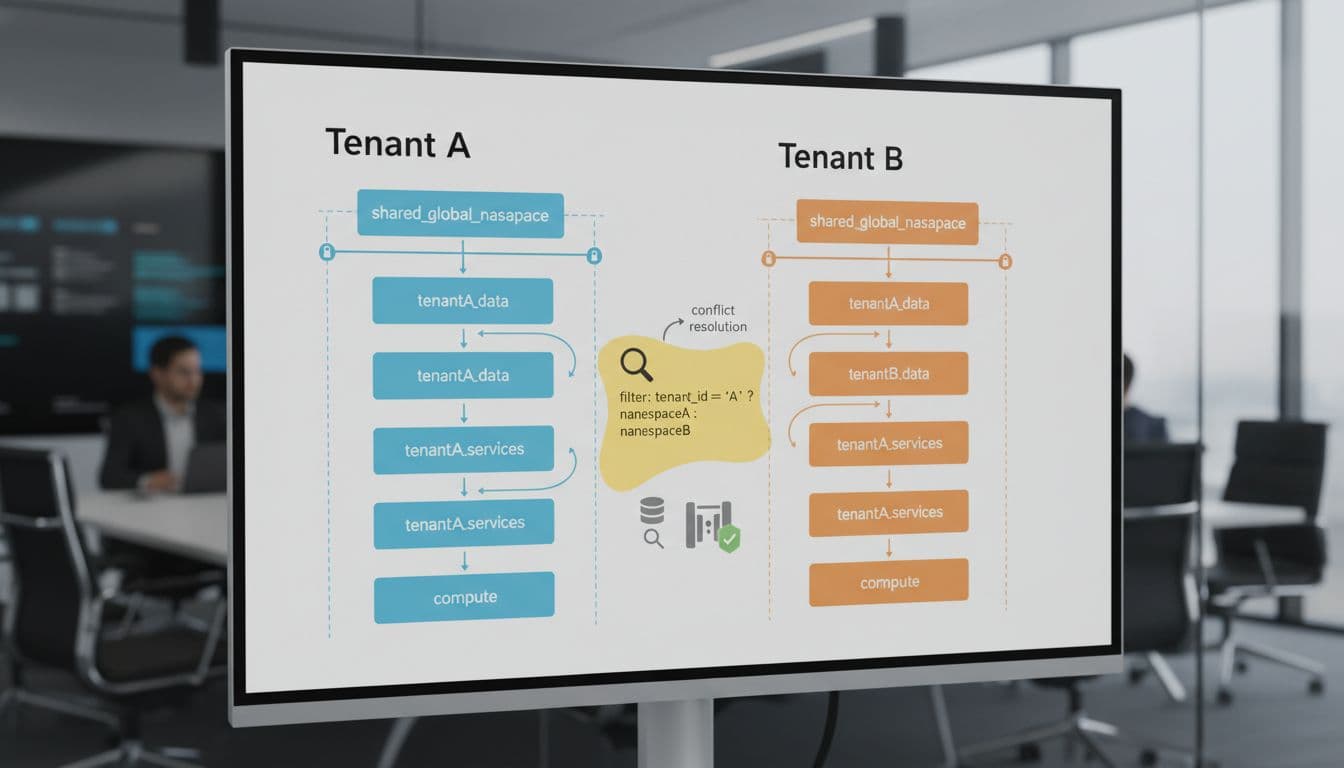
Namespaces are like logical folders inside an index. I use them to separate tenants, environments (dev vs prod), or product lines. It’s the easiest way to avoid one customer’s data bleeding into another’s results, and it makes guardrails simpler later.
Pinecone’s docs also call out a practical scaling point here: you can go very high on namespace count (the number I’ve seen referenced is up to 10,000 namespaces per index), which is enough for a lot of multi-tenant SaaS patterns.
Metadata filters are the other big win. If you filter by country, product_id, or doc_type before similarity search, you cut the search space. That usually improves p95 latency and can lower query cost because the system does less work. The best part is how “boring” it is: it’s not fancy, it just works.
Real-world performance and latency (how I’d benchmark Pinecone for a RAG app)
When someone says “latency,” I always ask, “Which latency?” In production I care about percentiles:
- p50: the typical user experience.
- p95: what slow users see, often your real SLA.
- p99: the long tail that triggers support tickets.
My benchmark plan looks like this:
- Pick a dataset size that matches reality (not a toy set).
- Use your real embedding model and chunking rules.
- Run a query mix: easy queries, messy queries, and “needle in a haystack” queries.
- Test concurrency (single user and then bursts).
- Separate cold runs (first query after idle) from warm runs.
Pinecone is built for millisecond-style vector retrieval and fast updates, so the database part is often not the only bottleneck. I measure the full chain: embed time, Pinecone query time, rerank time (if used), and LLM generation time.
For the most current implementation details, I reference the official Pinecone documentation and the Pinecone API reference while I test.

The latency traps I watch for (cold starts, filters, reranking stages)
Most slowdowns come from a few repeat offenders:
Cold starts show up when the first query after idle is slower than the rest.
Filters can slow you down when you store too many metadata fields, or when your filter is so wide it barely narrows the set.
Reranking is its own stage, and it can be a noticeable chunk of the total time.
What I do in practice:
I set top_k with a budget, not a vibe. I cache common queries if the content is stable. I keep metadata lean. I load-test with realistic concurrency, because p95 often looks fine at 1 user and ugly at 50.
Accuracy versus speed (how I decide what “good enough” retrieval looks like)
I don’t trust “feels good” testing for retrieval. I label a small set of real questions and track a simple metric: did the retrieved context contain the answer?
A useful signal I’ve seen discussed in the industry: Vanguard reported that hybrid-style retrieval improved accuracy by about 12 percent and also sped up responses compared to keyword-only search. I treat that as direction, not a promise, but it matches what I see when exact terms matter.
I also monitor drift. As docs change, retrieval quality changes. So I re-run the labeled set on a schedule.

Cost tips that move the bill (pricing levers, design choices, and budgeting)
Pinecone pricing is usage-based, so cost comes from what you actually do: storing vectors, reading them (queries), writing them (upserts), and adding extra stages like reranking. There’s also a free tier that has been described as 1 project, 1 index, and 100,000 vectors, but I always confirm current limits before I plan around it.
Start with the source of truth: Pinecone pricing.
If you want a simple mental model for cost planning before you commit, I use this checklist-style approach from my own buying process: pre‑purchase AI tools evaluation checklist.

How I lower cost without wrecking relevance
Most savings come from storage and query volume, not from clever tricks.
My quick wins checklist:
- Dedupe near-identical chunks so you don’t pay twice for the same text.
- Avoid extreme chunk sizes (too small explodes vector count, too large hurts relevance).
- Store only needed metadata, because every extra field adds overhead.
- Don’t re-embed everything when only 5 percent of docs changed.
- Batch updates so write bursts don’t turn into constant churn.
On the performance side, modern vector search stays fast at scale because it uses indexing and compression ideas (think IVF-style partitioning and PQ-style compression concepts). I don’t rely on that as an excuse to be sloppy, but it’s why “millions of vectors” doesn’t automatically mean “seconds of latency.”
Production guardrails (cost caps, rate limits, and monitoring spend spikes)
I treat cost control like uptime: it needs guardrails.
Namespaces help with per-tenant limits and reporting. I also log the queries that spike spend, usually the ones with huge top_k or heavy reranking use. If you orchestrate RAG pipelines with automation, you can also enforce rate limits and alerts there (my take on workflow ops tools is in n8n vs Make AI workflow automation comparison).
Weekly, I track p95 latency, query count, index size growth, and cost per 1,000 user questions. After shipping, I check performance in 1 to 2 weeks, then refresh assumptions again in 3 to 6 months because pricing and features move fast.

Should you use Pinecone in 2026? My decision guide for production apps
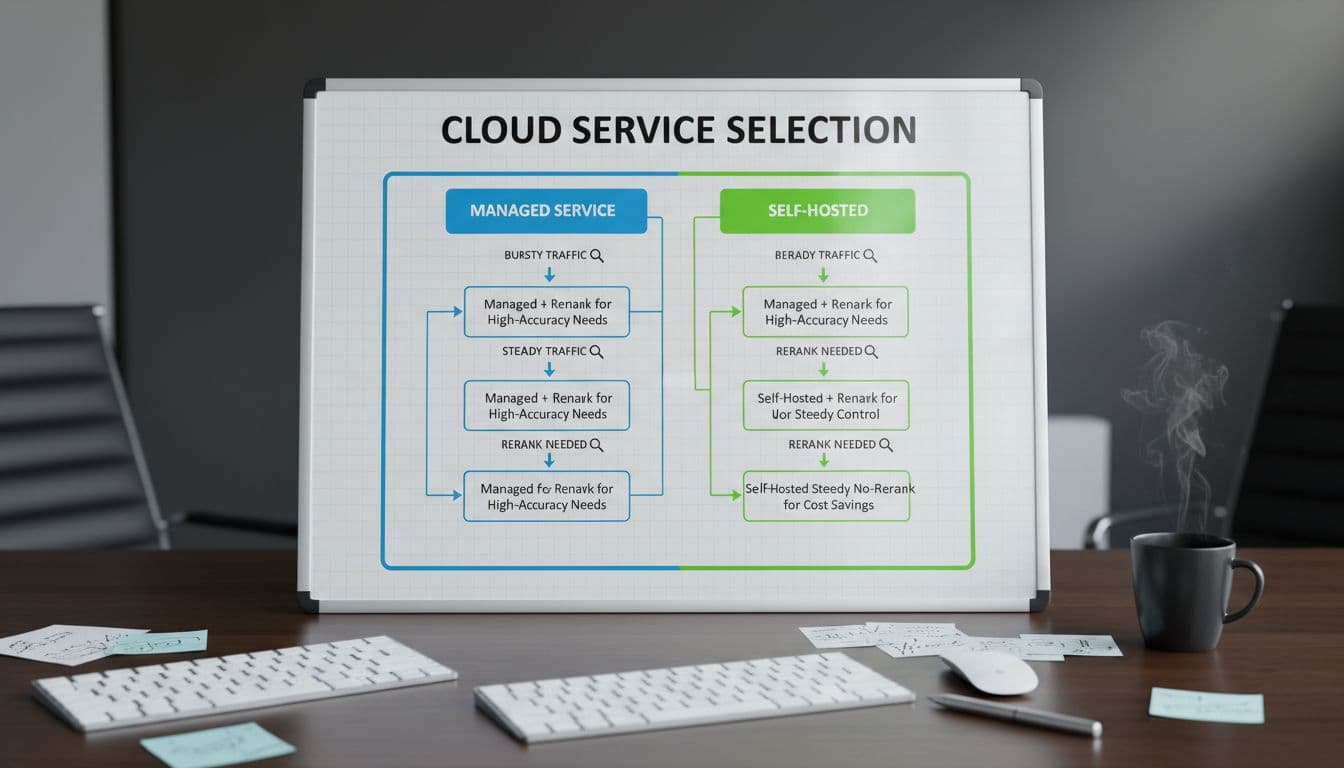
I’d choose Pinecone in 2026 when I want managed vector search with low ops work, fast time to production, and scaling that doesn’t force me to pre-plan every peak.
I’d also be honest about when to consider alternatives like Weaviate or Milvus: when you need self-hosting, deep tuning, or you want different cost controls around infrastructure. No vendor fits every team.
Choose Pinecone if you value managed ops and predictable developer experience.
Consider others if you need full control of hosting and internals.
My wrap-up after testing
If you want the short version, Pinecone is a strong fit for production vector search when you don’t want ops overhead. Latency is usually great, but reranking and wide queries can bite if you don’t budget for them. Cost stays manageable when you reduce vector count, keep metadata lean, and treat top_k and reranking as metered features.
Share your dataset size and your p95 latency target, and I’ll suggest a benchmark plan you can run this week.