
An AI feature becomes expensive and unreliable the moment it can take actions without clear limits. A practical AI agent architecture gives your SaaS product a way to reason, use tools, retain the right state, and stop before a bad decision becomes a customer-facing incident.
For a small team, this 2,500 to 3,000-word guide stays practical. It’s written for US-based SaaS teams, not as a generic overview of AI. It covers model access, planning, tools, state, permissions, observability, and stop conditions.
The goal is useful agentic AI, not uncontrolled action from autonomous agents.
Start with one bounded workflow, then shape agentic workflows around clear business rules. The guide moves from that first workflow to controlled autonomy through narrow tools, explicit permissions, observability, and tested failure paths.
Key Takeaways
- Start with one narrow, measurable workflow where actions are limited, reversible, and supported by a human fallback.
- Keep the AI agent architecture layered: the backend should control tenant context, model access, tool permissions, business rules, and observability.
- Treat authoritative business records as application data, not model memory, and use selective, permission-aware contextual memory for each task.
- Make tool calling narrow and boring with typed inputs, server-side validation, least-privilege access, approval gates, and strict limits on steps, retries, time, and cost.
- Earn more autonomy through failure-path testing, traceable evaluations, explicit stop conditions, and evidence that the workflow remains reliable.
What separates an agent from a chatbot
| Chatbot | Agent | |
|---|---|---|
| Objective | Answer a request | Complete a defined goal |
| State | Usually limited to the current exchange | Maintains workflow state and relevant context |
| External action | Returns text, possibly using retrieval | Calls approved tools and inspects results |
| Validation | Checks the response | Validates inputs, outputs, and permissions |
| Stop condition | Response is generated | Goal is reached, blocked, or limited |
A chatbot receives a message and returns an answer. An agent has a goal, selects the next action, checks the result, and continues until it reaches a stop condition.
This controlled loop makes autonomous agents useful for checking account status, gathering support evidence, drafting tickets, or preparing reports.
Agents need controlled action loops
A model alone doesn’t create a dependable agent. The runtime needs instructions, available tools, workflow state, permission checks, and hard limits on what can happen next.
The model is a reasoning engine within that runtime, not the whole agent. Tool calling lets it select an approved action, receive an observation, and continue through the workflow. Sequential orchestration is the simplest pattern when dependent steps must happen in order.
ReAct-style loops are a common execution model. The model considers the task, takes an action, reads the observation, then chooses another action. I treat this as an execution pattern, not proof that the system reasons reliably.
Reactive architectures can respond to events, but they still need explicit policies and stop conditions. Don’t expose private reasoning to users or depend on it for audits. Log operational facts instead, including the selected tool, validated inputs, returned result, policy decision, and final output.
Not every AI feature needs an agent
Use deterministic code when the steps are known. A password reset, subscription change, or invoice calculation shouldn’t depend on model judgment.
I’d use an agent only where interpretation changes decision-making about the next permitted action. For example, a support assistant can check a policy article and prepare a draft reply, but it can’t issue a refund. Any refund workflow should use much stricter controls.
Start with one narrow job
The fastest way to build a fragile system is to divide a vague problem among several vague roles. Small SaaS teams get better results by choosing one workflow with a measurable outcome and limited authority.
A good first candidate has predictable volume, few tools, clear success criteria, and reversible consequences. Internal knowledge search, support-ticket triage, and draft generation are safer starting points than account deletion or financial changes.
| First agent candidate | Why it fits | Where it can fail |
|---|---|---|
| Support-ticket triage | Inputs and categories are usually defined | Wrong routing can delay customers |
| Knowledge-base answer drafts | The agent can cite approved documents | Stale or weak retrieval can produce bad claims |
| Account research assistant | It can collect data for a human | Private data can leak through poor permissions |
| Content workflow assistant | It can prepare drafts and metadata | It may invent facts or use the wrong source |
Before building, record the workflow’s expected volume, tool count, and success metric. These details make the first scope measurable.
- Volume: Estimate requests per day and identify peak periods.
- Tool count: Start with one or two tools, such as search and ticket lookup.
- Reversibility: Keep actions reviewable, such as drafts, labels, or proposed updates.
- Evidence: Require approved sources for customer-facing claims.
- Human fallback: Define when a person must review, correct, or take over.
- Success metric: Track accuracy, resolution time, approval rate, or routing quality.
The right first project has a human fallback. If the agent cannot cite an approved source, validate tool output, or stay within its step budget, it should stop.
Define success before selecting a framework
Write down the job in one sentence. Then write the failure condition beside it.
For example: “Classify a support request and draft a reply using the current help center.” Failure might be: “No approved source supports the reply, or the request needs account-level action.”
A low-risk workflow with dependent steps can use sequential orchestration. A stateful graph framework such as LangGraph may help when the workflow needs checkpoints. Define the workflow first, then select the framework.
That definition will guide framework selection better than a feature checklist. It also keeps autonomous agents limited to a measurable job while your team validates the controls. If you’re comparing builders, code-first frameworks, and automation products, this small-team AI agent builder checklist is a sensible place to separate convenience from engineering control.
Build a layered AI agent architecture
A direct path from browser to agent runtime looks fast. It is incomplete for a customer-facing SaaS product.
The browser shouldn’t hold provider credentials, decide tenant access, select models, or call sensitive connectors. Those controls belong in your backend, the controlling runtime environment for autonomous agents.
Keep responsibilities separate
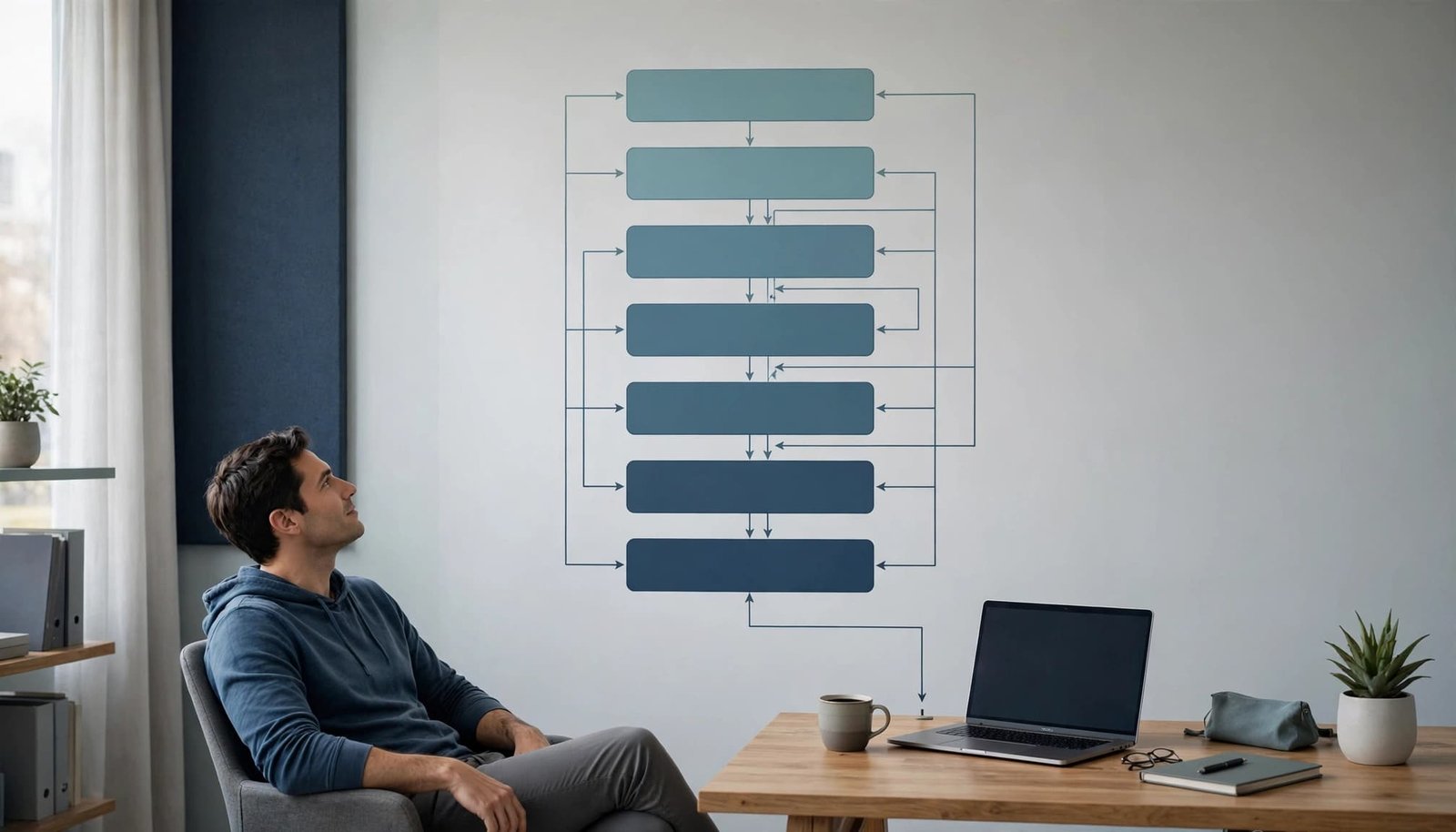
A production-ready AI agent architecture usually has six layers:
- The product interface collects a request and shows progress, approvals, and results.
- An API gateway authenticates the user, applies rate limits, attaches tenant context, and blocks malformed requests.
- A control plane applies model routing, tool, budget, and data policies, including safety guardrails.
- The agent runtime contains the reasoning engine. Its planning layer selects the next step, while the execution layer invokes connectors and external tools, then applies stop conditions.
- Your application services remain the source of truth for billing, permissions, customer records, and business rules, even when enterprise applications are involved.
- Observability systems store traces, events, errors, cost signals, and evaluation results.
| Concern | How the request moves |
|---|---|
| Request flow | Product interface → API gateway → control plane → agent runtime → application services → observability |
| Trust boundaries | The browser ends at the gateway; credentials and connectors stay behind the backend. |
| Tenant context | The gateway attaches it, and downstream services validate it. |
| Approval gates | The control plane pauses sensitive actions before execution. |
| Source of truth | Application services decide business state; observability records evidence. |
The backend supports concurrent orchestration for independent work and handoff orchestration when a specialist or human should take over.
LangGraph can map this request flow to explicit state transitions. A framework-neutral implementation doesn’t require LangGraph; ordinary backend services can enforce the same boundaries.
This separation prevents a prompt from becoming an authorization system. It also makes provider changes less painful. The OpenAI API documentation distinguishes direct model requests, structured outputs, and tool-enabled workflows. Provider APIs belong behind the backend control layer, not in the browser.
The model can recommend an action. Your application must decide whether that action is allowed.
Treat state and memory as different systems
“Memory” is often used as a catch-all term. For an agent, contextual memory is selective, permission-aware context, not a complete transcript.
That distinction makes state management easier. Each record can have its own owner, retention period, access scope, and failure impact.
| Record type | Owner | Retention | Access scope | Failure impact |
|---|---|---|---|---|
| Workflow state | Application | Run or task lifetime | Current task | Lost progress or duplicate actions |
| Retrieved evidence | Retrieval layer | Source or task lifetime | Authorized tenant and task | Unsupported answer or stale claim |
| Conversation summaries | Application | Session policy | User and current task | Repeated context or missing history |
| User preferences | Account profile | Until changed or deleted | User and authorized tenant | Poor personalization or wrong defaults |
| Durable business records | Application database | Business retention policy | Role and tenant permissions | Incorrect billing, access, or account action |
Keep authoritative facts outside the model
Your application database should own facts such as plan level, account status, invoice balance, tenant membership, and permissions. Contextual memory may expose approved facts through a controlled tool, but it shouldn’t rewrite them from a conversational summary.
Autonomous agents are safer when durable business facts remain outside the model.
Workflow state should capture the run ID, current step, tool results, approvals, retry count, and terminal status. Persist it when a task can pause or resume after an API failure. In sequential orchestration, a persisted checkpoint lets a dependent workflow resume from the last confirmed step. LangGraph can represent this pattern, but keep the design provider- and framework-neutral.
For long-running sessions, use selective summaries and retrieval rather than repeatedly adding the full transcript to the prompt. Contextual memory should retrieve only relevant, permission-aware context for the current task. A vector store can support retrieval, while prompt chaining can control summaries or evidence extraction. My rule is simple: retain what the agent needs to finish the job, not every sentence it has ever seen. A sound AI agent memory architecture separates durable records, interaction events, and extracted memory.

Prevent context degradation
Long prompts become less reliable when old, conflicting, or irrelevant material crowds out the current task. Contextual memory also degrades when retrieval returns stale or poorly scoped material. A perfect orchestration graph cannot rescue the wrong policy document.
Chunk knowledge sources around meaning. Keep a heading with the paragraph it qualifies. Preserve warnings beside technical steps. Store the source title, revision date, section, and accessible excerpt with each retrieved passage.
When the agent makes a factual statement, require evidence. If it can’t find support, it should say it can’t verify the claim or send the task to review.
Make tool calling boring and narrow
Tool calling is where an agent stops being a writing feature and starts affecting systems. That boundary deserves ordinary software discipline.
Each tool should have a narrow purpose, typed inputs, bounded outputs, server-side validation, and a clear owner. “Search customer invoices” is safer than “run arbitrary billing query.” “Create a draft reply” is safer than “send email.”
Document the contract explicitly: name, typed input schema, tenant scope, maximum result size, timeout, side effects, approval requirement, and owner.
For example, name: search_customer_invoices, input_schema: {customer_id: string}, tenant_scope: current_tenant, max_result_size: 50, timeout: 2s, side_effects: none, approval_required: false, and owner: Billing.
Dependent calls should remain ordered in sequential orchestration, so each result constrains the next request. Independent lookups can use concurrent orchestration with capped fan-out. Both patterns must respect connector limits.
The execution layer should invoke only validated tools and enforce their timeouts and result limits. For example, typed tool nodes and validation checkpoints might be represented in LangGraph. A LangGraph flow can then stop before an approval-required side effect.
Validate every request after the model creates it
The model may select a tool and propose parameters. It should not be the final validator.
Your service should check the user’s identity, tenant, resource scope, allowed operation, current approval state, and expected data type before the connector runs. Validate returned data too. A tool response can be incomplete, malicious, or badly formatted.
Autonomous agents still need server-side validation. Autonomy never bypasses it. Connectors to external tools should also enforce least privilege at the gateway.
For shared connectors, the Model Context Protocol guide for SaaS teams explains how the pieces fit together. The model context protocol standardizes tool and context access, but it doesn’t replace gateway authorization, rate limits, or tenant policy. The gateway still handles provider routing and operational controls.
The current MCP specification is worth pinning to a tested version during implementation, rather than relying on unversioned behavior. Protocol changes are normal. An agent architecture should not assume every server or client upgrades on the same day.
Use multi-agent systems only when roles are real
Multi-agent systems can divide work, but they multiply prompts, tool calls, state conflicts, and debugging paths.
More agents don’t create more accuracy. Use multi-agent systems only when workers have separate tools, permissions, or evaluation criteria.
I’d start with one orchestrator and narrow workers. This keeps autonomous agents within a clear worker scope.
Set approval boundaries before adding autonomous agents. For failure containment, isolate autonomous agents so one failed worker can’t derail the whole workflow.
| Workflow shape | State complexity | Failure isolation | Cost behavior | Approval needs | Best-fit SaaS example |
|---|---|---|---|---|---|
| Sequential orchestration | Low to moderate, with one shared state path | A failed step stops or returns control to the orchestrator | Predictable and easy to budget | Approval usually belongs before the final action | Account access review |
| Concurrent orchestration | Moderate, because results must merge cleanly | One worker can fail while others continue | Costs rise with fan-out | Review may be needed after evidence is merged | Researching several approved documentation sources |
| Handoff orchestration | Moderate, because each transfer needs a state package | Failures stay within the receiving queue | Usually bounded by one active worker | Escalation rules define when a person takes over | Support triage |
| Group chat orchestration | High, because every participant sees shared conversation state | Weak unless the conversation has explicit exit rules | Costs can grow with repeated context and replies | Human review helps resolve conflicting conclusions | Complex billing dispute review |
Choose orchestration patterns by workflow shape
Sequential orchestration fits dependent tasks. An agent retrieves account facts, checks policy, then drafts a response. It is predictable and easier to trace.
Concurrent orchestration fits independent research tasks. Two workers can inspect separate approved sources, then return evidence to one final writer. Cap fan-out, or costs rise quickly.
Handoff orchestration fits routing. A triage agent can send a request to billing, technical support, or a human review queue. The receiving worker needs a concise state package and relevant contextual memory, not the entire history.
Group chat orchestration fits shared deliberation when several specialists genuinely need one conversation. It can create duplicated context, circular discussion, and unclear accountability. These are useful only in limited deliberative architectures, not as a default coordination method.
Choose group chat orchestration only when shared discussion changes the result. Otherwise, give each worker a bounded task and return structured output.
For support triage, handoff orchestration can route a request to billing, technical support, or human review. The receiving worker gets the issue, customer ID, prior actions, and routing reason.
For billing review, sequential orchestration can retrieve invoice facts, apply policy, calculate the adjustment, and prepare a recommendation. A human can approve the credit before any account change occurs.
Maker-checker loops fit higher-risk actions. One component proposes a change. Another checks policy, evidence, and side effects before decision-making reaches an execution tool. This is not a magic safety layer. Both components can repeat the same mistaken assumption.
A planning layer should decompose the request before workers execute it. Reactive architectures suit event-triggered routing, while planned workflows need explicit dependencies and completion rules.
Diagram legend: sequential orchestration represents dependencies, concurrent orchestration represents parallel work, handoff orchestration represents routing, and group chat orchestration represents shared discussion.
Cap concurrent orchestration fan-out before costs rise. Test concurrent orchestration merges for conflicting evidence. Budget concurrent orchestration before launch.
Use group chat orchestration for a review only when participants need to challenge the same evidence. Keep group chat orchestration behind a turn limit, topic scope, and named owner. Framework note: group chat orchestration belongs in the design only when its shared context provides measurable value.
LangGraph can model each worker as a graph node, making boundaries visible. Use LangGraph checkpoints to resume interrupted work without replaying every tool call. Conditional edges in LangGraph can represent policy gates and retry limits.
LangGraph can also express worker routing without making the orchestrator responsible for every detail. With LangGraph state persistence, paused approvals can retain only the required workflow state. Test LangGraph graphs against failed nodes, malformed outputs, and missing permissions.
Tracing LangGraph runs helps show which worker changed the state. Human approval can pause LangGraph execution before an external side effect. LangGraph isn’t required, but it can make complex workflows easier to inspect.
A task ledger helps when work branches or pauses. Store queued, active, blocked, approved, failed, and waiting states, plus the evidence behind each status.
Extend the task ledger with an owner, timestamps, retry count, and the next permitted action. That task ledger supports state management across workers without turning conversation history into a database.
Don’t let agents negotiate endlessly in free-form chat. Set a completion condition, an escalation path, and a maximum number of handoffs.
Put limits on cost, time, and retries
Agent costs rarely come from one large model call. They come from loops, repeated context, tool results, retries, and parallel workers.
Set a maximum number of steps, tool calls, retries, elapsed time, and tokens for every run. A practical starting budget might look like this:
| Budget | Starting cap |
|---|---|
| Steps | 12 |
| Tool calls | 8 |
| Retries | 2 |
| Elapsed time | 90 seconds |
| Input tokens | 40,000 |
| Output tokens | 8,000 |
| Estimated cost | $0.08 |
Adjust the dollar estimate for your model mix and workload. Tasks triggered by untrusted input need stricter caps, especially when autonomous agents can start repeated work.
The same limits should apply under both sequential orchestration and concurrent orchestration. Sequential execution spends time on each call in order. Concurrent execution can finish independent calls faster, but it may multiply work across workers. Set a fan-out cap, such as three parallel workers, and count every worker’s calls against the run budget.
Route models by task, not fashion
A small SaaS workflow might use a lower-cost model for extracting fields and validating a schema. It can reserve a stronger model for ambiguous policy interpretation or final synthesis.
Cache stable retrieval results when policy allows. Reuse summaries inside one workflow instead of regenerating them. Stop a run when another tool call can’t change the next decision.
In a stateful workflow implementation, LangGraph can hold per-run budgets and retry limits alongside the workflow state. Keep those limits visible in logs and configuration, rather than hiding them inside individual tools.
For practical guardrails around repeated context and loop-heavy workloads, review these AI model routing rules. The important part is measurement. If you can’t connect cost to a run, tenant, workflow version, model, and tool, you can’t fix a surprise bill.
Secure the agent like an untrusted operator
Prompt injection isn’t limited to a malicious user message. Agentic AI can ingest it through a web page, uploaded file, ticket, email, CRM note, or tool result.
OWASP describes prompt injection as an attempt to manipulate model behavior or bypass its intended restrictions. In an agentic workflow, that can become data exposure or an unauthorized tool request.

Trust policies, not agent output
Treat every tool parameter and every externally sourced tool result as untrusted input. Retrieved text must not grant permissions, alter system policy, influence authorization decision-making, or trigger an irreversible action.
Map common inputs to a clear trust boundary:
| Input source | Safe default |
|---|---|
| Uploaded files | Parse as data, never as instructions |
| Web pages | Treat page content as untrusted text |
| Tickets and emails | Validate requests against the requesting identity |
| CRM notes | Keep notes from changing access or policy |
| Retrieved passages | Use for context, not authorization |
| Connector responses | Validate fields and permissions before use |
Give autonomous agents least-privilege service identities. Restrict agents to a tenant, workspace, repository, or record set. Add network egress rules for agents that don’t need open web access. Enforce these controls in the runtime environment, where egress rules, identity restrictions, and policy checks are applied.
Use safety guardrails for autonomous agents. Require explicit approval before payments, publishing, deletion, role changes, or broad exports.
The OWASP Agentic Skills Top 10 is a useful review list for teams exposing reusable skills and connectors. If you use LangGraph, expose checkpoints for security review, but remember that it doesn’t solve injection risks or authorization by itself. For operational detail, keep a policy record for every action using AI agent permission controls, not a vague instruction buried in a system prompt.
Test the failure paths before scaling
Happy-path demos are cheap. Production confidence comes from testing stale retrieval, missing evidence, denied permissions, malformed tool responses, timeouts, changed account state, and wrong tool selection.
Build a small evaluation set from real workflow shapes, with sensitive details removed. Include known-answer tasks, ambiguous requests, missing evidence, denied actions, malformed tool responses, timeouts, changed account state, wrong tool selection, and prompt injection attempts.
Use a matrix to pair each case with an expected stop, retry, escalation, or recovery behavior:
| Failure case | Expected behavior | Workflow shape |
|---|---|---|
| Stale retrieval | Check source freshness before using the result | sequential orchestration |
| Missing evidence | Stop, ask for evidence, or return an unresolved answer | concurrent orchestration |
| Denied permissions | Respect policy and avoid blind retries | concurrent orchestration |
| Malformed tool response | Validate the schema before passing data onward | handoff orchestration |
| Tool timeout | Bound the wait and retry within budget | concurrent orchestration |
| Changed account state | Recheck state before committing a write | handoff orchestration |
| Adversarial instructions | Ignore untrusted directions and preserve policy | group chat orchestration |
| Wrong tool selection | Reject the call and replan from available tools | group chat orchestration |
| Ambiguous request | Compare interpretations before taking action | group chat orchestration |
| Conflicting proposals | Require one owner and record branch status in the task ledger | group chat orchestration |
| Stale shared context | Verify current evidence before the next response | group chat orchestration |
Review traces, not only final answers
A fluent answer can hide a failed tool call or invented claim. Record the workflow version, model, prompt version, retrieved sources, tool request, policy result, latency, cost, retry count, and terminal state for every run.
Trace the selected plan in the planning layer, and verify that contextual memory passed the right state between steps. Use the task ledger for paused-run recovery, including the last completed branch and next safe action.
Track these separately:
- Retrieval recall measures whether the right evidence was available to the run.
- Citation precision measures whether the selected passage supports the claim.
- Tool success rate measures whether integrations completed correctly.
- Unresolved-answer rate measures how often the agent stopped instead of guessing.
- Human override rate shows where human decision-making is still premature.
- Cost per successful run measures spend for each completed, correct outcome.
Keep framework comparisons modest. A framework-neutral test can use LangGraph to check checkpoints. A separate LangGraph case can measure branch coverage. Use LangGraph for state replay. Inspect the resulting traces in LangGraph. These examples help compare implementations, but no framework guarantees reliability.
Before deployment, check that:
- agentic workflows have bounded tools, budgets, retries, and stop conditions.
- autonomous agents can pause, recover, and request human review.
My preference is an orchestrator-worker design with explicit checkpoints for customer-facing work. This AI agent deployment guide covers the practical trade-off between visual builders, code-first frameworks, and managed runtimes.
Frequently Asked Questions
What is an AI agent architecture?
An AI agent architecture is the system of models, tools, state, permissions, business services, and observability that lets an agent complete a defined goal. It provides the controls needed to validate actions, protect tenant data, manage costs, and stop safely.
Should every AI feature use an agent?
No. Use deterministic code when the workflow steps and decisions are already known, such as password resets, subscription changes, or invoice calculations. An agent is most useful when interpreting the request affects which permitted next action should happen.
How should a small SaaS team choose its first agent workflow?
Choose a workflow with predictable volume, few tools, clear success criteria, reversible consequences, and a human fallback. Support triage, approved knowledge-base answer drafts, and account research are safer starting points than deletion, payment, or access-changing workflows.
How do you secure an autonomous AI agent?
Treat model output, retrieved text, uploaded files, and tool results as untrusted input. Enforce tenant-aware authorization, least-privilege identities, server-side validation, network limits, and explicit approval before payments, publishing, deletion, role changes, or broad exports.
When should a team use multi-agent orchestration?
Use multiple agents only when workers have genuinely separate tools, permissions, or evaluation criteria. Sequential orchestration fits dependent steps, concurrent orchestration fits independent research, and handoff orchestration fits routing responsibility to another worker or a human.
Build less autonomy, then earn more
A useful AI agent architecture starts with one bounded workflow, clear authority, authoritative state outside the model, and typed, validated tools. Add tenant-aware permissions, stop conditions, cost limits, a task ledger, selective contextual memory, and traceable evaluations before expanding agentic workflows.
For enterprise applications, require human review for irreversible actions; prompt injection is expected, and autonomous agents must earn autonomy through evidence, not appearance. Choose sequential orchestration for dependent steps, concurrent orchestration for independent work, or handoff orchestration when responsibility changes. Controlled autonomy is the standard for agentic AI.