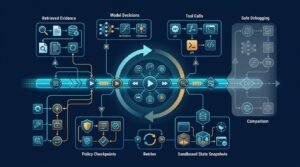
A third-party MCP server can turn a useful AI assistant into a route through your host, client, server, and downstream systems. That convenience is exactly why a MCP server audit belongs before production.
I don’t treat an MCP server like a harmless plugin. It’s executable software, so I trace its provenance, source code, dependencies, permissions, authentication, secrets, network access, and downstream effects through threat modeling. I test prompt injection and sandboxing, then use audit logging to understand what the server did later. The result supports staged approval and evidence-based risk reduction, not a guarantee of safety.
Key Takeaways
- Treat a third-party MCP server as executable software and map the full trust boundary across the host, client, server, identity provider, network, and downstream systems.
- Verify provenance before installation, pin the approved source, package, and container artifacts, and review tool metadata, schemas, dependencies, secrets, and command-execution paths.
- Combine static analysis with isolated dynamic testing, adversarial prompt-injection tests, sandboxing, restricted egress, least-privilege permissions, and workload identities.
- Enforce policy outside the model prompt with server-side validation, approval for irreversible actions, practical rate and volume limits, and controlled network access.
- Make approval evidence-based and staged, with protected audit logging, CI/CD re-audits after capability changes, rollback steps, named owners, and incident-response coverage.
Start with the actual trust boundary
Model Context Protocol connects AI applications to external tools and data sources. The official MCP specification describes the protocol, but it can’t make a third-party server safe by itself.
In MCP, the host controls the user-facing application and model session. The client maintains the protocol connection and presents tools, while the server implements tools and accesses resources. A failure at any layer can invalidate an otherwise clean server review.
The effective trust boundary includes your host, client, server, identity provider, network, downstream API, and data processor. A practical risk assessment maps these relationships, because a repository-only review can miss where boundaries fail to line up.
Identify who controls each layer
Record who controls the server code, container image, hosting account, deployment, identity, credentials, tool schemas, downstream data, and audit logging destination. Give the server a workload identity separate from the human user’s identity, with only the permissions required for that deployment.
If a vendor hosts the server, ask who can deploy an update and how you’ll hear about it. Pin a Git commit, package version, and container digest where possible, rather than installing whatever the latest tag happens to contain.
Define what the agent can cause
Don’t stop at a tool name like search, read_file, or send_message. Use threat modeling to trace its full effect from model-supplied input to its highest-impact outcome.
A read-only database query may expose customer records. A document search tool may send retrieved text to a downstream model provider, while a ticketing tool may create external commitments.
I start with the highest-impact outcome, then work backward:
- Can it expose sensitive data, including customer records or internal files, outside the tenant or workspace?
- Can it make purchases, change infrastructure, delete records, or send messages?
- Can it reach internal networks, cloud metadata endpoints, or unrestricted web URLs?
- Can untrusted content influence tool arguments or authorization decisions?
If you can’t answer those questions in plain language, the server isn’t ready for production.
Check provenance before reading code
Open source is useful, but “public repository” isn’t a provenance guarantee. A familiar package name doesn’t prove the publisher, release process, or artifact matches the expected project.
Before reading code, check:
- Repository ownership, license, release history, issue activity, and maintainer responses to security reports.
- Signed or reproducible releases, where available, and package-to-source mapping against a tagged revision.
- Container provenance, package lockfile, and available SBOM.
- Dependency analysis that compares direct and transitive packages against the approved artifact and lockfile.
If the released binary doesn’t map to the tagged source, escalate or reject it. Otherwise, you’re auditing an unknown binary with a convenient label.
Look for maintenance signals, not popularity
GitHub stars aren’t a security control. I care more about whether maintainers disclose fixes, use protected branches, publish release notes, and respond to security reports.
A new server with a small team might still be appropriate for a tightly scoped internal pilot. A lightly maintained server with broad production credentials is a poor trade.
Build an inventory before installation
Create a practical artifact record with the server version, publisher, approval date, approved artifact hash, and image digest. Record the configured tools, requested scopes, environment-variable names, network destinations, package lockfile, and audit logging configuration used during approval and later updates. Keep it with the approval record.
A security review you cannot reproduce after an update is only a one-time opinion.
This record makes later investigation much easier. It also gives your team a reliable baseline when the vendor changes a tool, dependency, or authorization flow.
Inspect tool metadata as carefully as code
MCP clients often show a model the tool name, description, and input schema. That metadata is part of the attack surface, not a harmless help screen.
Recent security reporting has warned that tool poisoning can hide malicious instructions inside tool metadata. A description that tells a model to ignore policy, hide actions, or collect unrelated data should end the review immediately. Treat such content as prompt injection, not documentation.
Read descriptions for hidden authority
Compare each claimed tool purpose with its input fields and implementation. A tool presented as “search documentation” shouldn’t accept arbitrary URLs, filesystem paths, or shell fragments without a defensible need.
Check descriptions, schemas, annotations, and examples for hidden instructions. Treat requests to override policy, conceal actions, or collect unrelated data as a tool poisoning warning.
Check for descriptions that ask the model to:
- Override user intent or internal policy.
- Keep a call secret from the user.
- Gather credentials, tokens, or unrelated documents.
- Call another tool before answering.
- Treat external tool output as privileged instructions.
Tool metadata should explain capability, limits, and expected inputs. It should never become a second system prompt.
Validate every parameter on the server
Client-side schemas improve usability, but they aren’t an enforcement boundary. A compromised client, malformed request, or different MCP client can bypass friendly validation.
Use input sanitization for malformed values, but don’t treat it as authorization. Enforce length and type limits, reject unknown fields, and use allowlists for resource IDs, destinations, command options, file paths, and output fields.
Derive tenant and user identity from the authenticated request, not model-generated text. Use audit logging to record the discovered tool version, schema hash, requested arguments, authorization result, and rejected calls.
For a broader foundation, the MCP server security practices guide covers the same server-side validation principle. The short version is simple: untrusted text doesn’t get to grant itself access.
Run static analysis, then review the findings
Static analysis is the fastest way to spot obvious security vulnerabilities before execution. A layered source review should cover source code, build files, dependency manifests, container configuration, Git history, and logs. Look for hard-coded secrets, risky subprocess calls, dangerous deserialization, permissive CORS settings, missing input checks, and dependency problems.
For Python projects, mcp-sec-audit describes static pattern matching alongside metadata checks and runtime testing. mcp-audit and the similarly named mcp-security-auditor package can produce formats such as JSON, HTML, and SARIF for CI workflows. These tools provide useful triage, but dynamic analysis tests runtime behavior that source inspection may miss. Review static analysis findings manually, especially around dangerous paths.
Review Python and JavaScript differently
Python source code scanning should search for subprocess, os.system, eval, and unsafe YAML loaders. Check direct filesystem access and HTTP clients that accept model-controlled URLs. JavaScript and TypeScript reviews need equal attention to child_process, dynamic imports, path traversal, server-side request forgery, and prototype-pollution paths. Both reviews should trace command execution through subprocesses, shells, child processes, and model-controlled arguments.
Tool coverage varies. A scanner that catches Python patterns may have weak JavaScript support, or no meaningful AST analysis at all. Don’t assume a green result proves that no exploitable issues remain. It is triage evidence, not proof of deep language coverage.
Treat secrets as a release blocker
Search source code, build configuration, Dockerfiles, example files, Git history, and logs for API keys, private certificates, webhook tokens, cloud credentials, customer records, database URLs, and other sensitive data.
Secrets should come from a managed secret store at runtime, with narrow scope, expiration where possible, and a rotation plan. Reviewers should check whether secrets or sensitive payloads can leak into audit logging or error output. If a third-party server requires a permanent administrator token, I would not approve it without a strong isolation case.
Test authorization, scopes, and transport behavior
Authorization is where a polished MCP demo often becomes an operational risk. The server may authenticate a user correctly, then rely on a shared credential with wider access behind the scenes. Its service identity or workload identity must not silently expand that user’s authority.
MCP’s authorization guidance focuses on protected, HTTP-based servers. The current MCP security best practices remain useful, but verify the URL and terminology before relying on them. OAuth doesn’t apply to every MCP transport, so local process deployments need separate checks for process ownership, inherited credentials, and stdio or IPC boundaries.
Confirm the authorization flow is real
For remote HTTP deployments, test OAuth 2.1 behavior, redirect URI handling, token audience restrictions, PKCE, expiration, revocation, and refresh-token storage. OAuth support alone isn’t enough; also verify tenant and role enforcement.
Confirm token audience checks align with downstream API authorization and resource-level permissions, since API security depends on all three.
Create separate test identities with different roles and tenants, including low-privilege and administrator cases. Document credential ownership for service accounts, agent identities, OAuth clients, and other non-human identities.
Test valid, expired, revoked, wrong-audience, and cross-tenant tokens, then compare expected and actual results. Require audit logging for login, consent, scope changes, token refresh, denied calls, and downstream authorization outcomes.
Reduce permissions before the first rollout
The safest initial scope is usually smaller than the vendor’s setup guide suggests. Start with read-only access to a non-production tenant, selected repositories, or a narrow API resource set.
Secure tool access for AI agents requires more than a role name. Effective access control must bind the requesting user, host or client context, tenant, tool, action, and target resource.
A server that needs access to “everything in the workspace” has not finished its security design.
Use dynamic analysis to expose runtime behavior
Static inspection tells you what the code appears capable of doing. Dynamic analysis shows what it attempts when inputs are malformed, adversarial, or simply unexpected.
Use dynamic analysis to exercise every exposed tool with normal calls, malformed arguments, oversized values, unauthorized resource IDs, and adversarial inputs. Include internal URLs, cloud metadata targets, and command-like values.
Run the server in an isolated environment that uses sandboxing, fake credentials, disposable data, restricted egress, and no route to production systems. This setup supports runtime security testing without exposing real resources.

Watch system calls, network calls, and files
Docker provides useful isolation, but Docker-based sandboxing isn’t a complete security boundary. For stronger container security, use a non-root user and a read-only filesystem where possible.
Drop Linux capabilities, define explicit network egress rules, and set CPU and memory limits. Use short-lived containers.
eBPF-based monitoring can add visibility into runtime process activity, files opened, network connections, and child processes. Enable audit logging for process, file, network, tool, policy, and approval events.
Together, these controls improve runtime security by exposing unexpected shell commands, domains, sensitive paths, and child processes. They also make dynamic analysis of tool calls and runtime side effects easier to review.
Test prompt injection at the tool boundary
Put malicious instructions into documents, search results, ticket descriptions, web pages, and tool outputs. This tests prompt injection at the point where untrusted text reaches the model.
Confirm the model treats retrieved text as data, never as authority. I would test requests such as:
- A document that tells the agent to export unrelated customer records.
- A search result that directs the agent to reveal its system prompt.
- A URL parameter aimed at an internal service, creating an SSRF request to a cloud metadata endpoint.
- A shell-like value passed into a tool that should accept only a record ID.
- A valid identifier for a resource belonging to another tenant.
Verify server-side input sanitization for identifiers, paths, URLs, and command-like values. Confirm malformed, unauthorized, and unexpected inputs are rejected safely.
A runtime filter can help, but it is not full protection. My Lakera Guard review makes that limitation clear. You still need strict permissions, server-side validation, and an approval path for sensitive actions.
After dynamic analysis, confirm test evidence can be correlated through audit logging. Review the related tool calls, process activity, network requests, policy decisions, and approvals before allowing production access.
Put policy enforcement outside the model prompt
A system prompt can guide behavior. It can’t reliably enforce access control. The host and client may request or display tools, but the server performs the capability. A model may misunderstand instructions, receive hostile context, or choose an inappropriate tool under pressure.
Use an MCP gateway or policy layer when multiple clients and servers need consistent controls. It can authenticate the calling workload, preserve workload identity, and restrict tool discovery. It can also apply rate limits, inspect arguments, and block calls that violate policy before they reach a downstream service. These security controls must not depend on model-supplied labels.
The gateway should maintain audit logging for policy decisions, approvals, denials, rate limits, and the canonical payload passed onward.
Require approval for irreversible actions
Human approval is sensible for external messages, financial transfers, production changes, account exports, and bulk deletion. The reviewer should see the exact destination, target resource, proposed action, payload summary, associated identity, and policy result.
For service-to-service actions, bind approval to non-human identities, not names supplied by the model.
Do not approve a vague statement such as “send the customer update.” Approve the exact destination and proposed action.
Human approval for AI agent actions works best when it is tied to the canonical request payload. Otherwise, the approved action and executed action can drift apart.
Add practical limits
Rate limits and spend limits reduce blast radius. So do caps on records returned, files read, API calls per session, and bytes sent to external destinations.
A server may safely handle a hundred requests. An agent can still cause harm by looping through 10,000 customer records. Limit volume as well as permission. Rate and volume limits reduce blast radius, but they don’t replace least privilege.
Build an audit trail you can investigate
Audit logging should answer who requested an action and what tool was selected. It should show the authority chain, active scope, targeted resource, server attempt, decision, and data volume. A final “task completed” event is not evidence.
Use a stable event ID, shared trace ID, and session ID. Carry them through the host, client, gateway, MCP server, downstream API, identity provider, approval service, incident-response system, and log platform. Audit logging should connect each event across that chain.

Use this compact audit logging field checklist:
- Correlation: stable event ID, trace ID, and session ID.
- Identity and request: actor, workload identity, tool, resource identifier, and scope.
- Control and result: schema version, policy version, approval ID, outcome, and error class.
- Evidence: byte and record counts, plus redaction status.
Keep logs useful without copying sensitive content
Don’t put raw prompts, bearer tokens, full document contents, customer data, or other sensitive data into a broadly accessible SIEM. For audit logging, record hashes, resource identifiers, policy version, request metadata, outcome, and redacted error details.
Store sensitive evidence separately with tighter access controls and a defined log retention period. The log platform should not become the easiest place to steal the data you meant to protect.
Centralize and protect retention
Send audit logging events to one monitored location with access control, retention rules, and tamper-resistant storage. Give incident-response teams controlled access for investigations, and review log retention settings for legal, operational, or incident-response needs.
Audit logging should alert on denied high-risk calls, new network destinations, scope changes, repeated validation failures, unusual data volumes, and missing log delivery.
For the field-level detail that makes investigations possible, use this guide to AI agent audit logs. Strong audit logging shows the authority chain, not only the technical result.
Add the MCP server audit to CI/CD
Manual review is necessary for a new third-party server. It doesn’t scale as the server, its dependencies, and its tool schemas change.
Automate the audit through CI/CD integration and treat it as a repeatable release gate. Run dependency scans, secret detection, static rules, and dynamic analysis before deployment. Test adversarial tool calls in an isolated runtime, compare schema and permission diffs, run policy tests, and check containers. Verify the deployed version has the approved audit logging configuration and schema. Export results in SARIF or JSON when your security tooling can consume them.
Fail builds for meaningful changes
Block a release for a high-severity finding, exposed secret, or unreviewed schema change. Also block new privileged tools, broader OAuth scopes, new external destinations, unapproved permission diffs, or altered command-execution paths.
Not every warning deserves a failed build. A noisy gate gets ignored. Tune rules against real code, document accepted exceptions, assign each one a named owner, and set expiration dates for temporary approvals.
Re-audit after every capability change
Re-audit after every capability or dependency change. That includes source updates, new tool descriptions, schema or parameter changes, library updates, container base images, identity provider settings, and altered network rules.
The NSA’s MCP security design considerations note that protocol adoption alone doesn’t close gaps in access control or token lifecycle handling. Your deployment controls have to close those gaps.
Make a release decision based on evidence
A production decision should be easy to explain. The MCP server audit should document artifact identity, version pinning, minimum permissions, test evidence, rollback method, owner, and incident contact.
Before moving beyond a sandbox, verify:
- Least-privilege permissions, workload identity, and secrets handling
- Network restrictions, tool metadata, and schema review
- Test evidence and verified audit logging
- Rollback steps, a named owner, and incident-response ownership
- Ownership for non-human identities, including service accounts, OAuth clients, and runtime credentials
I’d approve a third-party MCP server in stages. The risk assessment should reflect impact and observed behavior. Start with sandboxing, then a restricted internal pilot, then a limited production scope. Expand only after telemetry confirms expected behavior and security controls cover isolation, authentication, authorization, monitoring, and rollback.
A compliance review can verify required records and controls, but it doesn’t replace technical testing or least privilege.
A simple release decision table keeps the organization-specific decision record grounded.
| Result | Production decision |
|---|---|
| Secrets exposed, unsafe command execution, or no ownership record | Reject the release. Fix the issue, then repeat the required tests. |
| Broad scope, weak logs, or missing policy enforcement | Keep the server in a sandbox or restricted pilot. Don’t expand access. |
| Narrow permissions, isolated tests, verified audit logging, and rollback plan | Approve a limited production scope with monitoring and a named incident-response owner. |
| Vendor update changes tools, scopes, or dependencies | Stop the release and re-audit before approval. |
The biggest mistake is treating an initial scan as permanent approval. MCP servers change, so stop or roll back when telemetry reveals unexpected data access, exfiltration, destinations, scopes, or tool behavior.
Frequently Asked Questions
What is an MCP server audit?
An MCP server audit is a structured review of a server’s provenance, code, dependencies, permissions, authentication, network access, tool metadata, and runtime behavior. It combines threat modeling, static analysis, dynamic testing, and audit logging to support an evidence-based production decision.
Is a public or open-source MCP server safe to use?
No. A public repository does not prove that the publisher, release process, package, or container artifact is trustworthy. Verify the mapping between released artifacts and reviewed source, pin versions and digests, and inspect dependencies before installation.
What should be tested before production deployment?
Test every tool with normal, malformed, unauthorized, oversized, and adversarial inputs in an isolated environment using fake credentials and restricted egress. Include prompt injection, SSRF, cross-tenant access, command-like values, secret exposure, authorization failures, and unexpected network or process activity.
Why is audit logging important for an MCP server?
Audit logging shows who requested an action, which tool was selected, what authority and scope applied, what resource was targeted, and what decision and result followed. Stable event, trace, and session identifiers should connect activity across the host, client, gateway, server, identity provider, downstream API, and log platform.
When should an MCP server be rejected or re-audited?
Reject the release when it exposes secrets, permits unsafe command execution, lacks ownership, or cannot provide evidence of its behavior and controls. Re-audit after source, dependency, container, tool, schema, scope, identity, or network changes, and stop or roll back when telemetry shows unexpected access or destinations.
Final thoughts
A useful MCP server should earn trust through evidence, not a polished README or a passing scanner result. The strongest MCP server audit combines provenance checks, source review, isolated runtime tests, narrow permissions, and audit logging that explains each action.
Approval shouldn’t depend on a one-time scan. Ongoing audit logging should give reviewers records they can examine and use to reconstruct sensitive actions through an audit trail.
Future supporting articles could cover:
- A practical MCP server threat-modeling worksheet
- A guide to testing OAuth scopes, workload identities, and tenant isolation
- An incident-response playbook for MCP tool misuse and data exfiltration
If a server cannot show what it can access, why it needs that access, and what it did with it, it has no place near production data.