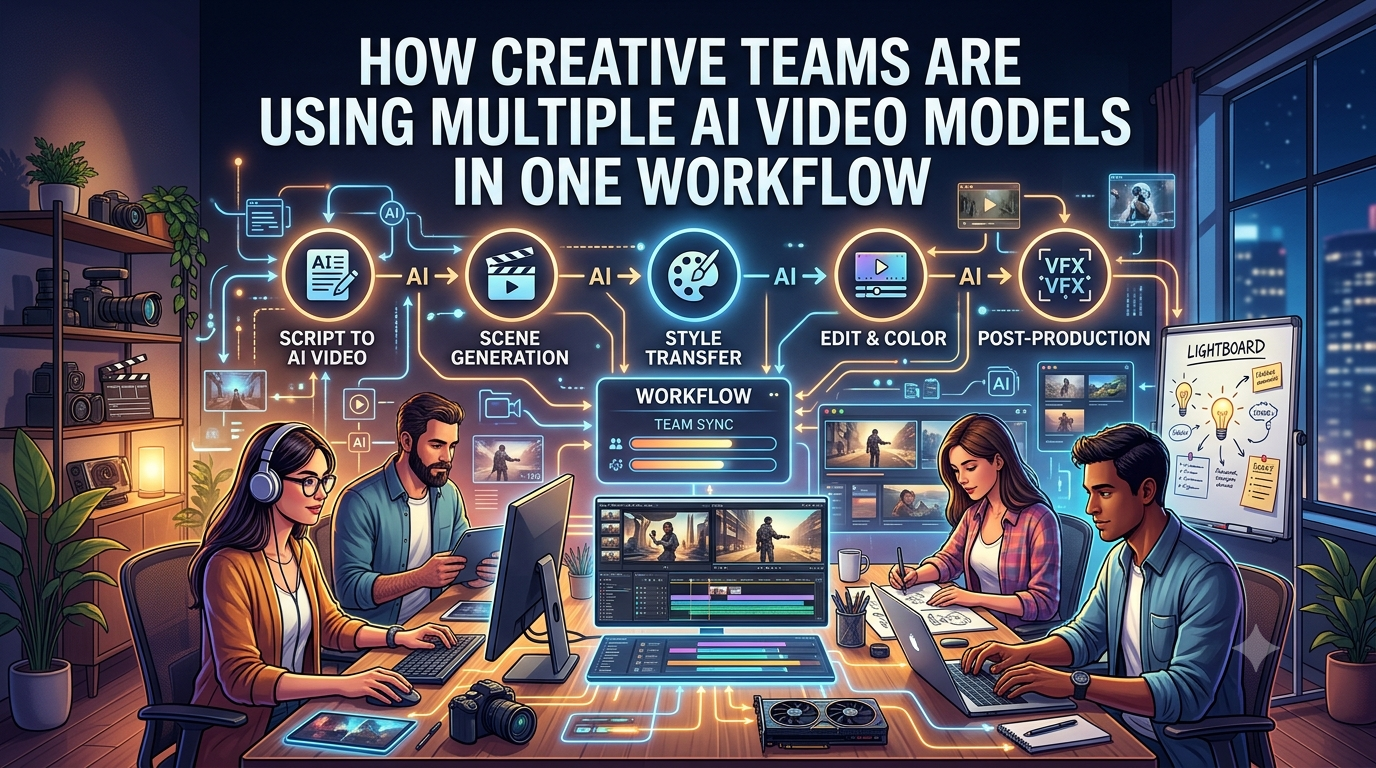
Creative teams are increasingly using multiple AI video models across a single production pipeline. One may help shape the initial concept, another may generate a scene, and a third may support voice, image creation, editing, or shot refinement.
That shift is creating a more flexible AI video production workflow. Multi-model orchestration lets creators combine specialized text-to-video tools while keeping the project tied to one creative brief.
The process is closer to traditional production than it may first appear. Different specialists handle different responsibilities, but the finished cinematic video still follows one story, visual direction, and brand identity.
Key Takeaways
- Using multiple AI video models lets creative teams match specialized tools to specific production tasks, such as concept development, character animation, atmospheric visuals, voice, or shot refinement.
- A detailed creative brief, shared reference library, and clearly defined non-negotiable details help maintain continuity across models and scenes.
- Planning video production shot by shot gives teams more control than generating an entire film at once and makes it easier to compare, refine, and replace individual outputs.
- Human creative direction remains essential for evaluating story, pacing, composition, brand alignment, character consistency, and the emotional effect of each shot.
- Multi-model workflows are most valuable for complex productions, but additional tools also create more review, coordination, and cost-management requirements.
Why One Model Is Rarely Enough
Every AI video model has its own strengths and limitations.
One may produce strong cinematic movement, while another may be better for image generation. Another might work well for character development, while a different model can help with voice or editing.
Trying to force one model to handle every task can create unnecessary compromises.
Match the Model to the Job
A creative team might use one model to develop a storyboard, another to generate a key visual, and another to turn that visual into a moving shot.
This approach gives creators more control over the production process.
It also makes experimentation easier. If one model produces an interesting result but struggles with a particular scene, the team can switch approaches without rebuilding the entire project.
How Invideo Agent Supports Multi-Model Workflows
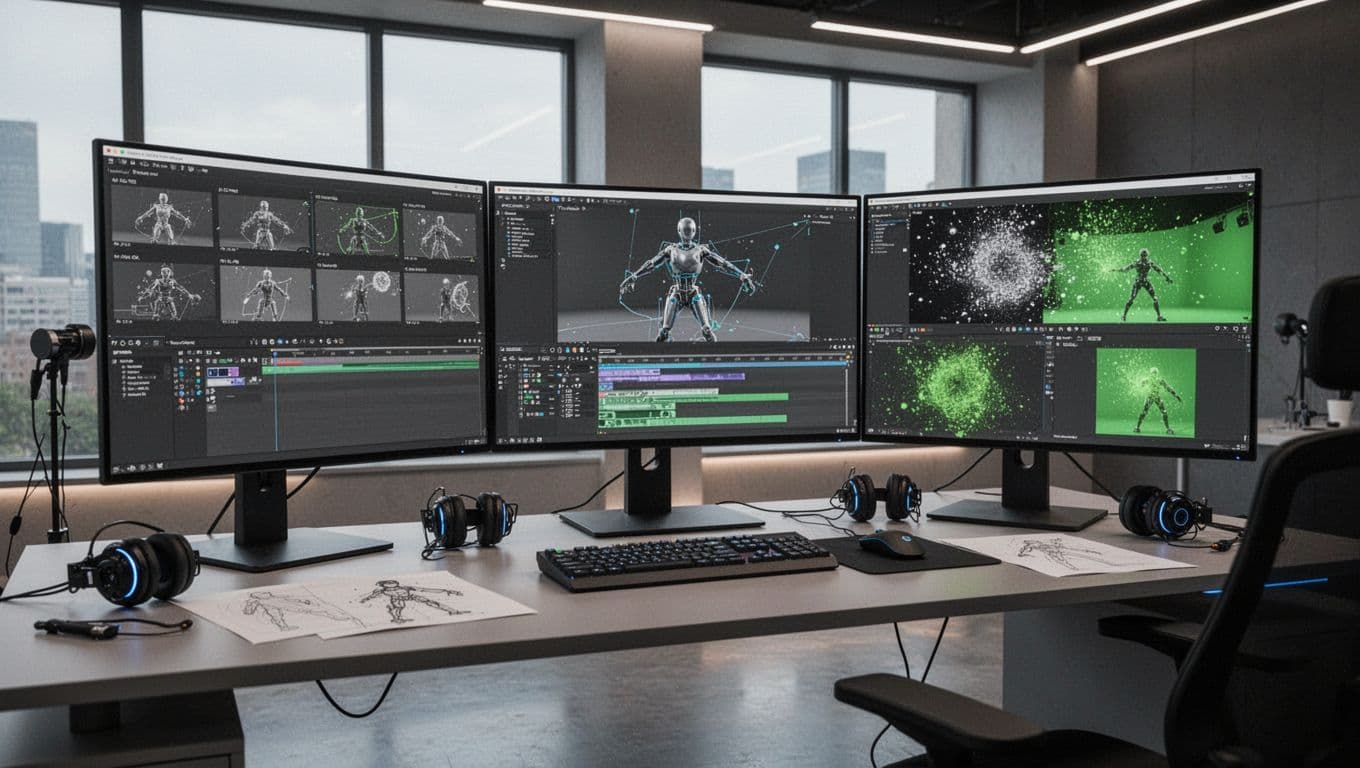
Invideo Agent is built around the idea that a video project doesn’t have to depend on one AI model. It acts as a creative workspace for orchestrating multiple AI models. According to Invideo, the platform provides access to more than 200 AI models and supports scripts, reference files, PDFs, brand books, videos, and rough cuts.
That broader input can be useful for teams that need to develop a video from existing documents rather than start with a blank prompt. It also gives the workflow a central place for creative references and production instructions.
Invideo Agent Two is intended to support context management as the work progresses. That can include decisions about characters, lighting, visual style, and other creative details. This context can support continuity across tools such as Seedance, helping teams produce AI animation video with more consistent scenes. Selecting an appropriate video generation model alongside tools with native audio generation can create a more unified audiovisual pipeline.
The platform also supports specialist agents for roles such as:
- Director of photography
- Storyboard artist
- Casting director
- Scriptwriter
- Creative producer
I wouldn’t treat these agents as replacements for experienced creative staff. Their practical value depends on how well the team defines the role, supplies source material, and reviews the output. They can help divide the work into manageable tasks, but human judgement is still needed to decide whether the result works.
Start With a Detailed Creative Brief
Using several models doesn’t mean moving randomly between tools. Start with a clear brief inside the team’s creative workspace. It gives every model the same foundation and supports context management for subsequent prompts.
A useful brief should define:
- The purpose of the video
- The intended audience
- The story or central message
- The tone
- The visual style
- The brand requirements
- The expected deliverables
- The format, duration, and platform where the video will appear
This step may feel slower than jumping straight into generation, but it limits unnecessary rework. A structured brief gives teams a strict benchmark to parallel compare outputs from different models. Without one, each model may interpret the project differently, creating inconsistencies before the editing stage.
Define the Non-Negotiable Creative Details
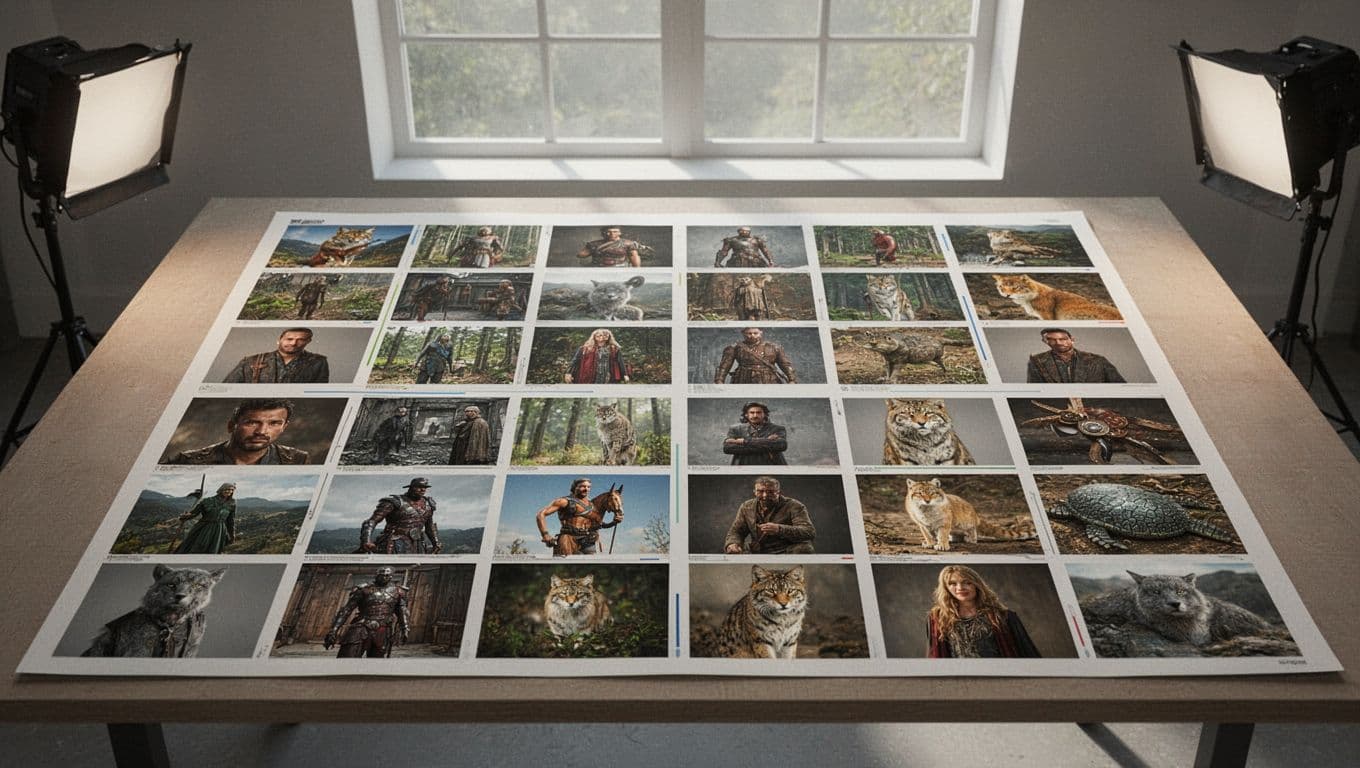
Before generating footage, identify the details that must stay stable throughout the project.
These may include:
- Character appearance and character consistency
- Product design
- Location and environment
- Lighting style
- Camera language and motion control
- Color palette
- Wardrobe
- Brand identity
- Overall tone
Approved reference images can help models like Seedance preserve key visual details across scenes. Use them to define the character, product, setting, and overall style before production begins.
Not every detail needs to remain fixed. Some elements can change during exploration. The purpose of this list is to separate intentional creative changes from accidental inconsistencies.
For example, changing a character’s clothing may be appropriate between scenes, but changing the character’s face, age, or body shape without a creative reason can make the final edit feel disjointed.
Give Each Model a Role in the Workflow
A multi-model process becomes easier to manage when each system has a defined stage or responsibility.
Concept Development
The first stage turns an idea into a visual direction. Teams can create moodboards, reference images, character concepts, location studies, and rough storyboards before producing finished footage.
This is a useful place to compare models because the cost of changing direction is still relatively low. Teams can test proprietary tools and open source options, including Wan video models, during this early exploration.
A weak concept can be replaced before the team spends time generating and editing multiple shots.
Scene Generation
Once the visual direction is established, video models can generate individual scenes through text-to-video workflows.
I’d avoid asking an AI system to create an entire film in one step. Longer outputs tend to create more opportunities for continuity problems, inconsistent characters, awkward pacing, and limited control over individual moments.
A shot-by-shot video generation strategy gives the team more options. It also makes it easier to choose a different model for a particular sequence without abandoning the rest of the project.
Shot Refinement
Generated footage often needs additional work. A scene may have the right idea but the wrong composition, weak movement, an inconsistent prop, or an ending that doesn’t cut cleanly into the next shot.
Other AI tools may help with:
- Extending a sequence
- Changing the framing
- Creating alternate compositions
- Modifying visual details
- Improving a transition
- Producing several versions of a shot
Teams can parallel compare generative iterations before moving selected clips into traditional video editing software.
This flexibility is useful, but each revision should be checked against the original brief. More variations don’t automatically produce a better video. They can also make it harder to decide which version belongs in the final edit.
Maintain a Shared Visual Language
Consistency is one of the hardest parts of combining multiple AI video models. Different systems can interpret the same prompt in different ways. Colors may shift, facial features can change, and camera movement may feel unrelated from one shot to the next.
A shared visual language gives the models a common reference point. It doesn’t guarantee perfect continuity, but it gives the team a better chance of spotting and correcting deviations.
Build a Reference Library
Create a central collection of approved materials before production gets too far along. Depending on the project, this library might include:
- Character reference images
- Location references
- Product photography
- Color references
- Wardrobe examples
- Lighting samples
- Camera references
- Approved keyframes
- Brand guidelines
- Previous shots that establish the intended style
Standardize these materials to strengthen context management across models such as Seedance. If each model receives a different version of the character or product, the differences can multiply across the project.
Record Creative Decisions
A reference library is more useful when it includes written notes. Record decisions such as the preferred lens style, lighting direction, character description, color treatment, and rules for product placement.
Log prompt recipes alongside these decisions. This lets operators parallel compare generational drift against baseline visual assets. It also makes handoffs easier when several people are working across different tools.
Plan in Shots, Not Just Prompts
Traditional filmmaking is organized around shots and sequences. AI video workflows benefit from the same structure.
Crafting cinematic video starts with treating prompts as discrete cinematic shots, not standalone novelties. Instead of asking, “What video should I generate?”, ask, “What does this shot need to accomplish?”
That question changes the production process. It moves the focus away from isolated prompt results and toward editing, story, pacing, and audience response.
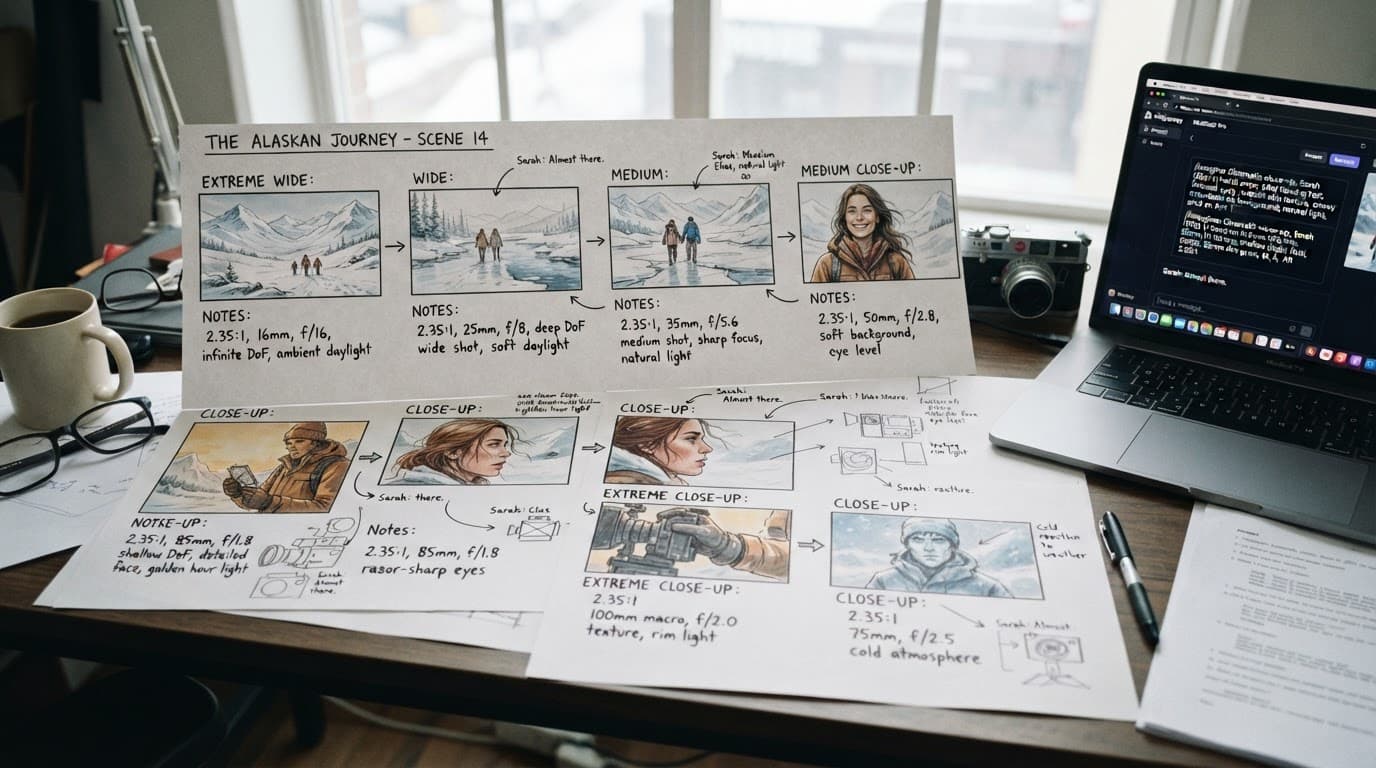
Define the Purpose of Every Shot
Different shots have different jobs:
- An establishing shot introduces a location or environment.
- A close-up communicates emotion or shows product detail.
- A tracking shot creates movement and follows an action.
- A wide shot establishes scale or the relationship between subjects.
- An insert shot highlights a small but important object or action.
- A reaction shot shows how a character responds to an event.
Clear shot purposes also improve motion control. Models such as Kling Video and Seedance can then direct camera movement toward a specific narrative goal.
Once the purpose of a shot is clear, it becomes easier to select the right model and judge whether the output is useful. A visually impressive clip can still be the wrong choice if it doesn’t move the story forward.
Compare Creative Directions Before Committing
Multiple models make it easier to test different interpretations of the same scene. In a unified creative workspace, creative directors can parallel compare renders from models like Sora and Seedance.
This type of exploration can happen earlier than it would in a conventional production process. Teams can identify weak directions before investing heavily in a full sequence.
The goal isn’t to generate endless variations. Instead, teams can parallel compare targeted prompt variables, then commit once they have enough information.
Human Creative Direction Still Matters
More AI models don’t reduce the need for creative involvement. Effective multi-model orchestration depends on human supervision to turn raw text-to-video clips into cohesive cinematic video.
A creative lead still needs to decide:
- Which result supports the story
- Which visual choices match the brand
- Whether a character remains consistent
- Which shots belong in the edit
- Whether the pacing feels intentional
- How to parallel compare takes for pacing and framing consistency
- When a generated result needs another revision
- When further experimentation is no longer useful
AI can produce options quickly, but it doesn’t decide which option has the right meaning, timing, or emotional effect.
Cinematic quality isn’t only a generation problem. It depends on composition, performance, pacing, sound, story structure, and the relationship between shots. A model can produce a technically clean clip that still feels empty or misplaced in the final edit.
A More Deliberate Production Loop
A basic AI video workflow often looks like this:
Prompt -> Generate -> Accept or reject -> Repeat
A coordinated workflow using multiple AI video models is more structured:
Brief -> Plan -> Generate -> Compare -> Refine -> Edit -> Test
The second process creates more space for useful iteration. Each generation has a purpose, and the team can compare results against the brief instead of judging every clip in isolation.
How much does it cost when using multiple AI video models? It depends on subscription tiers, token consumption through direct API endpoints, and render volume. Careful cost optimization helps teams choose the right model for each task without overspending.
Strong context management also prevents burned compute credits across multiple AI models. Keeping prompts, references, and approved details organized reduces unnecessary retries and repeated generations.
I also recommend keeping track of which model generated each shot and which references or instructions were used. That makes it easier to reproduce a strong result, identify why a scene went wrong, and avoid repeating the same failed approach.
When a Multi-Model Workflow Makes Sense
Multi-model orchestration is most useful when a project includes several distinct creative needs or involves high-stakes decisions, such as:
- Story development and visual planning
- Character or product consistency
- Multiple versions of the same scene
- AI-generated animation
- Brand-specific visual requirements
- Collaboration between writers, designers, editors, and producers
- A mix of existing footage and generated material
- Rapidly scaling audio-rich social content
It may be unnecessary for a short, simple video where one tool already handles the required work well. Managing multiple AI models adds review steps, file management, and opportunities for inconsistency. For complex productions, the creative fidelity can justify that extra coordination. More tools aren’t automatically better.
Frequently Asked Questions
Why should creative teams use multiple AI video models?
Different AI video models are better suited to different tasks, such as realistic motion, atmospheric environments, concept development, or shot refinement. Using the right model for each job can improve creative flexibility and reduce compromises.
How can teams maintain consistency across multiple AI video models?
Teams should start with a shared creative brief and define details such as character appearance, product design, lighting, color, camera language, and brand identity. A central reference library and written record of creative decisions can also strengthen context management across tools.
Should teams generate an entire film in one prompt?
A shot-by-shot approach usually provides more control over pacing, continuity, camera movement, and individual revisions. It also allows teams to select a different model for a specific sequence without restarting the entire project.
What role does Invideo Agent play in a multi-model workflow?
Invideo Agent provides a broader creative workspace for orchestrating multiple AI models and working with materials such as scripts, reference files, PDFs, brand books, videos, and rough cuts. Its specialist agents can support roles such as scriptwriting, storyboarding, cinematography, casting, and creative production.
Is using multiple AI video models always the best approach?
No. A simple project may be better served by one tool that already handles the required work effectively. Multi-model workflows are most useful when a production has distinct creative needs, high consistency requirements, or multiple collaborators.
Final Takeaway
Creative teams are finding strategic value in using multiple AI video models, including Sora and Seedance, across production workflows. Rather than searching for one system that performs every task equally well, teams can choose tools according to each scene and production role.
Invideo Agent supports this approach by bringing multiple AI models into one broader workflow, with access to more than 200 models. Its specialist agents are also designed to mirror roles such as scriptwriter, storyboard artist, director of photography, and creative producer. Current model access and features can change, so teams should verify the platform’s latest documentation before building a production process around them.
The real advantage isn’t simply having more models available. It’s knowing when to use each one, what information to provide, and how to judge the result. Successful workflows balance specialized tools with disciplined direction, clear visual references, and a centralized creative brief. Keep those elements at the center, and multiple AI models can work as parts of one production system instead of a disconnected collection of tools.