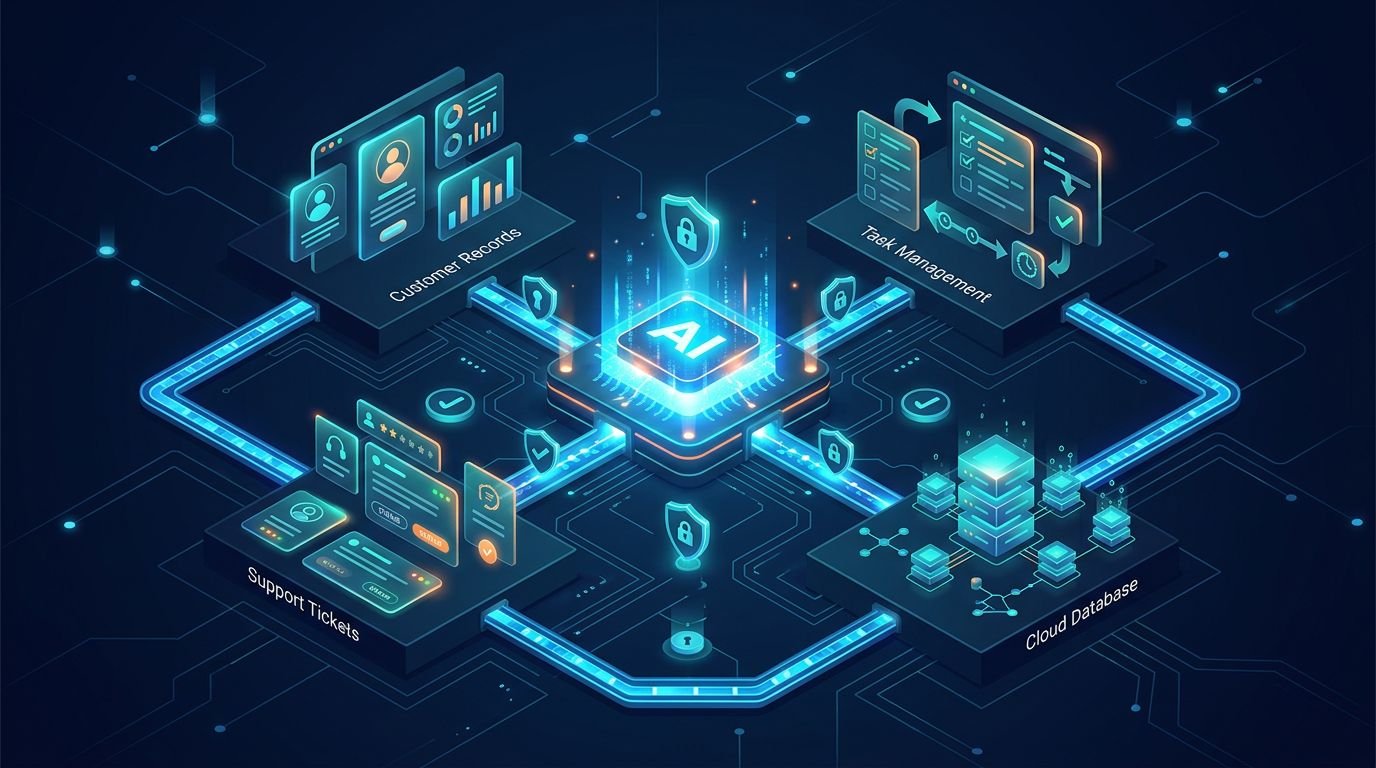
An AI assistant that can answer questions is useful. An assistant that can safely read account data, check support tickets, create tasks, and update a CRM can change how a small SaaS team operates.
Empowering AI agents to perform these tasks requires more than a simple model API or a few function calls. It requires a controlled way to connect large language models with your business data. The Model Context Protocol provides a shared contract for those connections.
I see this protocol as a practical integration layer for teams that want to bridge the gap between AI features and their external systems without rebuilding every connector for every new model or agent.
Key Takeaways
- The Model Context Protocol provides an open standard for tool discovery, allowing AI applications to connect with approved resources and workflows.
- Small SaaS teams should prioritize narrow, read-heavy use cases to build stability rather than deploying broad, autonomous AI agents.
- A well-designed MCP server connects multiple AI clients and models to diverse data sources, effectively reducing duplicate integration work.
- Security depends on least-privilege scopes, input validation, approval steps, and audit logs.
- MCP does not replace an API gateway, identity system, or product permissions model.
Model Context Protocol Is an Integration Contract
The Model Context Protocol acts as a universal standard, functioning like a USB-C for AI to solve the long-standing problem of interoperability. Rather than writing a custom integration for every model provider, developers can now expose a consistent interface that compatible AI clients understand. By acting as a shared language, it effectively resolves the NxM integration problem where teams struggle to connect multiple AI models to a growing variety of external systems and data sources.
Anthropic introduced the Model Context Protocol to create secure, two-way connections between AI tools and data sources. Their original announcement describes the core challenge well: models are capable, but they need controlled access to useful context and specific actions to be truly productive.
In practical terms, the architecture consists of three main components:
- An MCP host is the AI application a user interacts with, such as a coding environment or internal agent console. These MCP hosts rely on standardized connections to function.
- An MCP client manages the specific communication link between an MCP host and an MCP server. Reliable MCP clients ensure that requests are routed correctly.
- An MCP server exposes resources, prompts, and tools that the AI can request or call. By using modular MCP servers, teams can define exactly what an agent can see or do.
A tool might create a Jira issue. A resource might return account documentation or a product catalog. A prompt can provide a repeatable workflow template for a support or engineering task.
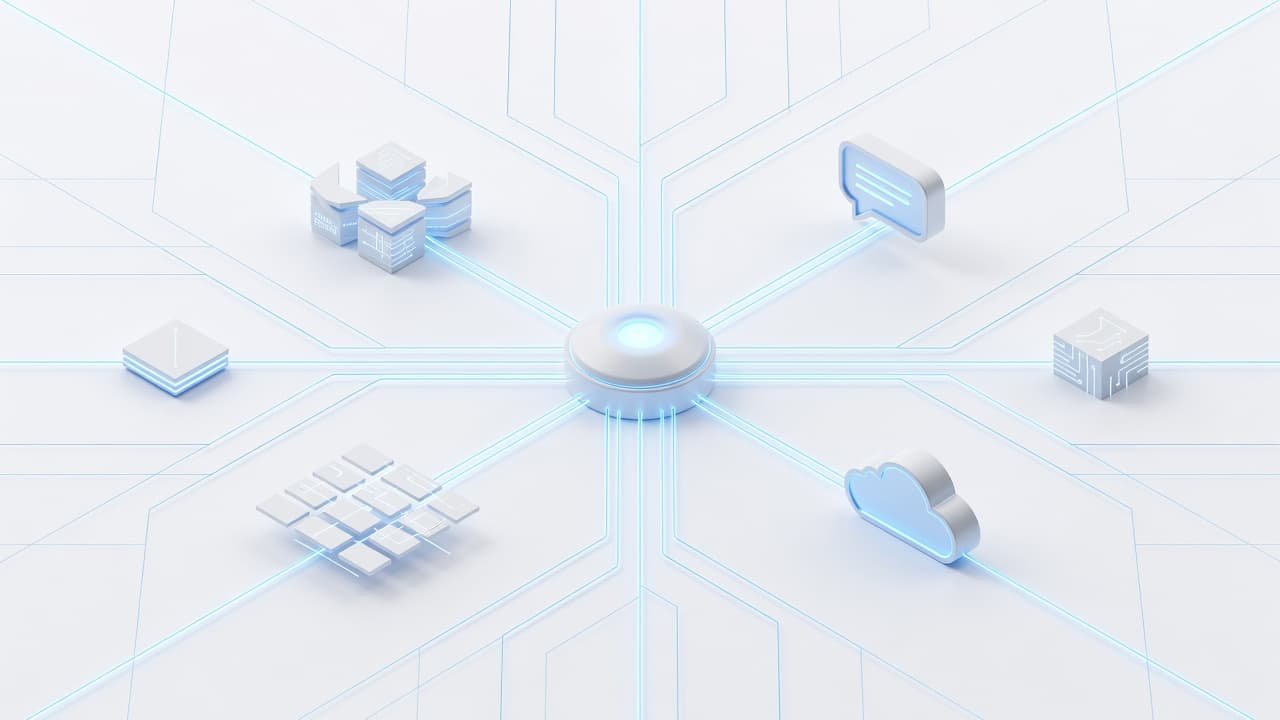
The distinction in these components matters. I do not want a model to receive unrestricted database access because it needs one customer record. I want it to call a narrow tool such as get_customer_subscription_status, with validated inputs and a predictable response.
That is the real value of the protocol. It turns a loose collection of AI integrations into explicit contracts that developers can review, test, and version.
The official MCP getting-started documentation is useful when a team needs to understand the protocol primitives and the relationship between components. For product planning, the simpler question is this: which systems should an AI be allowed to read, and which actions should it be allowed to take?
Why Small SaaS Teams Are Adopting MCP
Small teams usually feel integration pain before they have enough engineering capacity to solve it cleanly. One product area wants AI agents for support, while another needs an internal sales copilot. Engineering teams also frequently want coding agents connected to GitHub, tickets, and documentation.
Without an open-source standard, each initiative often produces its own connector code, permission logic, retry behavior, and logging format. That is manageable for a single proof of concept, but it becomes expensive once several teams need to access the same systems.

I recommend the Model Context Protocol when a company has five or more external systems that may need AI access. Common examples include:
- GitHub, Jira, Linear, or other engineering trackers
- HubSpot, Salesforce, or a homegrown CRM
- Slack, Microsoft Teams, or internal knowledge bases
- Stripe, billing records, and customer subscription data
- Product analytics, warehouse data, and various data sources
This protocol reduces the number of one-off links a team must maintain. Instead of building a GitHub connector for every new assistant, the team can build or adopt one MCP server and apply the same access rules across compatible clients. This strategy ensures better interoperability by creating model-neutral integrations that work across various agent experiences.
This does not mean every integration should use the Model Context Protocol. A single-purpose chatbot that calls one internal endpoint may be faster and simpler with native function calling. I use this framework when the integration must be reusable, model-neutral, or shared across several workflows.
For a broader view of how AI applications access external tools and data, Google’s overview of Model Context Protocol provides useful technical context.
Start With Workflows That Have Clear Boundaries
The first Model Context Protocol project should solve a repetitive problem with clear inputs, limited permissions, and an obvious success condition. Avoid starting with an agent that can modify billing, delete records, or act across every workspace.
Read-only workflows are usually the best entry point. As your team matures, you can transition these read-only tasks into agentic workflows that allow for more interactive, multi-step operations.
A support agent can retrieve a customer’s plan, recent invoices, known incidents, and help-center articles. A developer assistant can inspect assigned issues, pull request status, deployment logs, and service ownership. A sales assistant can summarize an account before a call, provided its CRM access matches the user’s permissions.
These workflows produce value without creating an immediate write-risk problem.
Customer support context without broad database access
A support representative often jumps between a ticketing tool, billing platform, product logs, and CRM. An MCP server can expose focused methods that return only what the representative needs. By leveraging Retrieval-Augmented Generation (RAG), the assistant can pull relevant documentation and account details to provide accurate, real-time data to the agent.
For example, a tool might accept a customer ID and return:
- Current plan and renewal date
- Payment status and recent invoices
- Active incidents affecting that account
- Recent support conversations
- Usage limits and entitlement data
I would not expose raw SQL or a generic run_query tool in this scenario. A broad query interface may feel flexible, but it creates inconsistent access patterns and makes review difficult.
The assistant should explain a billing issue, not gain the ability to explore the entire finance database.
Engineering operations and product delivery
Internal engineering use cases often show the fastest return. Teams can connect approved MCP servers to various data sources, including source control, issue tracking, deployment data, and runbooks.
An engineer can ask why a deployment failed and receive linked evidence from the build system, recent pull requests, and incident notes. The model still needs human judgment, but the context-gathering step gets shorter.
For customer-facing AI features, I separate internal operational tools from tenant-facing tools. An internal assistant may access organization-wide deployment data. A customer-facing assistant should only see the active tenant’s data and its own permitted actions.
That boundary is easy to state and easy to violate. MCP makes it visible, but it does not enforce correct product architecture by itself.
Choose the Right MCP Server Shape
The Model Context Protocol allows for flexible infrastructure design, as servers can run locally through standard input output (stdio) or remotely over HTTP based transport. The right choice depends on where your data resides, the requirements of your MCP clients, and who needs access to specific resources.
A local server is ideal for developer tools that require access to workstation files or local repositories. Conversely, a remote server is typically better for shared SaaS systems, as it centralizes authorization, logging, and deployment updates. When selecting your architecture, consider the transport layer requirements. Local configurations often leverage stdio for low latency, while remote implementations rely on JSON-RPC 2.0 over server-sent events to maintain robust communication.
I use this comparison when deciding where an MCP capability belongs:
| Server approach | Best fit | Main advantage | Main limitation |
|---|---|---|---|
| Local MCP server | Developer tools and local repositories | Keeps local files and credentials on the user’s machine | Harder to standardize and support |
| Remote MCP server | Shared internal systems and SaaS product data | Central authorization, auditing, and updates | Requires production-grade uptime and security |
| Vendor-provided server | Common tools such as source control or tickets | Faster evaluation and less initial code | Permission model may not match product needs |
| Custom server | Proprietary data and business rules | Exact control over tools, scopes, and responses | Ongoing maintenance belongs to your team |
For a small SaaS company, a mixed approach is common. Developers may use local MCP servers for repository work, while the company runs remote MCP servers for customer data, internal knowledge, and product operations.
Vendor-provided servers are useful for testing, but I do not treat them as automatically safe for production. Always review their authentication method, requested scopes, audit capability, maintenance status, and data handling terms.
A custom server is justified when the tool must enforce rules that do not exist in the upstream API. For example, your product may allow a support agent to issue a credit only when the account meets policy requirements. That policy should live in your service layer, not inside a model prompt.
The protocol standardizes how an AI asks for a capability. Your application still decides whether that capability should exist.
A Practical MCP Rollout for a Small Team
I would not begin with a platform project. Start with one workflow that has a real owner, a defined user group, and measurable friction. By implementing Model Context Protocol, teams can safely transition manual tasks into highly efficient automated workflows.
The rollout below keeps the first release contained.
- Map the current manual workflow. Record the systems people open, the data they check, and the actions they take. Remove steps that require judgment or exception handling before exposing tools.
- Define small tools, not broad access. Build
find_open_incidentsinstead ofsearch_everything. Buildget_subscription_summaryinstead of a database client. Tool names should make their authority obvious, which simplifies tool discovery and ensures more predictable tool invocation during agent interaction. - Model permissions before prompts. Use the signed-in user’s identity, tenant, role, and product permissions. Never rely on the model to decide whether a user may access an account.
- Create deterministic test cases. Use your language-specific SDKs to build robust test suites. Test normal requests, missing identifiers, cross-tenant requests, malformed arguments, stale tokens, and suspicious instructions placed inside retrieved data.
- Ship read-only access first. Review tool calls and user feedback. Add write actions only after the team can explain how every call is authorized and logged.
- Add a confirmation layer for meaningful changes. Creating a draft ticket may be safe. Sending a customer email, issuing a refund, or deleting a resource needs explicit human approval.
The tool schema is part of the product surface. Write descriptions that clarify limits, required arguments, and expected output. A vague schema causes poor model decisions even when the underlying API is reliable.
I also keep responses compact. Returning an entire CRM record wastes tokens and exposes fields the model does not need. Return a stable subset, then provide a second tool for deeper inspection when a user asks for it.
Teams building customer-facing agents should pair this work with AI gateway controls for SaaS production. Gateway policies handle provider routing, token limits, rate limits, caching, and operational logs. MCP handles access to tools and context. They solve different problems.
Security and Governance Are Product Requirements
The Model Context Protocol expands what a model can reach, which makes robust authorization and deliberate tool design more important than ever.

The most common failure is treating retrieved content as inherently trusted. A support ticket, webpage, document, or GitHub issue can contain malicious instructions aimed at the model. These security threats may try to redirect a workflow, request secrets, or persuade the model to take an unauthorized action.
I treat all retrieved text as untrusted data. It can inform an answer, but it should never override server-side permission checks or tool rules. Because this protocol facilitates bidirectional communication between tools and models, you must verify every input as if it were a direct request from an external user.
A safe baseline includes least-privilege OAuth scopes, short-lived tokens, tenant isolation, schema validation, allowlisted tools, and immutable audit logs. Tool arguments need validation on the server, even if the client has already validated them.
Authentication deserves the same design attention as the model prompt. The Stytch guide to MCP authorization concepts is a useful reference for teams assessing delegated access and token handling.
Don’t give a server an all-powerful service account because OAuth mapping feels inconvenient. If a support agent can access one account, a compromised token should not unlock every tenant. Use user-delegated credentials when possible. If a service credential is required, restrict it to the narrowest operational scope.
Prompt injection defenses should also sit around the model interaction. Input filtering, output inspection, action approvals, and behavior monitoring all help. For a deeper assessment of this threat model, I recommend reviewing how to prevent prompt injection in MCP.
Measure Reliability Before Adding More Tools
The first production Model Context Protocol server needs observability. I want to know which tool was requested, who requested it, which identity was used, what arguments were accepted, how long it took, and whether the action succeeded. You can leverage existing SDKs to implement standardized logging and telemetry across your services.
Log identifiers and metadata, ensuring your logs are machine-readable for automated analysis. Redact tokens, secrets, payment details, and sensitive customer content. A useful audit log is detailed enough to investigate a bad call without becoming another unprotected data store.
Track a small set of operational measures:
- Tool success and failure rates
- Median and tail latency for each tool
- Authorization denials and validation failures
- Human overrides or rejected actions
- Model requests that select the wrong tool
- Token cost for tool-heavy conversations
Latency often becomes the practical constraint. A model call plus three serial API calls can make an assistant feel slow. Monitoring real-time data latency is vital to ensure the assistant remains performant as it processes requests. Keep high-frequency tools fast, cache stable reference data where policy allows, and combine related read operations when the response shape remains clear.
Using this protocol is not a reason to turn every internal endpoint into an AI tool. Each additional capability adds maintenance, attack surface, and testing work. I add tools only when they remove a proven workflow bottleneck.
Questions Small SaaS Teams Ask About MCP
Is Model Context Protocol only for Claude?
No. While the Model Context Protocol began with Anthropic, the standard is designed to work across many AI hosts and clients, such as Claude Desktop. I recommend testing each specific client individually, as tool selection, permissions user interfaces, and transport support can vary between them.
Should I build an MCP server or use native function calling?
Use native function calling for a small, single-model feature that only requires one or two tightly controlled actions. Build or adopt MCP when you need interoperability across multiple AI clients, when model flexibility is a priority, or when you require reusable integrations that work across various internal workflows.
Can MCP safely access customer data?
It can, but safety depends entirely on your implementation. When using AI agents, your MCP servers must ensure that tenant-aware authorization, narrow tools, scoped credentials, input validation, logs, and approval gates all exist outside the model layer itself.
Does MCP replace an API gateway?
No. MCP exposes AI-facing tools and context to the model. An API gateway manages different concerns, such as traffic control, provider routing, quotas, retries, and service observability. Mature SaaS products usually need both systems working in tandem.
Build the Boundary Before the Agent
The most useful question is not whether your SaaS product needs an AI agent. It is whether your team can define a narrow, auditable boundary between that agent and the systems it touches.
Start with one read-heavy workflow, expose only the specific tools it needs, and test the failure cases before adding more authority. Building this boundary is essential before you attempt to scale autonomous AI agents. By utilizing an open-source standard to connect your internal data sources, you create a layer of predictability that prevents integration chaos.
When you prioritize a secure architecture, the Model Context Protocol functions as more than just a bridge. It acts as an open standard that reduces integration sprawl while ensuring you maintain strict permission controls. Keep your initial implementation lean, observe how your systems interact, and only then expand the scope of your connections.