docsity ai has been popping up in student chats for a reason, it mixes a huge notes library with AI that turns your own files into summaries, quizzes, and concept maps. I tested it as a study helper (the kind that helps you understand and practice), not a magic cheat tool that does the work for you.
Docsity’s scale is hard to ignore, it claims 34M+ active students, 9M+ study materials, 5,000 new uploads daily, across 180+ countries and 22,000+ schools. That kind of volume matters when you need class-specific notes fast.
So is it the smartest study platform for students in 2026? For a lot of people, yes, especially if you want AI study aids plus a community-driven doc system. In this review, I’ll show how it works, real use cases, how points and selling notes fit in, pricing, how it stacks up against Studocu and Course Hero, and my blunt verdict (with context from other AI study platforms I track in Best AI Tools for Students 2025).
Docsity AI in plain English, why students keep coming back
When I describe Docsity to friends, I call it a student-run study library with a built-in reward system. People upload notes and exam prep material, other students download what they need, and the platform stays active because the community keeps feeding it.
Docsity still works in 2026 for one big reason: it’s fast. If I’m stuck before an exam and I need course-specific context, someone has often already made a clean summary, a cheat sheet, or a solved set of practice questions. Add docsity ai on top, and the experience shifts from “download and read” to “upload and get study-ready outputs” (summaries, quizzes, concept maps) without starting from zero.
Scale helps too. Docsity reports tens of millions of students and millions of documents, so odds are decent you’ll find something for your exact course, not just a generic textbook outline.

What you can find on Docsity (and what quality looks like)
Docsity is basically built around the stuff students actually use to pass classes, not what looks pretty in a brochure. The most common doc types I see are:
- Lecture notes (week-by-week notes, slides turned into outlines, annotated readings)
- Summaries (condensed versions of whole units, usually made near exam time)
- Cheat sheets (quick formulas, key terms, “don’t forget this” lists)
- Past exams and practice questions (sometimes with solutions, sometimes just the paper)
- Case studies (especially in nursing, medicine, business, and law, often structured with questions and answers)
The tradeoff is obvious: uploads are user-generated, so quality swings from “lifesaver” to “why does this exist.” I treat Docsity like a thrift shop. Amazing finds are real, but I never grab the first thing I see.
Here’s how I personally check quality before I spend points or time:
- Preview first: I look for structure (headings, clear sections, clean formatting). Messy pages usually mean messy thinking.
- Match the exact context: Same university, same professor if possible, same course code, same semester. A great doc for a different syllabus can still miss what your exam focuses on.
- Check recency: If it’s older, I assume parts of the syllabus changed. That matters a lot in fast-moving subjects.
- Use ratings and downloads as a filter, not proof: High ratings and lots of downloads are a good sign, but I still spot-check for errors.
- Scan for “exam hints” vs learning value: I want material that helps me understand, not just memorize. Good docs explain the “why,” not only the “what.”
If you want a quick checklist you can reuse, this is what I keep in mind before downloading:
- Is it for my course and year?
- Does the preview show clear structure and readable pages?
- Is it recent enough to match the current syllabus?
- Do ratings, saves, or downloads suggest it helped others?
- Does it include examples or worked solutions (when relevant)?
If your goal is active recall, I also like pairing Docsity docs with other practice-first tools. For flashcard-heavy studying, my Quizlet 2025 review and AI features explains when it beats a document library.
The Docsity points system in one minute
Docsity doesn’t feel like a typical marketplace where everyone pays cash per download. Points are the real currency for most users, and once you understand that, the whole platform makes more sense.
Here’s the basic loop:
- You earn points by doing things that help the community, like uploading useful documents and participating in Q&A.
- You spend points to download documents from other students.
- If you don’t want to grind for points, premium plans can give you points upfront (and usually faster access to downloads and features).
Docsity even makes the incentives explicit: uploading earns you more than casual activity, while smaller actions like answering questions add up over time. To see Docsity’s own explanation, I point people to their page on how Docsity works.
A quick clarification that saves confusion: points are not the same thing as cash. Yes, some students monetize notes, but most people interact with Docsity as a points economy first. In real reviews, you’ll even see students describing small earnings from selling a few PDFs, while also admitting it may be less profitable now that AI tools are everywhere. That tracks with what I’m seeing across study platforms.
If you’re comparing how different education tools price “value,” it’s worth reading my Khanmigo AI 2025 review too, since it frames a totally different model (AI tutoring vs shared docs).

How Docsity AI turns my notes into study materials (plain-English version)
Docsity AI works like a fast study buddy that reads what I upload and then spits back study formats I can actually use under pressure. I give it my messy lecture notes, slides, or a PDF, and it tries to pull out the main ideas, turn them into a clean summary, generate practice questions, and map how concepts connect.
The important part is this: Docsity AI is only as good as the material I feed it. If my source doc is clear, the output is usually solid for exam prep. If my source doc is messy, repetitive, or missing context, the AI can guess wrong. I treat it like a powerful assistant, not an authority.

Docsity AI features I actually care about for exam prep
When I use docsity ai, I’m not looking for fancy. I want tools that save time and help me remember things when it counts.
Here’s what matters to me, with the real upside and the catch for each one:
- Summaries: This is my go-to for a first pass. It helps me turn a 25-page document into something I can scan in minutes, then decide what to study next. The limitation is simple, it can miss subtle details (like exceptions, tricky definitions, or the one slide the professor loves to test).
- Quizzes: Great for active recall. If I can answer questions without peeking, I’m in good shape. The downside is accuracy, if my upload is vague, the quiz can include wrong answers or weird wording, so I always check against my notes or textbook.
- Concept maps: These help when I’m juggling a big chapter and need structure. I like them for “how does A connect to B?” thinking. The limitation is that a map can oversimplify, especially in topics with lots of edge cases (law, medicine, economics).
- Ask-a-question on my docs: This is how I fill gaps fast. I’ll ask, “What’s the difference between X and Y in these notes?” It’s helpful, but there’s risk, AI can hallucinate (confidently invent an explanation) if the answer isn’t clearly in the document.
- Voice and OCR (scans/photos): Useful when my notes are on paper or I have a rushed recording. OCR can rescue messy handwriting, and voice tools can turn audio into something searchable. The limitation is input quality, bad lighting or noisy audio leads to bad outputs.
My quick “verify before you trust” mini-rule: If it affects my grade, I confirm it in the source doc or a reliable reference before I memorize it. When I want broader context on how docsity positions the platform and its study flow, I cross-check against their own overview on the Docsity platform in the US.
One more trust signal I keep in mind: public reviews are mixed but generally positive, with Docsity sitting around the low 4s out of 5 on Trustpilot based on well over a thousand reviews. I don’t treat that as proof of accuracy, but it does tell me the product is “real” for a lot of students. If you want that snapshot, see the Docsity Trustpilot profile.
What to upload for the best AI results
If you want better outputs, the easiest win is to clean your inputs before you upload. I think of it like scanning a recipe, if the ingredients list is scrambled, the final dish will be too.
These are the simple habits that consistently improve results for me:
- Use clean headings and sections: Even basic labels like “Week 6”, “Key terms”, and “Practice problems” help the AI separate topics.
- Keep page numbers: It makes it easier to refer back and spot-check fast.
- Remove duplicates: If I upload two versions of the same slides, the summary can get repetitive and the quiz can overfocus on repeated lines.
- Upload one topic at a time: I get better quizzes and cleaner concept maps when a file sticks to one unit (instead of three chapters mashed together).
- Include definitions and examples: AI summaries are stronger when the source includes both, not just bullet points. If the file has worked examples, quizzes become more realistic.
- Use clear photos for OCR: Bright light, flat page, no shadows, and fill most of the frame. If I can’t read the photo easily, OCR won’t either.
- Record audio close to the speaker: I keep my phone near the lecturer (or my own voice when I’m summarizing). Background noise makes transcripts drift.
Privacy and common sense matter too. I avoid uploading anything with personal IDs, addresses, medical details, or private class group chats. If it’s not something I’d be comfortable seeing shared, it doesn’t go into an AI upload.
How I’d Actually Use Docsity AI This Semester (No Theory)
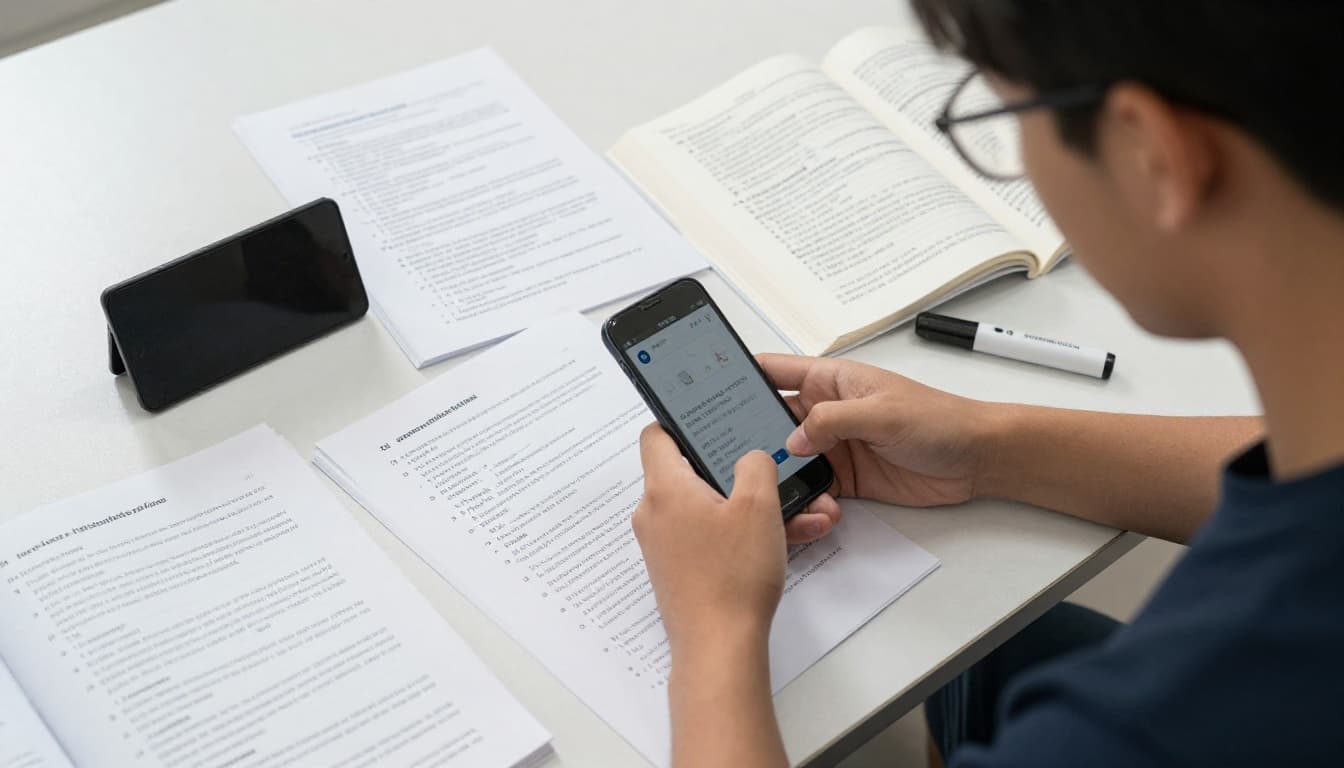
When I’m busy, I don’t need “more resources.” I need a repeatable system that turns whatever I already have (slides, messy notes, a PDF chapter) into practice that sticks. That’s where docsity ai fits for me this semester: quick summaries to orient myself, quizzes to force recall, and concept maps to spot gaps before they become exam-day surprises.

Last 48 hours before an exam: my “summary plus quiz” routine
In the last 48 hours, I’m not trying to “learn everything.” I’m trying to expose what I can’t recall under pressure. My routine with docsity ai is simple, and I run it like laps on a track.
Here’s the loop I actually follow:
- Generate a summary from one unit only: I upload a single lecture bundle or one chapter (not the whole course). I ask for a concise summary first, then I skim it with my slides open beside it.
- Convert the same material into a quiz: I prefer mixed questions (definitions, compare and contrast, applied examples). This forces active recall instead of rereading.
- Review wrong answers immediately: I don’t just mark them wrong, I trace them back to the exact slide or page that proves the right answer.
- Rebuild a mini concept map: I regenerate a map, then I rewrite it in my own words on paper, focusing only on the links that confused me (cause and effect, exceptions, steps in a process).
- Repeat with the next unit: Same loop, same pacing, no hero mode.
A quick warning, because it matters: I don’t treat AI answers as “true” by default. If docsity ai confidently states something that I can’t find in my slides or book, I assume it might be wrong, or missing context. This is even more important in classes where professors test edge cases or use their own definitions.
If you want another angle on “AI that helps without crossing integrity lines,” I use similar guardrails with writing tools too, and I broke that down in my Grammarly for Education review 2025.

Group study without the chaos: sharing one clean doc
Group study goes off the rails when everyone shows up with a different version of reality. My fix is boring, but it works: one merged “master doc”, one source of truth, then we use docsity ai to personalize practice.
My workflow looks like this:
- I merge notes into one clean file (headings by week, key terms list, a short “what the professor emphasized” section).
- I upload that single doc to share with the group so we’re all studying the same content, not debating what’s “included.”
- Everyone runs their own AI quiz on the same master doc, solo, timed, no notes.
- We meet for 30 minutes and only talk about:
- questions we missed,
- concepts we couldn’t explain out loud,
- disagreements that need a source check.
The key is what we do next: we compare weak spots and assign quick fixes. If three of us miss the same concept, that’s a signal the notes are unclear, or the topic is harder than it looks. Then I update the master doc once, and everyone benefits.
When we hit a confusing point, I like using the community side as a backstop. If someone else already asked a similar question, the Q&A can save time and reduce spiraling. The platform’s scale makes this more useful than it sounds, it’s built around massive student sharing, plus incentives (points for uploading and answering) that keep the library active.
I also sanity-check the “is this platform actually useful for real students?” question by skimming independent feedback now and then. The volume of recent reviews on Docsity’s Trustpilot profile lines up with what I see in practice: people come for documents, stay for speed and study support.
For my group, the biggest win is simple: we stop using meetup time to rewrite notes. We use it to find gaps and close them. If you already rely on quiz-style practice, it’s worth comparing how this feels versus flashcard-first tools (I did that in my Quizlet Plus 2025 review).

How Docsity, StuDocu, and Course Hero compare in 2026 (my no-fluff take)
When I compare Docsity, StuDocu, and Course Hero, I start with one assumption: all three run on user-uploaded material, so the “best” choice depends on what you need today. If I’m under time pressure, I care about two things: how fast I can turn materials into real study outputs, and how confident I feel that the notes match my course.

If I only care about AI study tools, which one wins?
If the only thing I care about is AI support, docsity ai usually wins for my workflow, because it tries to turn my own documents into multiple study formats, not just a quick overview.
Here’s the difference in practice:
- Docsity AI depth (best for turning one file into many study assets): I can upload notes and get summaries, quizzes, and concept maps, then ask questions tied to the content of my document. On top of that, Docsity also supports OCR for scans/photos and voice-based inputs (helpful when I’m studying from handwritten pages or quick recordings). This “one upload, many outputs” setup is the closest thing I’ve found to a repeatable study pipeline, and it fits the way I prep for exams (summary to orient myself, quiz to force recall, map to spot gaps).
- StuDocu AI (useful, but often feels lighter): Based on 2026 user comparisons, StuDocu’s AI is usually described as more basic, more like simple summaries or quick study guides than a full toolset. I’ve also seen the platform score well for ease of use and general student experience in review roundups, but I treat its AI layer as “nice to have,” not the main reason I’d choose it. If you want a snapshot of how users rate StuDocu vs Course Hero features and support, I check sources like the G2 comparison of Course Hero vs StuDocu to see patterns in feedback.
- Course Hero (the differentiator is tutor-style help): Course Hero’s standout is not “deep document-to-assets AI,” it’s the tutor-style question help angle. If I’m stuck on a problem set and I want something closer to a teacher explaining steps, Course Hero can be appealing. The tradeoff is that it’s less about building a full study pack from my notes, and more about getting unstuck in the moment.
My simple rule: If I want AI that turns my notes into practice (summary plus quizzes plus structure), I pick docsity ai. If I mainly want quick access and a simple AI layer, I look at StuDocu. If I want help like a tutor session, I consider Course Hero. If you care about where the “ethical line” is with AI assistance, my own guardrails are shaped by what I wrote in AI writing tools and academic integrity.
Content library and trust: how I judge which platform has better notes
Because Docsity, StuDocu, and Course Hero all depend on students uploading materials, I assume one thing going in: quality varies wildly. I’ve downloaded notes that saved me hours, and I’ve also opened files that were basically unreadable screenshots.
So I don’t ask, “Which platform has the best notes?” I ask, “Which platform helps me find the best notes fastest, and how do I verify them?”
This is my quick trust checklist, and it works across all three:
- Recency first: I look for the most recent uploads tied to the semester or exam cycle. Outdated notes can be worse than no notes, especially when professors reorder units or change grading. When a platform surfaces “latest” uploads clearly, I move faster with fewer mistakes.
- Exact course match: I try to match course code, professor, campus, and year. A perfect set of notes for the wrong syllabus is still the wrong tool. If the title is vague (like “Final Exam Review”), I’m cautious until I preview it.
- Preview pages like I’m inspecting produce at a grocery store: I want clean structure, headings, and worked examples when relevant. If the first pages look chaotic, the rest usually is too.
- Author reputation and signals: If I can see an uploader’s history (other documents, community reputation, consistency), I trust faster. If I can’t, I rely more on spot-checking.
- Ratings and download counts (filters, not proof): Higher ratings can be a good sign, but it’s not a guarantee of correctness. I’ve seen popular docs that were popular because they were short, not because they were accurate.
- Cross-check with the syllabus: This is the most boring step, and it saves me the most pain. I keep the syllabus or lecture schedule open and confirm the doc covers the same units, same terms, and same emphasis.

If you want to sanity-check how different platforms score on “student trust” signals (ease of use, support, and reported satisfaction), I look at third-party review aggregators, then validate by testing. That’s the same approach I use across education tools, including classroom-focused platforms like my Duolingo Schools review.
My takeaway after comparing all three: the library matters, but the verification habits matter more. The platform that wins is the one that gets me to the right document quickly, then lets me turn it into practice I can repeat.
Money, points, and pricing: what you really get
When people talk about Docsity, they often mix up three things: points, premium points, and real cash from selling notes. They’re related, but they don’t work the same way.
My quick way to think about it is this: points are like arcade tokens (you earn them by participating, then spend them on downloads). Premium plans are like buying a bucket of tokens upfront, plus you get unlimited use of docsity ai tools. Selling notes is more like a small side hustle, but only if your uploads match real demand.
Can you make money on Docsity, or is it just points?
Most students I see using Docsity aren’t “making money” in the traditional sense, they’re earning points so they can download for free. That’s the main loop, and it’s why the platform stays active.
Here’s what that looks like in plain terms:
- Upload documents to earn points. Docsity incentivizes sharing, and the reward is usually bigger for uploads than for small actions.
- Answer questions to earn points, too. It’s slower than uploading, but it adds up if you’re consistent.
- Use points to download other students’ materials, so you’re trading effort for access.
Docsity is pretty explicit about the community incentives. In their own system, uploading can earn around 20 points per document, while answering a question can earn around 5 points (with limits). That tracks with what I’ve seen in practice, uploading is the fastest way to build a points balance.
Now, about real money. Yes, some students do sell notes. In the reviews I read, one student mentioned earning around 15 euros from selling a few PDFs, but they also hinted it may not stay as profitable because AI is changing the market. I get that. As more students use tools to generate cleaner summaries, the average “basic notes” file becomes less rare, and less valuable.
My honest take: outcomes vary a lot. It depends on:
- whether your course has high demand (big intro classes tend to move more downloads),
- whether your doc is truly better than the average (clear structure, correct answers, worked examples),
- timing (uploading right before exam season can matter).
For most students, the real “earn” is simpler: free downloads without paying, or using points to reduce how often you need premium. If you want a bigger picture of how AI tools shape student workflows beyond Docsity, I laid out my broader stack in Best AI assistants for study and work.
If you want Docsity’s own overview of how the points economy works, see Docsity’s explanation of how it works.
Docsity pricing in 2026, explained like I’m picking a plan
Docsity’s paid plans are basically different bundles of premium points, and the key part is that they all come with the same headline features: unlimited docsity ai access and unlimited downloads. The main difference is how many points you get upfront, which affects how quickly you can grab high-value documents without waiting to earn points.
Here’s the 2026 pricing structure I’m seeing in euros:
| Plan | Billed as | Price per month | Premium points included | Best for |
|---|---|---|---|---|
| Yearly | Paid yearly | €4.99/month | 600 points | Heavy users, long semesters |
| Quarterly | Paid every 3 months | €9.99/month | 300 points | Exam season bursts |
| Monthly | Paid monthly | €15.99/month | 150 points | Short-term, urgent needs |
So how would I choose?
If I’m in a heavy exam period (multiple courses, lots of downloads), the yearly plan usually makes the most sense because the monthly cost is low and 600 points gives me room to move. It’s the “I don’t want friction” option.
If I’m only stressed for midterms or finals, the quarterly plan is a nice middle ground. It costs more per month, but I’m not committing for a full year.
If I just need to sprint for a week or two, the monthly plan is the emergency button. I only pick it when the timing is bad and I need access right now.
And when is free plus points enough? If you’re the kind of student who:
- uploads a few decent documents a month,
- answers questions now and then,
- downloads only what you truly need,
then the points route can work. It’s slower, but it’s real.
If you’re comparing paid value across AI tools, it can also help to look at how other subscription models “hide” limits. For example, many writing assistants gate core features behind higher tiers. I broke down that style of pricing in Grammarly Pro vs Business pricing 2025 and in my AI writing tools guide.
For extra context on real user sentiment (good and bad), I also check third-party review patterns on the Docsity reviews on Trustpilot.
Who should use Docsity AI, and who should pass?
I’ve found that docsity ai makes the most sense for students who already live in documents, PDFs, and messy lecture notes, and want a faster way to turn that chaos into something test-ready. If you like learning by practice (quizzes, recall, quick summaries), it fits nicely.
On the other hand, if you want a human tutor to walk you through problems step by step, or you expect every download to be perfect, you might feel annoyed. Docsity is a huge student marketplace, not a curated textbook.

Here’s my simple filter:
- Use it if you want a big library plus AI study formats (summary, quiz, map) in one place, and you’re willing to verify anything important.
- Skip it if you need consistent, instructor-level explanations, or you don’t want to deal with uneven quality from user uploads.
If you’re the kind of person who compares AI tools like you compare phones (features, limits, privacy, real value), you’ll probably enjoy cross-testing it against other assistants too. I do that often with tools like Microsoft Copilot AI detailed review 2025 and research-first options like my Elicit AI research assistant review for students. For broad benchmarking, I also keep a running list of best AI chatbots and virtual assistants for learners.
Pros and cons of docsity ai (no marketing fluff)
I treat this like choosing a gym membership. The gear can be great, but you still need good form, and you have to show up. Here’s the balanced view based on how docsity ai works in real study routines.
Pros
- Huge library (9M+ docs), strong odds you find your exact course topic fast.
- Strong AI outputs, summaries, quizzes, and concept maps save real time.
- Voice and OCR support, useful for lectures, handwritten notes, and book pages.
- Global community, lots of uploads across subjects and countries.
- Points system, you can earn downloads by uploading and answering questions.
- Low entry price, premium starts relatively low compared with some rivals.
Cons
- Quality varies, user uploads range from excellent to unusable.
- Free tier limits, unlimited AI and downloads are tied to premium.
- No guaranteed cash payouts, selling notes can be inconsistent and small.
- Less tutoring than Course Hero, not the best pick for guided, human-style help.
- AI accuracy needs checking, it can miss context or confidently get details wrong.
If you want a quick reality check on how mixed online feedback can be for Docsity, it’s worth scanning third-party review roundups like the Docsity ratings and review summary and a more opinionated take like Docsity pros and cons discussion. I don’t use those as “truth,” but they help me spot patterns before I spend money or points.
Conclusion
Docsity AI is a yes, with conditions for 2026. If you learn best from your own notes and want summaries, quizzes, and concept maps fast, it’s one of the most practical study setups I’ve tested. It depends on your habits though, because user-uploaded docs vary in quality, and the AI output is only as reliable as the file you feed it, so I still spot-check anything that could cost me points on an exam. Trust signals look solid overall, with Docsity sitting around a 4.0 TrustScore on Trustpilot from roughly 1,778 reviews, plus the platform’s scale (tens of millions of students and millions of docs) is hard to ignore.
My action step is simple: try it free, run one real set of notes through docsity ai (a recent unit you actually have to sit for), then decide on premium only if it saves you real time every week. If you test it this way, you’ll know quickly whether it’s a study helper you’ll keep, or just another tab you stop opening.