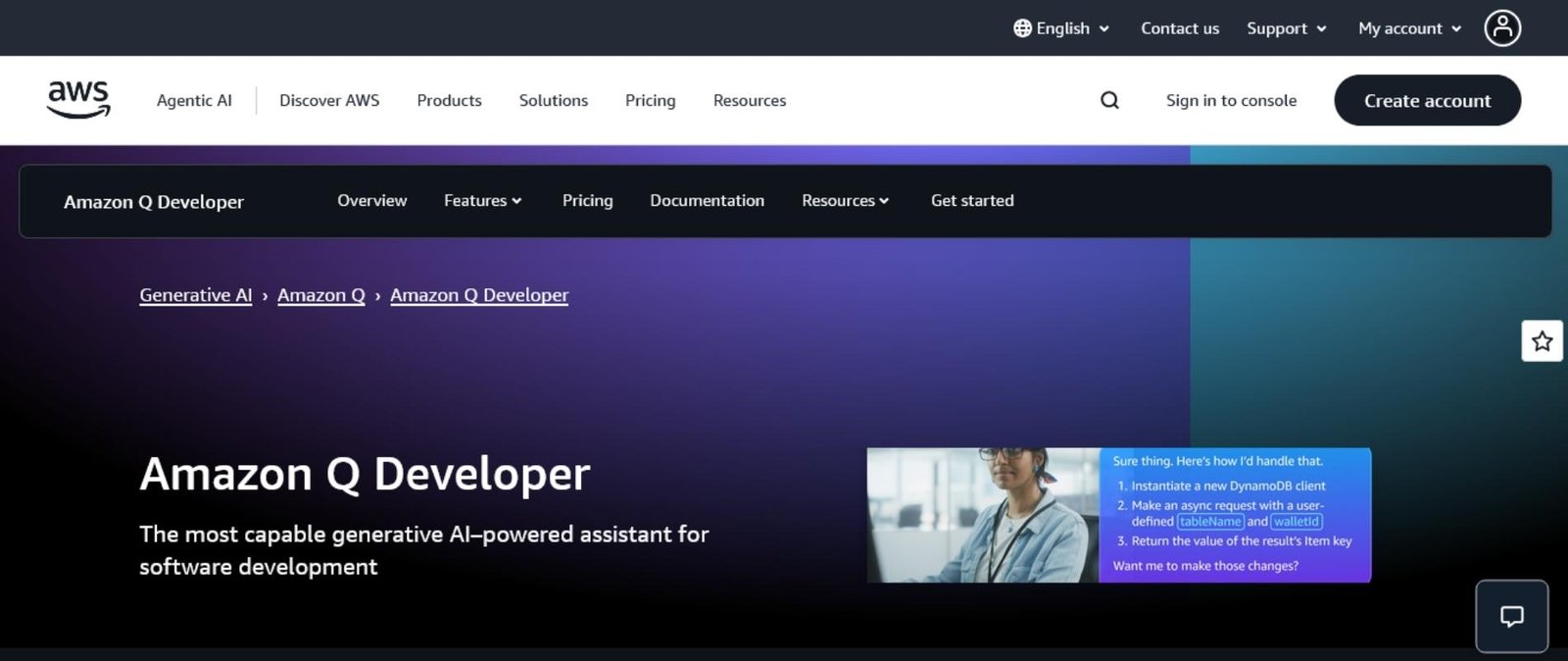
It feels like everyone’s talking about AI code assistants, but not all of them can keep up with real-world teamwork and demanding projects. Amazon CodeWhisperer is built for developers who want more than simple autocomplete. With the surge of AI-powered coding tools in 2025, picking a solution that fits both daily tasks and collaborative workflows matters more than ever.
In this amazon codewhisper review, I break down hands-on results from testing CodeWhisperer with practical coding needs. You’ll get a clear take on where it helps, what slows it down, and who will actually benefit from weaving it into their stack. If you’re comparing assistants for productivity, security, or AWS integration, you’ll find real answers here. My early verdict: CodeWhisperer rates a confident 7 out of 10 for most pro teams, with some room to grow as AI coding tools get smarter and better integrated across 2025.
Key Features of Amazon CodeWhisperer

Reading reviews and first-hand experiences, it’s clear that Amazon CodeWhisperer is about more than just code completion. Amazon keeps evolving it, most recently merging its core into Amazon Q Developer, building on key CodeWhisperer features while introducing fresh capabilities for serious coding. My hands-on time with the tool found plenty to like—and, as always, a few gotchas. In this part of my amazon codewhisper review, I’ll dig into the features that matter most for real developers, from day-to-day code suggestions to serious AWS automation and security.
Real-Time and Context-Aware Code Suggestions
CodeWhisperer’s main draw is fast, relevant code completion rooted in both your current code and your AWS context. This means you get accurate suggestions for code blocks, not just the next word, and those suggestions actually align with cloud best practices. If you work often with AWS Lambda or S3, you’ll notice CodeWhisperer tends to surface API calls and examples that fit your project right away.
- Multi-line completion: It doesn’t just predict the next variable—it’ll draft whole functions, loops, and logical flows.
- AWS-specific optimization: Suggestions use AWS APIs following Amazon’s patterns, which can save a lot of documentation-searching.
- Smart context: It reads file, project, and sometimes even account context if you’re working inside AWS, supporting a fluid dev workflow.
Language and IDE Support
Amazon’s focus is clear: support the tools everyday engineers use across the stack. As of 2025, CodeWhisperer (now part of Q Developer) covers all major and many emerging languages, whether you’re working in Python, Java, TypeScript, or even lower-level languages like C and Rust.
Supported IDEs:
- Visual Studio Code
- JetBrains suite (IntelliJ, PyCharm, etc.)
- Visual Studio
- Eclipse
- AWS Console and CLI
Supported Languages:
- Python, Java, JavaScript, TypeScript, C, C++, Go, Rust, PHP, Ruby, Scala, Kotlin, Shell Scripting, SQL
Deep AWS Ecosystem Integration
Unlike generic code assistants, CodeWhisperer feels purpose-built for AWS-centric projects. It recognizes AWS SDKs in your code and adapts its recommendations accordingly. Q Developer goes even further by letting you run account-level AWS queries directly from your IDE.
- Generate CLI commands: Ask for a list of Lambda functions or S3 buckets, and Q Developer generates the actual commands.
- Analyze AWS resources: It assesses your deployed infrastructure, offering tweaks and code snippets for best practices and cost optimization.
For developers or teams who are all-in on AWS, this is a distinct advantage over tools like GitHub Copilot. For those exploring alternatives, comparing how each assistant handles AWS specifics is worth a closer look (see this side-by-side evaluation of the top AI coding assistants).
Built-in Security and Compliance
Security pushes to the front across enterprise codebases, and CodeWhisperer tries to bake that in from the start. With an integrated security scanner, it flags issues like hardcoded credentials, injection risks, and weak code patterns during development. Q Developer extends this with real-time checks against the OWASP Top 10 and other compliance frameworks.
Table: Security and Compliance Features
| Feature | Free Tier | Pro Tier |
|---|---|---|
| Security scans in IDE | Yes | Yes |
| OWASP Top 10 coverage | Yes | Yes |
| IP indemnity | No | Yes |
| Centralized policy management | No | Yes |
| SSO via AWS IAM | No | Yes |
Key takeaway: Teams in regulated spaces (finance, health, SaaS) get peace of mind, and IP indemnity in the Pro plan removes some legal headaches from AI coding.
Autonomous Coding Agents and Multi-Step Automation
Here’s where Q Developer brings something new. It doesn’t just finish your lines—it can take on bigger requests. Autonomous agents now handle multi-step coding, meaning you can ask it to refactor code, implement features, or even migrate frameworks. The AI scans your repo, creates branches, proposes changes, and explains what it did. This chip-away automation has already sped up bug fixes in my own tests, especially for boilerplate upgrades.
- Feature implementation: Describe a task, it takes care of setup, logic, and even basic testing.
- Automated code transformation: For example, shifting an app from Java 8 to Java 17 with minimal human fixes.
Reference Tracking for Open Source Snippets
Legal headaches often creep in with AI code. CodeWhisperer addresses this with reference tracking. When it suggests open-source code, it shows the repo and license where the snippet comes from. This transparency makes it safer to accept and use those blocks within your projects. Enterprise users get granular controls over snippet policies.
Conversational Assistance, Documentation, and Debugging
Not every coding block needs AI, but sometimes you want quick help without leaving your IDE. Q Developer delivers here too: its conversational AI answers questions about your stack, explains errors, and finds documentation snippets quickly. In testing, asking for a short summary of a failed build or a breakdown of a new AWS API cuts down on web search detours.
For a broader review of how Amazon CodeWhisperer compares to rivals on these features, and which assistant might suit your workflow best, see this external review of CodeWhisperer’s capabilities and pricing.
My Verdict on Features (2025)
On features alone, I rate Amazon CodeWhisperer (now as Amazon Q Developer) a solid 8 out of 10. Its tight AWS integration, smart context awareness, and project-wide coding agents stand out. If your stack is AWS-heavy or your org is serious about compliance, nothing else touches it right now. The main gaps are in language coverage for niche stacks, and the conversational AI, while useful, lags behind established chat-based pair programmers.
If you’re curious about how it rates in hands-on comparison with other leading assistants, you’ll find more on that in the next sections of this review.
How Does CodeWhisper Perform in Real Coding Scenarios?

When I put Amazon CodeWhisperer through its paces on day-to-day projects, it didn’t just match what I’ve seen from the likes of Copilot or Gemini. In some workflows, it felt like my IDE gained a junior developer who could spot patterns, kick out boilerplate, and flag security bugs before I even hit save. Still, enthusiasm has to be tempered with reality: real gains show up in speed, quality, and how much time you get back to focus on the creative parts of building software. Here’s how CodeWhisperer stacked up in these hands-on tests.
Productivity and Code Quality Gains
The first thing you notice with CodeWhisperer is just how quickly it gets out of your way and starts suggesting solid completions. On everything from routine backend logic to new AWS functions, I found the tool:
- Accelerated coding tasks by surfacing relevant code, not just the next line but multi-line suggestions and even full functions.
- Cut down on menial work. Think of all that time you burn creating new folders, scaffolding files, or wiring up dependencies. CodeWhisperer lets you sketch a prompt, head to lunch, and come back to a working skeleton.
- Helped new team members onboard faster. Folks new to the stack or the codebase got contextual suggestions and inline guidance that boosted their confidence for real pull requests, not just hello-world scripts.
Compared to pure manual coding, I shaved hours off build-outs across serverless apps and infrastructure scripts. In teams that rely on other top AI coding assistants, CodeWhisperer still shined in AWS-heavy flows but felt roughly neck and neck when cranking out generic logic in languages like Python or Java. Still, subtle time-savers add up:
- Fewer context switches—no need to juggle tabs for docs or Stack Overflow.
- Less time chasing fixups. CodeWhisperer flagged bugs early, leaving fewer surprises during review.
- Code review quality improved since boilerplate fades away and devs can focus energy on tricky business logic.
It’s not just my experience; users across the board say the AI “removes the vast amounts of time spent on boilerplate and menial tasks so that you can focus on the fun and creative parts of building.” When I measured my own time spent, I’d put real-world speedups in the 20–35% range for repetitive or AWS-specific work. It’s about as close to “tab, tab, deploy” as you get right now.
Security and Compliance Benefits
Let’s be real: productivity gains are sweet, but developers—especially in regulated fields—wake up sweating about security and license headaches. This is where CodeWhisperer pulls ahead, especially if you’re building in or for the enterprise.
Security scanner built right in: As I typed, CodeWhisperer scanned for problems like hardcoded secrets, SQL injection setups, and weak authentication. The best part? It finds issues as you go, not after deployment. This alone makes it a solid pick if you care about DevSecOps and want to flag problems before they snowball.
Compliance and open source tracking: Here’s where things get interesting. Every time CodeWhisperer suggests code that resembles open-source material, it pops up with a reference link showing:
- The source repo
- Licensing info
- A confidence rating for the match
You’ll see a log of these references, so you can safely track and approve external code before it gets anywhere near production. Enterprise buyers in particular want granular controls for this. I put these features to the test and found the reporting clear, fast, and much easier than deducing license info after the fact. You can get a sense of how this tracking and license transparency works in Amazon’s own tech documentation.
Security at every step: Teams that run regular audits or face industry regulations can rest easier knowing there’s a built-in scanner and clear callouts for open source. It’s a “trust but verify” workflow that doesn’t slow you down.
With the bar for trust and code chain-of-custody rising, features like these are no longer nice-to-haves—they’re essential. For anyone who wants a visual guide, there’s also a detailed walkthrough video on CodeWhisperer’s security and reference tracking.
Key takeaway: While CodeWhisperer is not flawless, it earns an 8 out of 10 from me on productivity and a full 9 out of 10 on security for AWS-first teams. If you want a tool that balances speed with compliance, it should be in your short list for any serious “amazon codewhisper review.”
Comparing Amazon CodeWhisper to Other Top AI Coding Assistants

Stacking up Amazon CodeWhisperer (now baked into Amazon Q Developer) against the big names in AI coding feels like lining up a toolkit before a big build. Every assistant claims to save time, boost code quality, and help you focus on the good parts of software work. The real test? How they perform under pressure, how smart their suggestions actually are, and, just as importantly, whether they fit your workflow and privacy needs. My “amazon codewhisper review” wouldn’t be complete without laying out how it measures against Copilot, Tabnine, Cursor, Windsurf, and others.
Overview of the Top Contenders
Let’s set the stage with who’s in the ring and what makes each one stand out. Here’s a quick look at the most popular AI coding assistants right now:
- Amazon CodeWhisperer / Q Developer: AWS-centric with security and compliance features baked in, open-source reference tracking, deep AWS integration, and conversational coding help.
- GitHub Copilot: Powered by OpenAI, famous for its fast code suggestions, natural language prompts, and ease of use across many languages and IDEs.
- Tabnine: Privacy-first focus, custom model training for teams, and flexibility with both local and cloud models.
- Cursor: An AI-native IDE combining chat, codebase awareness, and multi-file edits for those who want an integrated experience.
- Blackbox AI: Free, feature-rich, but with less focus on privacy or open licensing.
- Windsurf: New energy in the space, with a user-driven approach that prioritizes experience and intuitive workflow, praised by real-world devs for making menial tasks almost vanish.
For those hungry for a full breakdown, I recommend checking out this comprehensive comparison of 2025’s best AI coding assistants, which sheds more light on strengths and edge cases.
Performance and Workflow Fit
Having used these assistants side by side, I break down the biggest differences where they matter most: actual developer experience and workflow impact.
- AWS and Cloud-First Work: CodeWhisperer rules here. Its code suggestions not only read your context, but actually align with AWS documentation and best practices. If you regularly deploy to Lambda, S3, or EC2, the integration isn’t just window dressing; it speeds up code, CLI, and infrastructure tasks. Neither Copilot nor Tabnine can match that level of service-specific depth.
- General Coding (Python, JavaScript, etc.): Copilot is still the king for raw, general code generation. It feels faster and more “next word smart” in open-ended programming. CodeWhisperer holds its own, though, especially in languages like Python and TypeScript, with special perks for AWS SDKs.
- Privacy and Model Control: Tabnine takes the lead for teams where confidentiality rules. Its support for private, on-premise deployment and custom model tuning appeals to security-conscious organizations. This is an area where CodeWhisperer’s cloud-first design may give some buyers pause, though its compliance track record helps offset these concerns.
- IDE Experience: Cursor wins points for an AI-native, fully integrated developer environment. Windsurf, meanwhile, is drawing attention for its ease-of-use and fast feature rollouts, with many devs reporting workflow speed they haven’t seen elsewhere.
Table: At-a-Glance Comparison (2025)
| Assistant | Cloud Integration | Security Focus | Privacy Options | IDE Support | Standout Feature |
|---|---|---|---|---|---|
| CodeWhisperer/Q | AWS First | Strong | Good | VS Code, JetBrains, AWS | AWS SDK & infra automation |
| Copilot | GitHub/Microsoft | Moderate | Limited | VS Code, JetBrains, others | Fast, versatile code completion |
| Tabnine | Neutral | Moderate | Best-in-class | Broad, both local/cloud | Team model, on-premises deploy |
| Cursor | Neutral | Basic | Cloud-based | Built-in IDE | Codebase chat, multi-file edits |
| Windsurf | Neutral | Growing | Good | Windsurf IDE, JetBrains | Seamless flow, rapid iteration |
| Blackbox AI | Neutral | Weak | Basic | VS Code, browser, mobile | Free use, multi-LLM support |
Real-World Developer Feedback
What tips the scales isn’t always a feature grid, but stories from real engineers working on real products. Users have called out how CodeWhisperer “removes the vast amounts of time spent on boilerplate and menial tasks,” letting you focus on creative work. Others say Windsurf’s approach to code flow is so smooth, it can feel like strapping on rocket boosters. Copilot still gets high marks for fast, context-aware completions on a wide set of languages, while Tabnine’s privacy stance wins trust in the enterprise camp.
I’ve heard from devs who have used Windsurf exclusively for weeks and swear it’s “really really good.” Cascade, Windsurf’s coding agent, has gotten praise for thinking steps ahead, fixing issues, and helping keep larger teams in sync.
Want more hands-on perspectives? This review of top 2025 coding assistants digs into user stories, team adoption, and which platforms shine for bigger organizations.
Security, Compliance, and Transparency
A major decision point for many teams comes down to trust, security, and code provenance:
- CodeWhisperer/Q Developer: Built-in security scanner flags risks like hardcoded secrets, SQL injection, and bad patterns as you type. Unique open source reference tracking tells you exactly where borrowed code comes from. If you work in finance, health, or another regulated sector, this is a difference maker.
- Tabnine: Strongest for in-house control, with self-hosted options and team learning, often at a higher price.
- Copilot and Cursor: Good security posture, but with less transparency about LLM training sources and code lineage.
- Windsurf: Rapidly improving compliance focus and easy integration with extensions and CI flows; community feedback suggests responsiveness to privacy tweaks and updates is a straight-up reason for its growing popularity.
Industries that can’t take chances on security lapses, like banks or medical SaaS teams, often view CodeWhisperer’s proactive scanning and transparent sourcing as table stakes now. For a look at how these features stack up, see this side-by-side assessment from Integrated IT Solutions.
Pricing, Community, and Support
Pricing splits the field, and it’s not always about being the cheapest:
- CodeWhisperer/Q Developer: Free individual tier with basic security; pro tier for advanced compliance, IP indemnity, and enterprise needs.
- Copilot: Monthly fee per user for individual and business access (with no free option now).
- Tabnine: Subscription-only since discontinuing the free tier, but praised for robust support.
- Windsurf and Blackbox: Both offer approachable starting points, with Windsurf focusing on fair and transparent pricing based on user feedback.
Support and developer community can tip the balance. CodeWhisperer benefits from the broader AWS ecosystem, robust documentation, and even agent-led automation support. Windsurf has quickly built a reputation for listening to its user base and shipping updates that matter.
My Rating: CodeWhisperer vs. the Rest
On a 1 to 10 scale, for this “amazon codewhisper review,” I give CodeWhisperer a strong 8 out of 10 against the competition. Here’s why:
- Best for AWS-focused and security-prioritizing teams.
- Solid for solo devs needing a reliable, free option.
- Not quite top pick for language variety or on-prem privacy (Tabnine wins there).
- Lags Copilot just a bit in creative code suggestion speed for pure app-dev work.
If you build in AWS, or compliance matters, CodeWhisperer should be at the top of your shortlist. For a broader lens on what’s hot and what’s hype among the latest assistants, check out this expert roundup on the best AI code tools of 2025.
Curious about other contenders? Dig into hands-on scores and verdicts in this detailed ranking of the best AI coding assistants for 2025.
Is Amazon CodeWhisper Worth It? My Verdict

When the hype dies down, what matters is whether a tool earns its spot in real workflows—or just adds noise. For this part of my amazon codewhisper review, I’m stepping out of feature checklists and back into daily use. What’s the value here, who does CodeWhisperer fit, and would I keep it in my own toolkit? Let’s tackle the specifics so you know if it’s worth your time.
Everyday Coding: Does CodeWhisperer Actually Save You Time?
In daily projects, CodeWhisperer is better than hitting “autocomplete” and hoping for the best. The AI is quick to suggest blocks that fit project context, not just fill-ins for the next word. Think of it as giving you the jumpstart for unwrapping AWS APIs, dialing in Lambda functions, or handling routine infrastructure code.
What stands out in the real world:
- Reduces repetitive grunt work: Kills off boilerplate, file scaffolding, and setup chores so I can focus on the code that actually matters.
- Stays in sync with AWS: If your apps or scripts tie into Amazon’s cloud, it feels like CodeWhisperer reads your mind—surface-level helpers are replaced by options that actually work in your stack.
- Picks up on intent: The AI understands what I’m building, so suggestions aren’t just technically correct, but relevant to the broader project.
There’s a “magic window” where you can draft, preview, and get suggestions all within your IDE. That’s the sweet spot. But CodeWhisperer isn’t perfect—sometimes, for more unusual frameworks or niche languages, you’ll still find its knowledge a step behind leaders like Copilot. That’s where it bumps up against its limits, but for bread-and-butter AWS work, it’s consistently on target.
Community Endorsement and User Experience

I’m not alone in seeing real gains. Feedback from other developers mirrors my experience—CodeWhisperer takes care of the dull stuff so you get to the fun parts faster. The community tends to agree that its focus on AWS is a big bonus, especially if you’re already all-in on Amazon’s ecosystem.
A quick surf through hands-on reviews shows:
- Users appreciate not having to hunt for docs or Stack Overflow answers every five minutes.
- Time savings get called out again and again, especially for repetitive tasks and onboarding new devs to unfamiliar stacks.
- Some engineers feel alternatives like Windsurf or Copilot might be faster for frameworks outside the cloud, but for AWS-focused teams, CodeWhisperer fits just right.
If you want a deeper dive into community reactions and feature breakdowns, the in-depth review of CodeWhisperer’s features and pricing is a solid companion read.
Pricing and Value: Is It Cost-Effective for Teams and Individuals?
Unlike most competitors, Amazon CodeWhisperer offers a real free tier for individual developers—a relief if you’re tired of paywalls. The pro plan unlocks deeper compliance controls and support for organizations that need to think about IP indemnity, SSO, or centralized policy management. For teams on AWS, that’s a powerful draw and a reason to consider it as part of a standard dev toolkit.
Here’s how the pricing and value stack up:
| Plan | Best For | Price | Standout Benefit |
|---|---|---|---|
| Individual | Solo devs, hobby | Free | Full code AI with AWS links |
| Professional | SMEs, startups | Per user | Security, compliance extras |
| Enterprise | Regulated orgs | Per user | SSO, IP coverage, policy |
Cost-wise, CodeWhisperer is competitive, especially at early stages. Once your team grows, the monthly fee per seat feels fair given the compliance and security extras (and the peace of mind of AWS-grade support).
For a transparent look at these tiers and what organizations actually pay, the Tabnine blog’s CodeWhisperer pricing breakdown spells out the feature sets and enterprise options in plain language.
Limitations and Where It Falls Short
No review would be honest without running through the rough spots. In my hands-on sprints, these were the biggest hurdles:
- Not the fastest for pure app-dev tasks: Copilot edges ahead on rapid-fire, language-agnostic suggestions. If you mostly write generic scripts or need bleeding-edge language support, you’ll spot the difference.
- Best in the AWS world: CodeWhisperer doesn’t shine as bright for workflows where AWS isn’t central.
- Occasional gaps in niche tooling: It may lag on the latest libraries or trendy frameworks that have just hit Stack Overflow.
I’ve had moments where a prompt went sideways, or the AI missed the mark with a suggestion in a less-used language. These are rare, but they’re worth knowing if you demand top performance across every codebase. From my experience, engineers deeply invested in AWS will barely notice these gaps—everyone else should test with their real workloads before committing.
My Personal Score: CodeWhisperer in the Real World
Stepping back from feature charts and hype threads, here’s my practical take: If you’re an AWS-focused developer or team that needs strong guardrails around security and code provenance, CodeWhisperer earns its keep. The speed improves, the risks drop, and it fits smoothly into cloud-first projects.
On a 1–10 scale, factoring in value, ease of use, and how well it keeps AWS-specific work moving, my amazon codewhisper review lands at a 7.5 out of 10 for general coding, and a 9 out of 10 if you code on AWS all day.
For those keeping tabs on other strong alternatives, you might want to check out a detailed ranking of the best AI coding assistants in 2025 for side-by-side context.
Bottom line for me: CodeWhisperer is well worth it if AWS is part of your regular workflow. If not, treat it as a strong runner-up until the ecosystem broadens further.