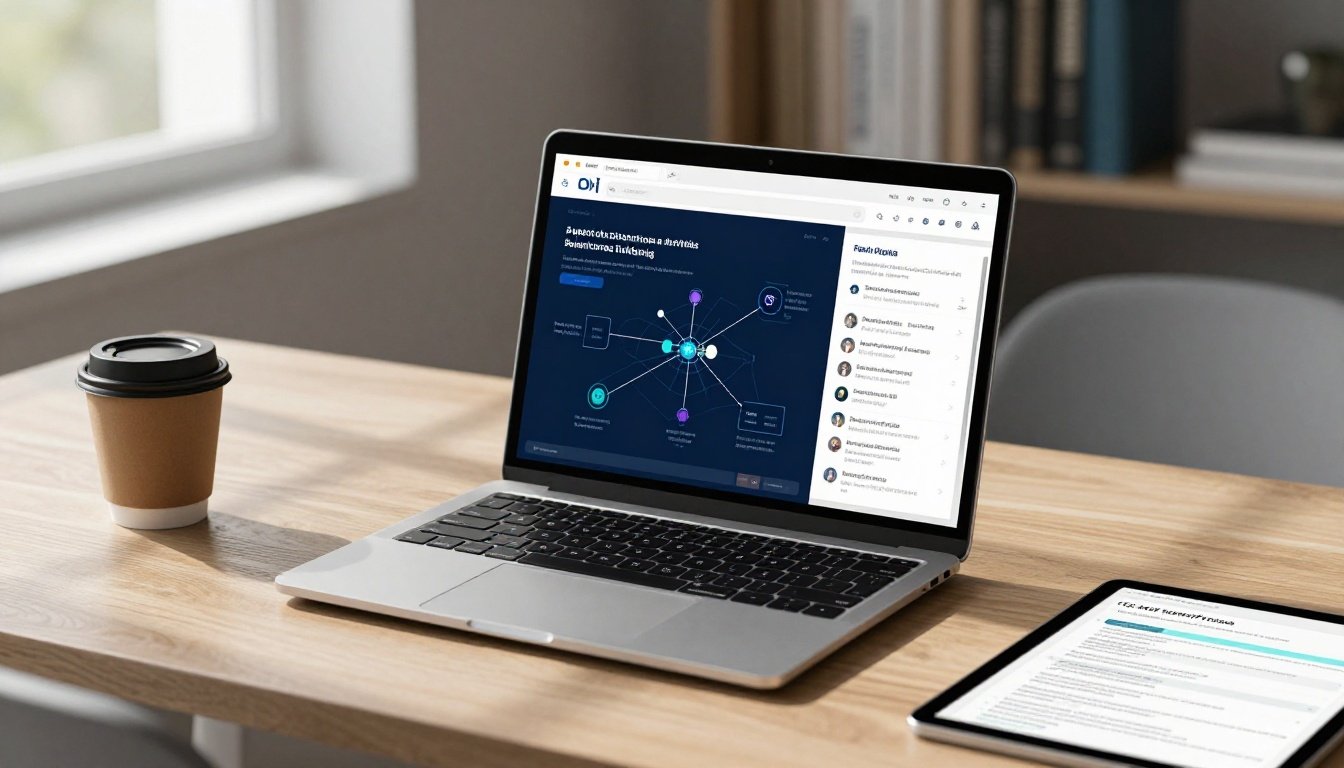
The real question in this Elicit AI review is simple: can it save you enough time on literature discovery, screening, and evidence extraction to justify its cost? Elicit is built as a scientific research workflow tool, not a general chatbot, so its value depends on how much academic research you do and how carefully you verify its output.
I’m evaluating Elicit through the areas that matter in practice: features, research quality, citation support, usability, pricing, usage limits, privacy, and who should use it. Its paper search, summaries, paper chat, data extraction, Reports, and systematic literature review workflows are useful, but the underlying research still needs human checking, especially when methodology or source quality is uncertain.
Pricing and plan limits changed during 2026, so check the official Elicit pricing page before purchasing. I’ll also compare it with other options in this AI research assistant buying guide, review its place among AI tools for chatting with research papers, and start with the workflow features that determine whether Elicit is worth your time.
Key Takeaways
- Elicit is worth considering if you regularly discover papers, screen studies, or extract evidence for literature reviews.
- Its structured workflow is more useful for academic research than a general chatbot, but every summary and citation still needs verification.
- The free Basic plan suits casual exploration, while Pro costs $49 monthly and targets systematic reviews, so usage limits matter.
- Reports can synthesize findings across up to 200 papers with sentence-level citations, but that doesn’t replace reading important sources.
- For a broader comparison, see my Elicit literature review assistant analysis and check Elicit’s current product details.
Elicit AI Review: What the Research Platform Actually Does
Elicit is a research workflow tool, not a general chatbot with a search box. I see its practical value in the sequence: find papers, screen them, extract comparable evidence, then produce a cited report. That structure is useful for literature reviews and systematic-review-style projects, but it doesn’t remove the need for research judgment.
### Research questions, paper discovery, and source search
You can start with a plain-language research question instead of building a complicated Boolean query. Elicit’s paper search covers over 138 million academic papers from Semantic Scholar, PubMed, and OpenAlex, according to its official source coverage details. You can also search PubMed only or use the ClinicalTrials.gov corpus when trial records matter.
That sounds broad, but database size isn’t evidence of completeness. ClinicalTrials.gov primarily covers US trials and US-based organizations, so international studies may be underrepresented. I would also check major subject databases when the review has serious clinical, legal, technical, or publication requirements.
When reviewing results, I look beyond the first relevant-looking title:
- Does the study actually answer the research question?
- Is the publication recent enough for the topic?
- Does the study design fit the claim?
- Are the methods and sample large enough to matter?
- Is the source a primary study, review, preprint, or commentary?
For a wider look at document-based research tools, I also compare Elicit with AI PDF summarizers for research papers. A relevant result is only a starting point, not a reason to stop searching.
Screening, extraction tables, and cited reports
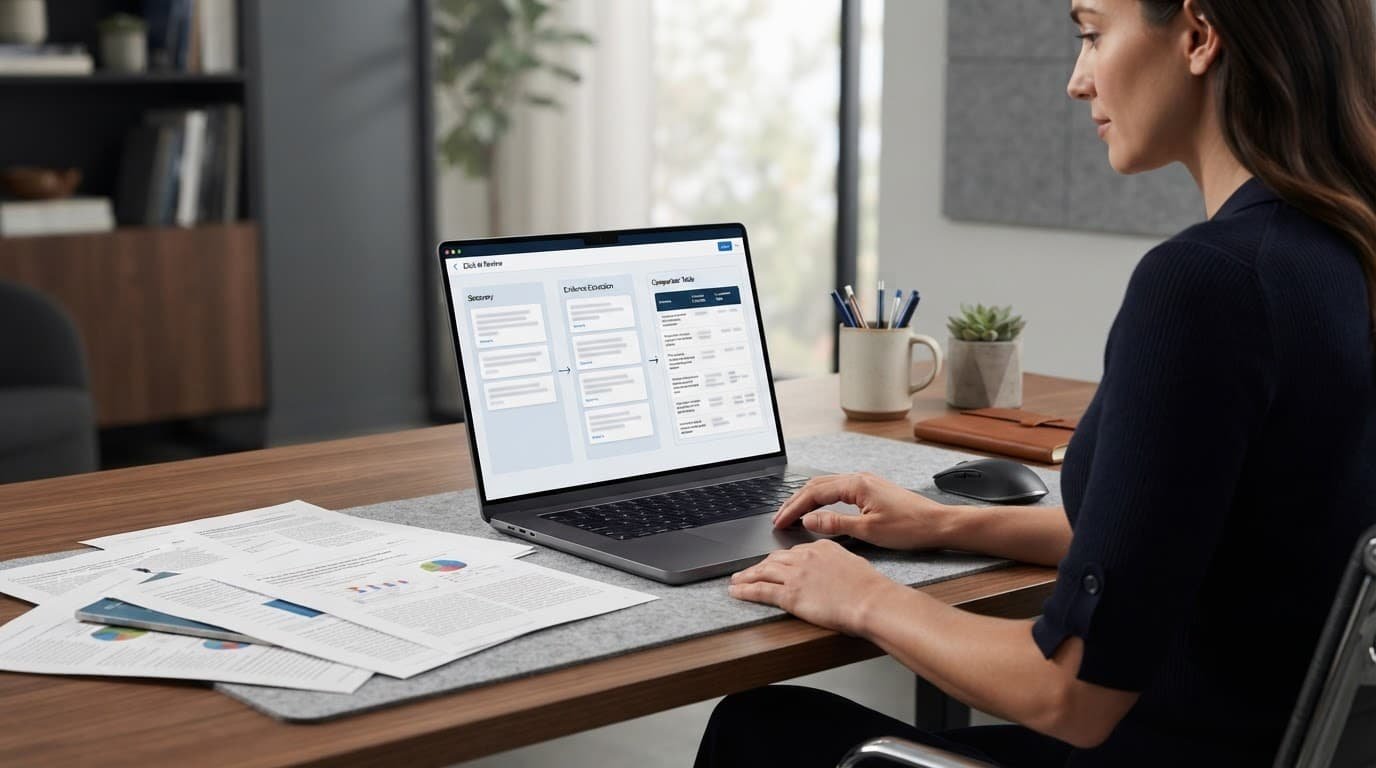
Elicit’s structured tables help turn a pile of papers into comparable evidence. You can extract details such as interventions, populations, outcomes, methods, sample sizes, and limitations into consistent columns.
For example, when comparing clinical trials, I might create columns for participant count, intervention, follow-up period, primary outcome, and reported limitations. That makes differences visible much faster than reading disconnected summaries.
Reports and cited outputs add traceability, which is one of Elicit’s stronger features. Still, I would verify every important extracted value against the original paper. AI can misread tables, miss qualifying language, or attach a citation that is related but doesn’t support the exact claim. A cited report improves the workflow, but it isn’t a substitute for checking the evidence.
Key Elicit Features for Literature Reviews and Scientific Work
Elicit’s strongest value appears when research involves more than finding a few papers. Its structured workflows help organize screening, extraction, comparison, and reporting, but I would still treat the output as research support rather than finished scientific work.
Systematic review support and PRISMA 2020 workflow
As of August 2026, Elicit describes its systematic review workflow as supporting PRISMA 2020, with traceable screening decisions, exclusion reasons, criterion scores, supporting quotes, and PRISMA flow diagrams. In practice, that can make identification, screening, extraction, and reporting easier to audit.
The workflow may also help with duplicate handling and consistent inclusion or exclusion decisions. Still, I would keep the search strategy, database coverage, deduplication method, quality assessment, and final decisions in a separate research record when a journal or institution requires them.
PRISMA support can organize the evidence trail, but it doesn’t make a review publishable without expert oversight.
The PRISMA 2020 flow diagram and official PRISMA checklist remain useful references for checking what the tool’s workflow does and doesn’t cover.
Research Agent, reports, and evidence organization
Research Agent is the better fit for larger, more demanding research tasks. Elicit currently says it searches more than 138 million academic papers, while Reports can compare papers, create tables and charts, and attach citations to supporting documents.
That automation saves time, but it also creates review work. A polished report can still miss context, misread a result, or make a weak interpretation sound credible. I would verify important claims against the original paper instead of treating citations as proof.
For broader tool comparisons, see my guides to AI research assistants and advanced literature review tools.
Clinical trials and specialized research use cases
Elicit can help compare papers by intervention, outcomes, adverse effects, and trial-arm details, especially when those fields are extracted into consistent tables. However, current official materials confirm academic-paper and PubMed coverage, not a dedicated ClinicalTrials.gov workflow.
I would use it to organize evidence for graduate research, evidence teams, and analysts, not to replace clinical judgment, statistical review, or medical guidance. Researchers needing fast source comparison can also consider cited research workflows, while verifying every important finding independently.
Elicit Pricing, Plans, and Usage Limits in 2026
Elicit pricing is harder to summarize than it should be because plan names, limits, and prices have changed during 2026. The live official Elicit pricing page is the final source of truth, especially before you compare annual billing or enterprise terms.

### What changes between free, individual, team, and enterprise access
The current public structure lists Basic as free, Pro at $49 per user monthly when billed annually, Scale at $169 per user monthly when billed annually, and Enterprise with custom pricing. Independent summaries report limits such as two extraction columns on Basic, 20 on Pro, 30 on Scale, and 40 on Enterprise. They also describe larger screening limits, more automated reports, collaboration, and Research Agent access on higher tiers.
| Plan level | Likely user | Main value | Limits to verify |
|---|---|---|---|
| Basic | Casual student | Search, summaries, and limited reports | Report allowance and extraction columns |
| Pro | Active graduate researcher | Systematic review tools and larger screening | Paper cap, columns, API access |
| Scale | Research group | Higher usage and collaboration | Team tools, seats, report pool |
| Enterprise | Large organization | Governance and institutional security | SSO, SAML, 2FA, custom limits |
Reports commonly associate Pro or higher with API access, while Scale is linked with team collaboration and administrative controls. Enterprise descriptions also mention SSO, SAML, and 2FA. I would verify every one of these items on the current official page or sales documentation because third-party summaries disagree, particularly around MCP access and older Plus or Team labels.
How to judge whether the subscription pays for itself
I use a simple test: estimate the hours saved each month, then compare that value with the subscription and verification time. Paid access makes more sense when you screen hundreds of papers, repeat evidence workflows, or complete several reviews each month.
For occasional searches or simple summaries, Basic may be enough. Remember the hidden costs, including manual source checking, database subscriptions, extraction cleanup, and researcher time. A plan only pays for itself when Elicit reduces the total workload, not when it produces a polished report that still requires a full manual review.
How Elicit Performs in Real Research Workflows
Elicit is most useful when I treat it as a structured research assistant, not an open-ended answer engine. It can reduce repetitive work, but the quality of the result still depends on the question, source coverage, and human review.

Where Elicit saves the most time
The biggest gains come from repeatable review tasks. I can use Elicit to create a first literature map, narrow a large result set, compare studies in a table, find evidence for a focused question, and draft a starting report.
That doesn’t mean I would ask it a vague question and accept the answer. A clear research question gives the tool useful boundaries. A repeatable process also makes it easier to spot missing papers, inconsistent extraction, and weak conclusions.
For example, I might screen papers first, extract the same fields from each study, then review the report against the original sources. That workflow removes much of the copying and sorting, while keeping the important decisions with me.
Accuracy, citations, and the risk of false confidence
Citations improve traceability, but they don’t prove that every claim is correct. I open the cited paper, confirm the exact finding, and check whether the study supports the strength of the wording.
Common problems include misread tables, weak study designs, outdated sources, incomplete database coverage, and summaries that confuse correlation with causation. A sentence can have a real citation and still overstate what the research found.
A citation is a path back to evidence, not evidence that the interpretation is sound.
Exports, API access, and team workflows
Exports and integrations determine whether Elicit fits into a larger research process. Current plan information indicates that API and MCP access are available on Pro or higher, while CSV, BIB, RIS, and Zotero workflows should be confirmed before purchase. The Elicit API reference is the right place to check technical requirements.
Teams should test portability, permissions, version control, collaboration, and reproducibility with real projects. A tool that creates useful tables but makes them difficult to audit can add friction later. My AlphaSense research workflow review covers a different approach to citation-based research organization.
Privacy and responsible handling of research materials
Elicit Research, PBC’s current privacy policy should be reviewed before uploading unpublished manuscripts, confidential studies, participant information, or proprietary research. Check its data collection, storage, sharing, retention, and training terms directly.
Your institution, funder, employer, publisher, or institutional review board may impose stricter rules. If those requirements are unclear, I would keep sensitive materials outside the platform until written approval is available.
Who Should Use Elicit, and Who Should Choose an Alternative?
Elicit makes the most sense when research is a repeatable process, not a one-time question. I would judge it by the amount of screening, extraction, and verification it removes from your workload.
Best users for Elicit’s research workflow
Elicit is a stronger fit for graduate students, academic researchers, evidence synthesis teams, and clinical research groups. Professionals who repeatedly compare scholarly papers can also gain more from its structured tables, screening tools, and cited reports.
The value rises when you need consistent fields across many studies, such as sample size, intervention, outcomes, methods, or limitations. A structured extraction workflow is much more useful than a quick explanation when you need to document how evidence was collected and compared.
I would also consider Elicit for researchers managing several literature reviews or large paper sets. For broader source discovery, my Perplexity AI review covers a more general research approach.

### When Elicit may be excessive or a poor fit
Casual learners and users who mainly need general web research may not use enough of Elicit’s workflow to justify paying for it. A general AI research tool may be faster for brainstorming, current events, product research, or everyday explanations.
Elicit also adds less value when your team already has strong database searches, screening protocols, statistical software, and reference-management systems. It cannot replace expert appraisal, full statistical analysis, subject knowledge, or access to paywalled literature.
My practical rule is simple: choose Elicit when research is frequent and workflow complexity is high. If you search only a few times each month, start with the free plan or an alternative.
Elicit versus SciSpace, Paperguide, and general AI tools
| Research goal | Better fit |
|---|---|
| Structured evidence synthesis | Elicit |
| Understanding PDFs, equations, and tables | SciSpace |
| Combined papers, references, extraction, and writing | Paperguide |
| Brainstorming and broad web research | General AI tools |
| Existing citation management | Your current database and reference manager |
SciSpace is more paper-reading oriented, while Paperguide positions itself as a broader academic workspace. I would choose based on the task, not the brand name.
A Safer Way to Use Elicit for High-Quality Research
Elicit can reduce the repetitive work in a literature review, but I wouldn’t let a generated summary make the final judgment. The safer workflow is simple: use Elicit to find and organize evidence, then verify the claims yourself.

### Build a verification checklist before trusting a result
Before accepting an extracted finding, I check the original paper rather than relying on Elicit’s summary or supporting quote. My checklist includes:
- The publication date, journal, DOI, and whether the paper is a preprint or peer-reviewed article.
- The study design, sample size, population, intervention, comparison group, and measured outcomes.
- The authors’ stated limitations and whether the result supports the strength of the claim.
- The citation context, including whether later papers support, challenge, or merely mention the finding.
A paper can look highly relevant while using a small sample, a weak design, or a population that doesn’t match your question. The steps for evidence synthesis are a useful reminder to define the question and criteria before screening papers.
I also keep a research log. It records search strings, databases used, excluded papers and reasons, extraction changes, and unresolved disagreements. That record matters when you update the review or need to explain how a conclusion was reached. For citation-heavy workflows, my guide to verifying AI answer citations covers the same basic principle: every important claim needs traceable evidence.
Use Elicit as a research assistant, not the final authority
Elicit can handle discovery, sorting, extraction support, and an initial draft. I handle source selection, interpretation, citation checking, contradictory findings, and final wording.
That division is especially important for clinical, legal, policy, and publication-focused research. In those settings, a polished report isn’t final academic work. I open the important papers, validate extracted values, record decisions, and export the evidence table before making a claim.
Frequently Asked Questions
Elicit is useful for organizing academic research, but it doesn’t remove the need for judgment. These are the questions I would answer before paying for it or using it in a formal review.

### Is Elicit free to use in 2026?
Yes, Elicit has offered free Basic access, including search, summaries, and paper chat. The number of Reports, searches, PDF extractions, and advanced actions can change, so I would check the current Elicit pricing page before relying on a specific allowance.
Can Elicit replace a systematic review researcher?
No. Elicit can support searching, screening, data extraction, and reporting, but researchers still need to define the method, verify evidence, assess bias, and interpret the findings.
Does Elicit search PubMed and ClinicalTrials.gov?
Yes. Elicit’s official feature information names Elicit, PubMed, and ClinicalTrials.gov as sources for systematic review keyword searches. I would still check other major databases in your field because no single search source guarantees complete coverage.
Are Elicit’s citations reliable enough for academic writing?
Elicit’s citations are useful for tracing claims back to underlying papers, but I wouldn’t accept them without checking the original source. Use Elicit for research preparation, then apply normal academic citation and source-review standards.
Is Elicit better than ChatGPT for research?
That depends on the task. Elicit is more specialized for scholarly literature workflows and structured evidence extraction, while ChatGPT is broader and more flexible for drafting, explanations, and general problem-solving.
What are the strongest Elicit alternatives?
SciSpace is relevant when reading PDFs, while Paperguide may suit users who want papers, references, extraction, and writing in one workspace. Traditional databases and reference managers can still be better for controlled searching or citation management. My guide to AI research assistants for small teams covers broader workflow options.
Conclusion
Elicit is most compelling when research is a regular, structured process. If you conduct literature reviews, screen studies, extract comparable evidence, or need a traceable workflow, its search, tables, reports, and systematic review tools can save meaningful time. I still see it as research support, not an authority. AI-generated summaries and extracted findings need to be checked against the original papers before they shape an academic, clinical, or policy conclusion.
Occasional researchers may not justify an Elicit subscription, especially if they only need general summaries or a few paper explanations. The free plan is a sensible starting point, while paid value depends on your monthly workload and the current shared usage limits. Before paying or uploading sensitive work, check the latest Elicit pricing details, usage rules, and privacy terms. My verdict is qualified but clear: Elicit is worth considering for repeatable evidence workflows, not casual research.