
When AI drafting lands inside the inbox, small product choices become big workflow differences. The Gemini vs ChatGPT email debate in 2026 is no longer just about who can write a simple thank you note; it is about how these large language models process intent, retrieve context, and minimize clicks before a message is sent. At its core, effective email drafting relies on how well the AI understands your personal tone and professional constraints without requiring constant supervision.
When I compare these tools, I care less about model hype and more about operational fit. Email punishes friction fast, so the better option is usually the one that understands the thread, your calendar, and your limits without making you babysit it.
Key Takeaways
- Gemini is the better fit for professionals who live inside Gmail and want the shortest path from an existing thread to a polished draft.
- ChatGPT is stronger when the email depends on complex context from Gmail, Calendar, Contacts, or Drive at the same time.
- Google Workspace integration matters more than raw writing quality when you need a high-speed reply workflow.
- Privacy and access differ in an important way; Gemini functions as a native AI email assistant, while ChatGPT connectors require explicit setup and permissions.
- For campaign email, customer lifecycle messaging, or interactive sends, neither tool replaces a dedicated email marketing platform.
The real split is native Gmail AI vs connected ChatGPT
The cleanest way to frame this comparison is simple. Gemini is part of Gmail. ChatGPT connects to Gmail.
That sounds minor until you are working through a 40-message thread at 8:20 a.m. and need a usable reply before the next meeting starts. Google started its major 2026 Gmail rollout in early January, folding Gemini drafting, thread summaries, proofreading, and inbox Q&A into the product itself, as outlined in Google’s Gemini era announcement.

ChatGPT took a different route. OpenAI expanded connectors so ChatGPT could access Gmail, Calendar, Contacts, Drive, and Outlook in real time, then use that data to answer questions and draft responses. With this robust Gmail and Drive integration, ChatGPT can synthesize information across your ecosystem more effectively than a standard email tool. The important caveat is that ChatGPT still is not a native Gmail feature. In many workflows, it lives in the ChatGPT interface itself, or it depends on an extension or automation layer to bridge the gap.
For US users, that difference changes adoption more than most feature checklists do. Gemini is the easier default for everyday Gmail work, especially because it leverages real-time web access to verify facts against current information. ChatGPT asks you to think a bit more about setup, but it gives you a wider context window once those connections are in place, allowing it to handle complex threads that span multiple platforms. If you are evaluating the wider market beyond Google’s built-in option, my guide to top AI email assistants for Gmail adds useful context.
Gemini and ChatGPT for email drafts, side by side
Here is the shortest version of the comparison.
| Category | Gemini in Gmail | ChatGPT for email |
|---|---|---|
| Consumer subscription | Gemini Advanced | ChatGPT Plus |
| Where it works | Directly inside Gmail | Inside ChatGPT with Gmail access, or through third-party bridges |
| Draft speed | Faster for in-thread replies | Better when extra context is needed |
| Thread summaries | One-click summaries inside Gmail | Prompt-based summaries with relevant thread retrieval |
| Image generation | Available for email attachments | Available for email attachments |
| Inbox questions | Natural language inbox search and answers | Can answer inbox questions after pulling Gmail context |
| Scheduling help | “Help me schedule” inside threads | Can check calendars and suggest times across connectors |
| Extra business context | Best inside Google Workspace | Strong across Gmail, Calendar, Contacts, and Drive together |
| Access model | Gmail smart features, opt-out style controls | Explicit connector setup, user-granted access |
| Best fit | Heavy Gmail users | Cross-app workers and custom prompt users |
The table hides one key point. Both tools can produce a decent email. What separates them is how much work I do to get that draft.
Where Gemini has the cleaner path
Gemini wins on proximity. The draft happens where the email already exists.
That matters most on common business tasks: replying to a customer thread, summarizing long threads of internal back-and-forth, tightening tone before sending a manager update, or finding the answer to “Did we already agree on a date?” without searching manually. Google’s 2026 upgrades made those use cases feel less like AI experiments and more like standard Gmail utilities.
A concrete example helps. If a thread has dozens of replies, Gemini can compress it into a short summary of decisions, action items, and open questions, then let you draft from that context. The step count is low. Open thread, summarize, reply, edit, send. For most people, that is the whole argument.
Gemini also benefits from being part of a larger Workspace fabric. With strong Gmail and Drive integration, if your day already runs through Gmail, Meet, Docs, and Calendar, the drafting feature does not feel isolated. I would not over-credit features that are still rolling out, and I do not count AI Inbox in this verdict because Google has positioned it for later in 2026. For current email drafting, the value is still speed and thread awareness.
Where ChatGPT gets more range
ChatGPT is better when the email is not only about the email.
If I need to reply to a vendor, cross-check meeting availability, pull contact context, and reference a document in Drive, ChatGPT’s connector model starts to look stronger. OpenAI’s setup can pull from several systems at once, which makes it more useful for emails that depend on surrounding information rather than the thread alone. PCWorld’s report on ChatGPT’s real-time access captured that shift well.

This is the better tool for prompts like, “Summarize unread messages about vendor invoices, then draft a reply asking for corrected billing and propose two meeting slots next week.” Gemini can cover pieces of that, but thanks to seamless Gmail and Drive integration, ChatGPT is better positioned to reason across the whole task.
The trade-off is friction. You have to connect accounts, decide what data to expose, and often work outside Gmail’s native compose box. Some teams are fine with that. Some are not. If the inbox is high-volume and response time matters more than prompt flexibility, the extra layer can feel like a tax.
How the drafts feel in actual workflows
I do not score email AI on prose alone. Plenty of tools can generate polite filler, but the better question is whether the draft matches the business situation with minimal cleanup. When evaluating writing quality, it becomes clear that both tools have distinct strengths for drafting professional emails.
Gemini’s drafts usually feel more anchored to the active thread. That makes them useful for routine internal communication, quick customer replies, and follow-ups where the right answer is already buried in the conversation. Tone controls such as shorter, more formal, or more polished are enough for most office email. I see Gemini’s strength as compression plus momentum.
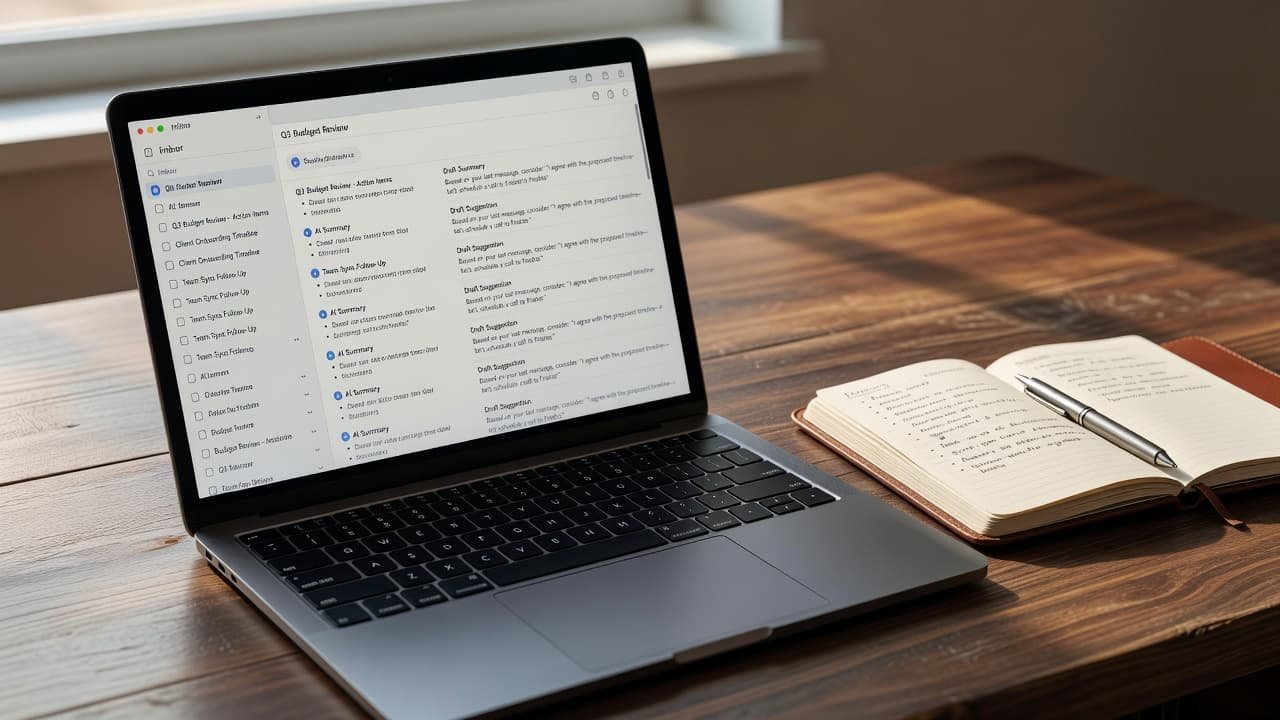
ChatGPT tends to be better when I want a structured rewrite rather than a quick reply. By leveraging advanced OpenAI GPT models, it handles multi-part instructions with ease. That includes requests like, “Make this firmer but still professional, acknowledge the delay, mention the revised timeline, and end with one clear next step.” Because of its superior reasoning capabilities, ChatGPT often provides a cleaner first pass when the prompt carries complex business logic.
The gap gets clearer in three common scenarios:
- A long internal thread about a project kickoff usually favors Gemini because the answer already lives in Gmail.
- A vendor reply that depends on calendar availability and contact context usually favors ChatGPT.
- A high-stakes external note to a client or executive is closer, but ChatGPT often gives me more control if I want precise framing. Furthermore, when drafting complex customer support emails, the integration of Multimodal AI allows the tool to interpret screenshots or attached files to provide more relevant answers.
Native access beats slightly better prose when the user only has 30 seconds.
Neither tool should be treated as an autonomous sender. Both are draft engines. The human review step is still where accuracy, tone, and political judgment get fixed. That matters more in 2026, not less, because the generated output is good enough to create overconfidence.
Privacy, access, and failure modes matter more than the demo
This part gets skipped too often.
Gemini’s convenience comes with a broader default relationship to the inbox. Google’s smart features have been enabled for many users by default, and opting out takes a settings change. While Google has clarified that Gmail data is not used to train Gemini, Privacy and security remain top priorities for users who are wary of how these tools interact with sensitive data. The operational reality is still this: the tool works because it has permission to see the mailbox.
ChatGPT’s connector model is more explicit. You turn access on, and you grant permissions. That is cleaner from a consent standpoint, but it also means people may expose more systems than they intended if they connect Gmail, Calendar, Contacts, and Drive without a real policy review. For larger organizations, managing this requires careful consideration of API access to ensure that sensitive data remains siloed correctly.
The failure modes differ as well. Gemini can over-compress a complex thread and smooth over disagreement, while ChatGPT can build a polished draft that feels smart while missing a buried fact in one source. In both cases, the risk is not just bad grammar; the risk is confident omission. When it comes to Team collaboration, these nuances can be particularly tricky, as team members might misinterpret AI-generated summaries in shared mailboxes. Because of these risks, maintaining high standards for Privacy and security is essential for any professional workflow.
For regulated teams, legal review teams, or executives with sensitive correspondence, this is where the tool decision gets serious. If your environment spans Microsoft mail as well, I keep a separate comparison for AI email assistants for Outlook, because connector and policy questions change fast once Gmail is no longer the only inbox in play.
What I’d choose by team and workload
If I had to make the call for most Gmail-heavy US professionals today, I’d pick Gemini first. It removes steps. It lives inside the inbox. It answers the basic drafting problem without asking users to rebuild their workflow around another app.
I’d choose ChatGPT when the email is only one surface in a larger work graph. That includes account managers juggling calendars and contacts, or operators who need Drive context to improve workflow automation. If you need to perform deep research for complex vendor inquiries or rely on AI agents to synthesize information across your business, ChatGPT becomes the superior choice. In these cases, the extra setup can pay for itself, especially for power users who already utilize ChatGPT as a daily workspace.
There is also a category mistake I see a lot. People compare these tools as if every email task is the same. It isn’t. Writing a reply is different from running outbound campaigns, lifecycle sequences, or interactive email experiences. If the real job is email marketing or high-volume outreach, a simple drafting assistant is the wrong layer. You might even find that a collaborative email client serves your team better than standard Gmail for these tasks. If the real goal is action-taking inside the inbox, that is closer to what I cover in my Mailmodo review for email marketing.
My practical rule is simple:
- Pick Gemini if your work starts and ends in Gmail, and speed matters most.
- Pick ChatGPT if your emails depend on cross-tool context, custom instructions, and advanced research capabilities.
- Pick neither as your only answer if the job is campaign operations, approvals, or inbox automation at scale.
What I’d open before I hit “Reply”
For most people, the Gemini versus ChatGPT email question has a plain answer. Gemini is the better drafting tool inside Gmail. ChatGPT is the better reasoning layer around email.
That does not make one universally better. It means the right choice depends on where the task begins. If the work is already in the thread, I want the AI beside the thread. If the work spans mail, calendar, files, and contacts, I want the AI that can pull those pieces together without guesswork. Because ChatGPT excels at complex synthesis, its expanded context window allows it to analyze disparate data points more effectively when you need deep reasoning.
Ultimately, your workflow dictates the winner. If your priority is a seamless drafting experience that leverages a massive context window for long-term project recall, Gemini remains the go-to for Gmail users. If you need a sophisticated partner for heavy analysis, the Gemini vs ChatGPT email debate will likely lean toward the latter for the foreseeable future.
FAQ
Is Gemini better than ChatGPT for Gmail users in 2026?
For pure Gmail use, yes, in most cases. Gemini is built into the inbox, so it is faster for summaries, quick replies, and tone edits on live threads. While Gemini handles these native tasks well, it cannot perform image generation directly inside your email drafts to spice up your visual communications.
Can ChatGPT write emails directly inside Gmail?
Not in the same native way as Gemini. ChatGPT can access Gmail through connectors, and some users add extensions or automation tools, but the experience usually starts outside Gmail or depends on a bridge. These workflows often rely on powerful OpenAI GPT models to generate text before pasting it into your message. Like Gemini, you will typically need to use a separate tool for image generation if you want to include custom graphics in your email.
Which one is better for professional email tone?
Both can produce polished business email. I give ChatGPT the edge for detailed rewrite instructions, while Gemini is often faster for thread-aware replies that only need light editing. If you have specific brand guidelines, ChatGPT allows for more complex custom prompts to ensure your outgoing messages consistently hit the right professional notes.
Is Gemini or ChatGPT safer for private work email?
Neither is safe by default without policy review. Gemini relies on Gmail smart features and inbox access, while ChatGPT requires explicit connector permissions and specific OpenAI GPT models to function. When using these services, it is important to consider your token usage, as this determines how much data is processed per interaction and stored by the provider. The safer option ultimately depends on your organization’s access controls and internal security review process.
Related reading on AI Flow Review
- Best AI Email Assistants For Gmail Power Users In 2026
- AI Email Assistants Outlook: My 5 Best Picks for 2026
- Mailmodo Review 2026: Interactive Emails That Convert