If your workday looks like 37 tabs, three half-finished docs, and a “quick” copy-paste that somehow eats 45 minutes, you’re not alone. That’s exactly the mess runable ai tries to clean up.
What caught my attention is that it feels less like a chatbot and more like a junior operator who can take a task and finish it, not just tell me how. In this hands-on style review, I’m focusing on what it does well, where it breaks, and who it’s actually for.
I’ll cover what it is, how end-to-end execution works, how it compares to Zapier, Make, and classic RPA, and what this shift means for the next phase of AI. Pricing is freemium, with paid tiers that (as of February 2026) sit around Plus at $29/month and Pro at $49/month, plus a free tier for testing.
Runable is an AI agent, not another chatbot, here’s the real difference

A chatbot is great at talking. An agent is supposed to act.
In plain terms, an “AI agent” is software that perceives what’s going on, chooses actions, and works toward a goal. That definition is old-school AI, not marketing, and it’s captured well in the idea of an intelligent agent. Runable’s pitch is basically: give me the goal, I’ll handle the clicks, the docs, the browsing, the follow-ups, and I’ll save it as a repeatable runbook when you like the result.
The “has hands” part matters. Instead of only generating text, runable ai can operate across tools, including browser-style actions and app-to-app execution through a big integration layer (it claims 3,000+ connectors). It also supports approval gates, so I can force it to pause before sending, posting, or editing anything risky.
The first time it really felt “agentic” to me was watching it open the right tabs, pull the right numbers, draft a clean update, then ask me a pointed question before it hit send. That moment didn’t feel like prompting, it felt like delegating.
If you want a broader map of where agent tools sit right now, my directory’s roundup of the best AI agents is a useful reference point for what “agent” means in practice.
What I mean by “agent”, it plans, acts, and checks its own work
Here’s the loop I watch for during a real run: it interprets the request, creates a step plan, executes each step with tools, checks outputs, and only asks me for clarification when it’s blocked.
When that loop is visible, I trust it more. I look for “agent signals” like a clear plan, tool calls that match the plan, checkpoints before irreversible actions, and some form of error recovery (retrying, switching approach, or asking for missing access).
If the system can’t show its plan and checkpoints, I assume it will eventually do something surprising, usually at the worst time.
Where chatbots stop and Runable starts executing
A chatbot will tell you, “Go export the CSV, open Sheets, clean the column, paste into the deck.” Runable tries to do the export, clean-up, and draft creation itself.
The other big divider is runbooks. In Runable terms, a runbook is a saved workflow that you can re-run, schedule, or trigger later. So instead of “here are instructions,” it becomes “here’s the job, done the same way every time.”
For a neutral definition and examples of how this category is evolving, I like Google’s explanation of what AI agents are, especially the emphasis on planning, memory, and tool use.
From prompt to finished task, what end-to-end execution looks like in real life

When runable ai works, the experience feels like telling someone “handle this,” then watching a tidy set of steps happen in sequence.
In day-to-day operator terms, the flow looks like this: I state a goal, I provide the inputs (links, files, accounts, constraints), it drafts a plan, it executes, then it shows me the output with an approval moment before anything external happens.
Runable’s “sweet spot” is jobs that mix messy inputs with real actions. Based on current public descriptions and listings, that includes things like building simple websites or apps, generating slides and reports, doing research and analysis, autonomous browsing, and also content production (including images, video, and podcast-style outputs). You can see how directories summarize that all-in-one positioning in places like Runable’s profile on OpenTools.
The biggest practical win for me is fewer handoffs. Instead of bouncing between a research tool, a doc tool, a slide tool, and an automation tool, I try to keep the work in one run until it’s review-ready.
A simple workflow I’d run first, weekly reports without the copy-paste grind
If I were testing Runable in week one, I’d start with a weekly report because it’s repetitive, easy to verify, and low-risk if I add approvals.
- Pull key numbers from the source of truth (analytics, Stripe, CRM, or a spreadsheet).
- Summarize trends in plain English, with a short “why it changed” note.
- Draft a report in Google Docs, then generate a cleaner version for email.
- Pause for review, then confirm recipients and send via Gmail or post to Slack.
I’d also capture one screenshot of the run so I can share it internally (I name files something boring but searchable, like runable-ai-weekly-report-flow.jpg, alt text “runable ai creating and sending a weekly report”).
Prompting Runable like an operator, inputs, guardrails, and a clear “done” line
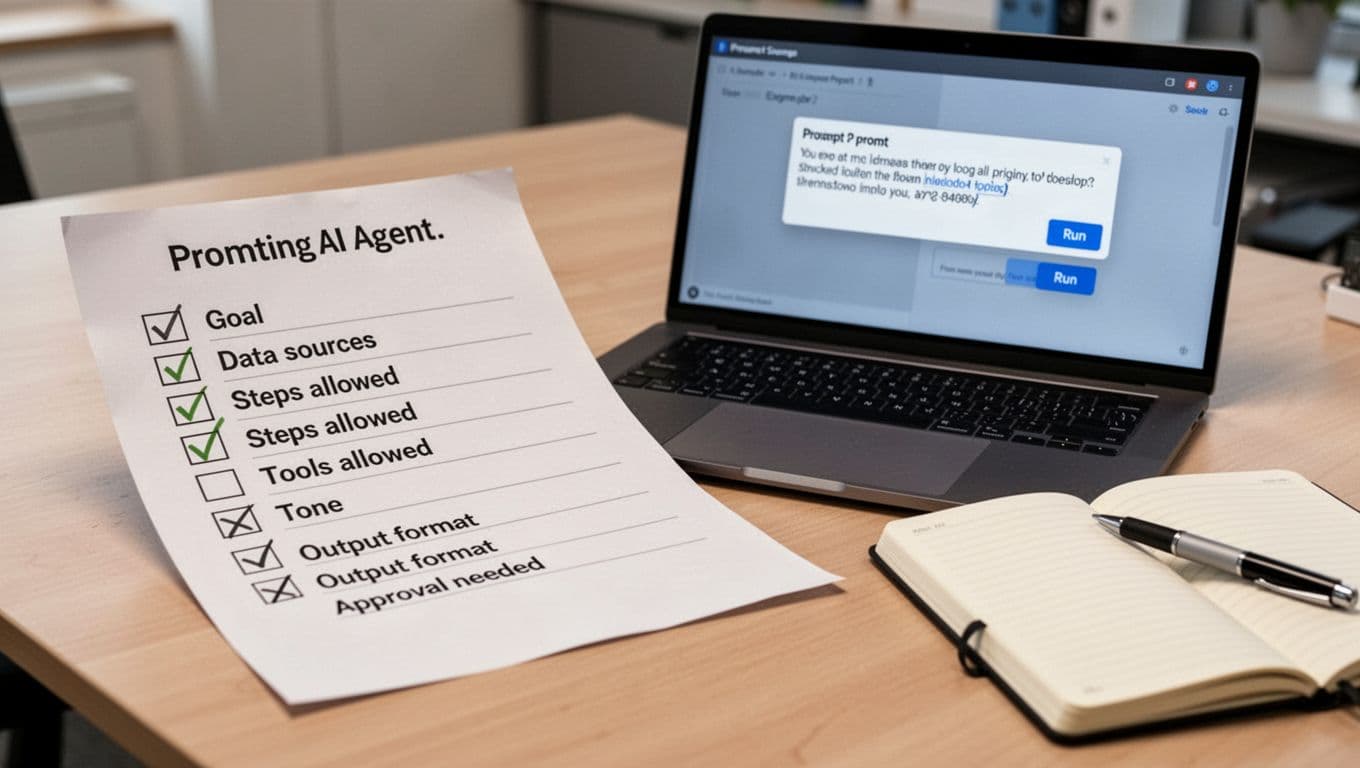
What makes Runable behave is not fancy prompting, it’s operator clarity. I like using a simple brief so the agent has boundaries.
Here’s the template I reuse:
| Prompt field | What I include (quick and specific) |
|---|---|
| Goal | The outcome, not the steps |
| Data sources | Exact links, files, or apps to pull from |
| Steps allowed | What it may do, and what it may not do |
| Tools allowed | “Use Google Docs and Slack only” |
| Tone | Neutral, exec-style, or casual |
| Output format | Doc, email draft, slide outline, CSV summary |
| Approval needed | “Pause before sending or publishing” |
Most failures I’ve seen in agent tools come from predictable problems: missing access, unclear destination (“where should it put the file?”), and vague success criteria (“make it good” is not a definition of done).
Runable is for operators, not creators, and that is the point
A lot of AI tools are “creator-first.” They help you brainstorm, draft, and polish. That’s useful, but it doesn’t solve the busywork that sits between systems.
Runable’s vibe is more “ops-first.” It’s built for people who run processes: ops, RevOps, support ops, analysts, and founders wearing the ops hat because nobody else will. The value isn’t a prettier paragraph, it’s a finished task with fewer context switches and fewer chances for human error.
This also ties into a consolidation idea you’ll see in Runable listings, that it can replace multiple subscriptions by combining creation, execution, and integration in one place. I like the direction, but I stay skeptical until I see reliability in my own runs.
If you need a refresher on the broader mechanics behind this category, this explainer on how AI automation works gives the simplest mental model: rules handle repetition, AI handles judgment, and the mix is where things get interesting.
The best fits I’ve seen, ops, admin, analytics, and customer workflows
If you want fast proof, I’d test Runable on work that’s common, annoying, and easy to validate:
- Lead routing follow-ups: Draft outreach, log notes, notify the owner.
- Invoice or Stripe checks: Pull a weekly list, flag anomalies, draft a summary.
- Onboarding checklists: Create tasks, schedule reminders, prep welcome emails.
- Ticket triage summaries: Turn a thread into a clean brief for a human agent.
- Competitor research brief: Browse, extract claims, compile sources, draft a one-pager.
- Spreadsheet cleanup and reporting: Normalize columns, remove duplicates, summarize trends.
When I would not use it, high-risk actions, messy access, or unclear ownership
I don’t hand an agent the keys to anything destructive on day one. The risk is not that it “goes rogue,” it’s that it executes the wrong thing very calmly.
I avoid full automation for: mass email sends, deleting or merging CRM records, financial transfers, or any workflow where ownership is unclear (“who’s accountable if this breaks?”). UI-driven browsing can also be brittle when websites change layout.
My mitigations are simple: approval steps, limited scopes, test runs on a sandbox, and separate service accounts with least-privilege access.
Runable vs Zapier, Make, and classic RPA, choosing the right kind of automation
This is where the conversation gets real, because teams already have automation tools. So when is runable ai actually the right pick?
Zapier and Make are rule-based connectors. They shine when the workflow is stable and data fields are predictable. Classic RPA (robotic process automation) can drive UIs too, but it’s often heavier to build, debug, and maintain. Runable sits in a newer lane: instruction-led execution that can handle fuzzier work, like “find the latest numbers, write the update, format it, then post it.”
Here’s how I frame the tradeoffs:
| Tool style | Best for | What you gain | What you give up |
|---|---|---|---|
| Zapier, Make | Stable triggers and clean data | Reliability and simple monitoring | Flexibility when the process changes |
| Classic RPA | Repeating exact UI steps | Deterministic execution | Setup time, brittleness when screens change |
| Runable-style agents | Messy, shifting workflows | Adaptability and fewer handoffs | More governance needed, more careful review |
If you’re choosing between the “classic” automation tools, I’ve already broken down the practical differences in my Make vs Zapier comparison, and I also keep an updated hands-on take in my Zapier review.
For a quick outside perspective on where Runable sits among alternatives, these listings are useful context, even if you treat them as starting points: Runable overview on AI-Review and a broader market scan in this AI automation tools comparison for 2026.
If your workflow is predictable, rule-based tools still win on reliability
If the job is “when a form is submitted, create a row, then notify Slack,” I still like rule-based tools. They’re easier to debug, they’re easier to audit, and they don’t need interpretation.
Agents can be overkill here. You don’t need “reasoning,” you need a clean trigger and a clean action.
If your workflow changes week to week, agents can handle the gray areas better
The moment your process becomes “it depends,” agents start to make sense. That might be because the input format changes, the research source changes, or the output needs judgment.
This is the flexibility premium: you spend more time on guardrails, but you save time on maintenance when the process shifts.
The best automation is not the cleverest, it’s the one you can monitor, roll back, and trust on a Tuesday afternoon.
Why tools like Runable feel like the next phase of AI, and how I’d test it before I trust it
The shift I’m watching in 2026 is simple: AI is moving from single outputs (a paragraph, a summary) to multi-step outcomes (a report sent, a runbook scheduled, a workflow closed).
With Runable, I don’t start by asking “can it do everything?” I start by asking “can it do one thing end-to-end, repeatedly, with logs and approvals?” If the answer is yes, I expand.
Runable’s freemium setup helps here. Based on current public info, the free tier is designed for testing with limited executions (often described as up to about 100 runs per month using your own API key), then Plus and Pro unlock more consistent daily use. If you want a quick pricing snapshot as it’s commonly published right now, Runable’s listing on OpenTools is one place tracking it.
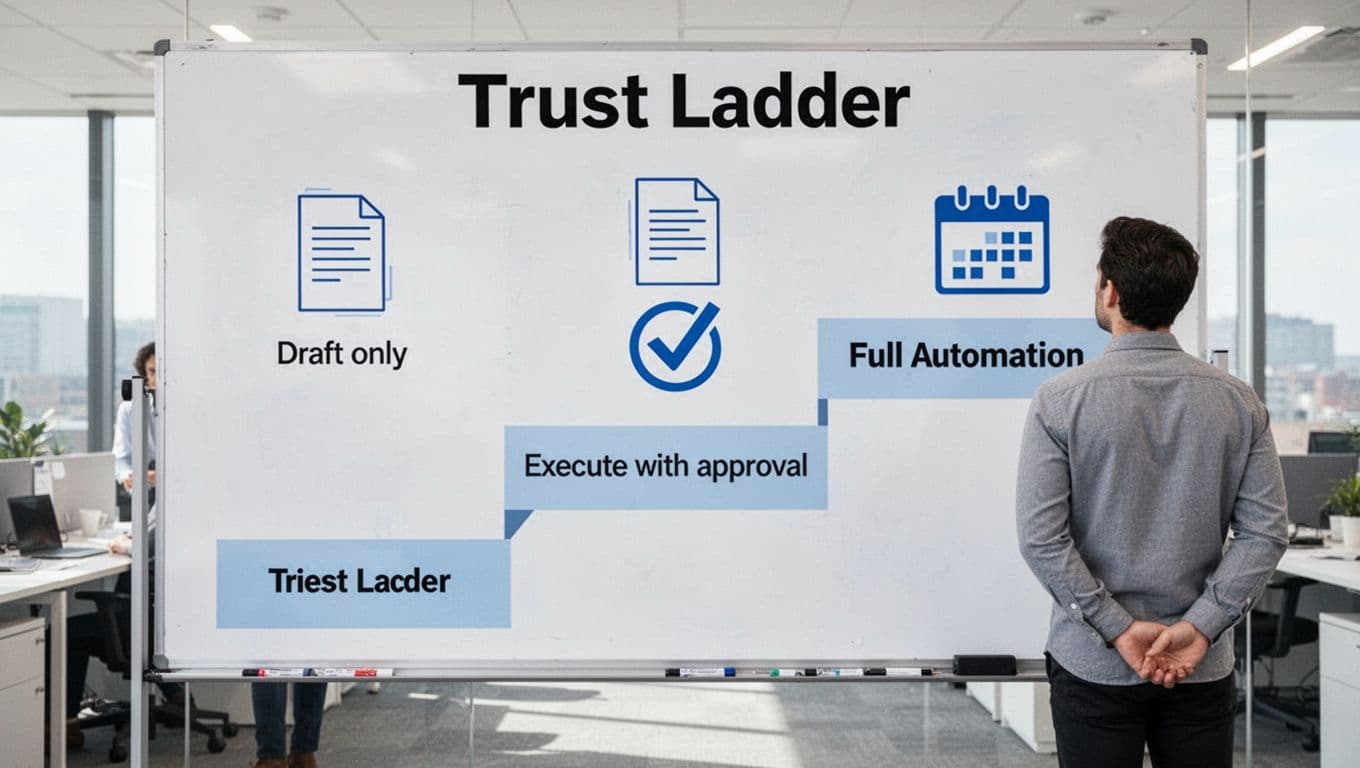
My “trust ladder”, start with drafts, then assisted sends, then full automation
I move agents up in three stages:
| Stage | What I allow | What I look for |
|---|---|---|
| Draft only | Research, summaries, drafts | Clean structure, correct sources, consistent formatting |
| Execute with approval | Fill forms, create docs, prep messages | Visible checkpoints, clear logs, easy correction |
| Full automation | Scheduled runbooks and triggers | Low error rate, reliable rollback, stable access |
A gentle next step if you’re curious: pick one repetitive process you already do weekly, define “done” in one sentence, then run it with approvals turned on. That’s the fastest way to see if runable ai is a helper, or if it’s ready to be an operator.

Photo by Sanket Mishra
Where I land: runable ai is about execution, not conversation. It can replace chunks of operator work, especially when you add approvals and keep scopes tight. Still, it needs guardrails, because “doing” has consequences. If you try it this week, start with a low-risk workflow, write a crisp definition of done, and only then let it run on a schedule.